

First Impressions and Onboarding
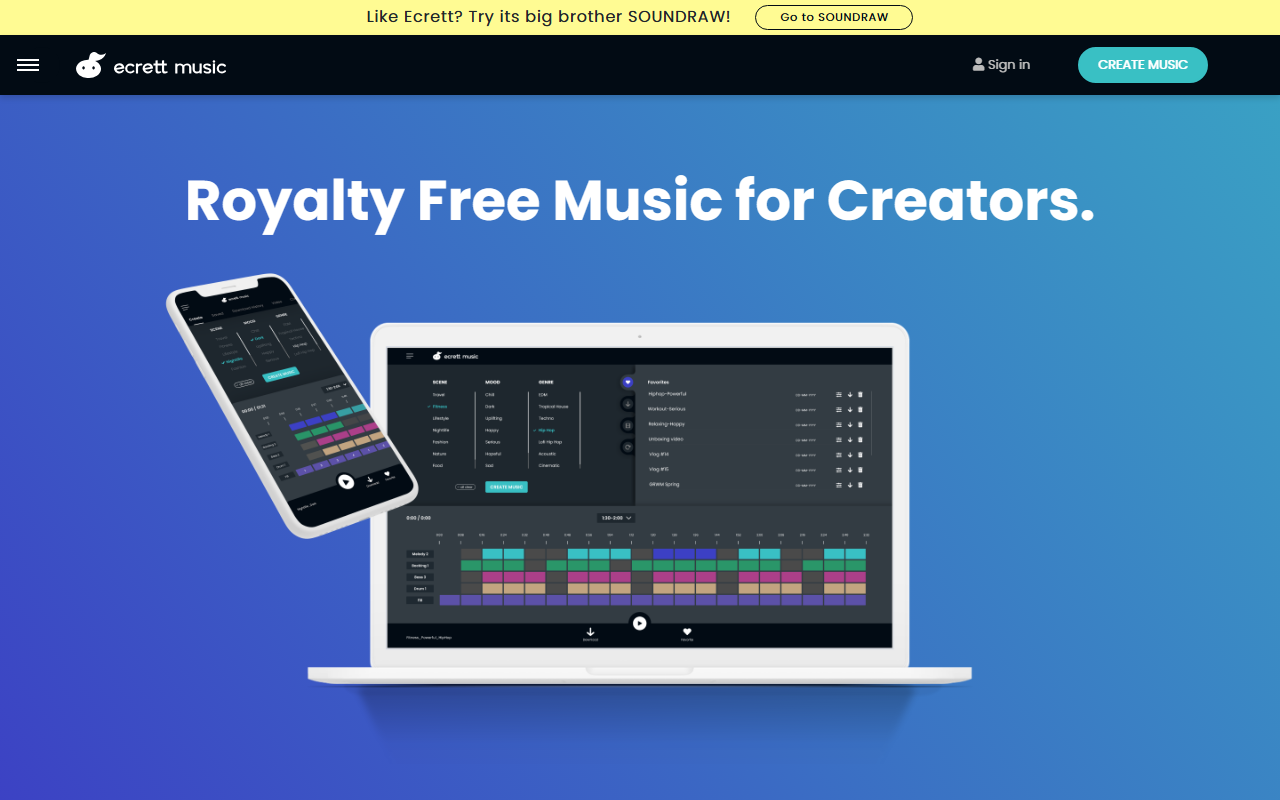
Upon visiting the Ecrett Music website, I was greeted by a clean, minimalist interface that immediately communicates the tool’s purpose: generating royalty-free music with minimal effort. The landing page prominently features a "Create Music" button and a brief three-step guide—Select & Create, Customize, Manage—which made onboarding feel intuitive. I started by selecting a genre and mood from the dropdown menus; even without musical knowledge, I could quickly generate a track. The free tier allowed me to preview a short clip, and I was impressed by the variety: the AI produced a coherent, stylistically appropriate piece in seconds. The dashboard shows your recent creations, favorites, and download history, though the free plan limits you to previews only. The video upload feature, which lets you sync music to a video clip, is a clever touch for content creators. Overall, the onboarding is smooth and transparent, with a short tutorial video readily available.
How It Works and Features
Ecrett Music relies on an AI composing engine that, according to the site, generates over 500,000 music patterns each month. The core workflow is simple: choose one or more options from Scene (e.g., "Action," "Calm"), Mood (e.g., "Happy," "Sad"), and Genre (e.g., "Electronic," "Orchestral"), then click "Create Music." The AI produces a unique composition every time, even with identical settings. Once generated, you can customize individual instruments—Melody, Backing, Bass, and Drum—by toggling different presets, and adjust the structure by turning blocks (sections like intro, verse, chorus) on or off. This granularity is impressive for a tool aimed at non-musicians. I tested the customization by swapping the bass instrument from a synth to an acoustic guitar, and the change applied instantly without losing coherence. The "Manage" tab stores your last 10 creations automatically, and the download history tracks all previous exports. Notably, the license explicitly allows use in monetized videos, games, podcasts, and ads, but prohibits distributing the music as a standalone file or adding lyrics outside of a project context. This is a clear distinction from stock music libraries.
Pricing and Licensing
Ecrett offers three tiers: a free plan (preview only, no full downloads), an Individual plan at $4.99/month billed annually (save 38%), and a Business plan at $14.99/month billed annually (save 40%). The free tier is useful for testing but limiting—you cannot download full tracks. The Individual subscription unlocks unlimited downloads for personal and commercial use, including YouTube monetization, while the Business plan extends the license to a company entity. Pricing is notably cheaper than competitors like AIVA or Amper Music, which often start at $15–$20/month. The reasoning, as stated on the site, is that AI generation keeps costs low. However, the licensing terms are strict: you cannot sell, share, or distribute the music file itself—it must always be part of a larger work (e.g., a video, game, or podcast). This is a genuine limitation for musicians who want to reuse the raw audio in a DAW or as a standalone track. The FAQ clarifies that editing (length, volume, mixing) is allowed only when the music is incorporated into a project. The team behind Ecrett appears transparent about these do's and don'ts, which builds trust.
Verdict: Who Should Use Ecrett Music?
Ecrett Music is an excellent fit for content creators—YouTubers, game developers, podcasters, and video editors—who need quick, royalty-free background music without worrying about licensing headaches. Its lowest price tier is a strong value proposition compared to subscription stock music libraries. However, it is not suitable for musicians who want to distribute or sell the audio as a standalone piece; for that, consider alternatives like Soundraw (Ecrett's "big brother") or royalty-free platforms like Artlist (which offers more flexible licensing). The UI is refreshingly simple, and the AI output is surprisingly musical for a tool that requires zero input beyond genre and mood. I would have liked to see more advanced controls (e.g., tempo, key selection) for those who want finer adjustment, but the trade-off is accessibility. Overall, if you need a cheap, legally safe source of background music for your next project, Ecrett Music is worth a try—especially because the free preview lets you test before committing.
Visit Ecrett Music at https://ecrettmusic.com/ to explore it yourself.










Comments