

First impressions and overview
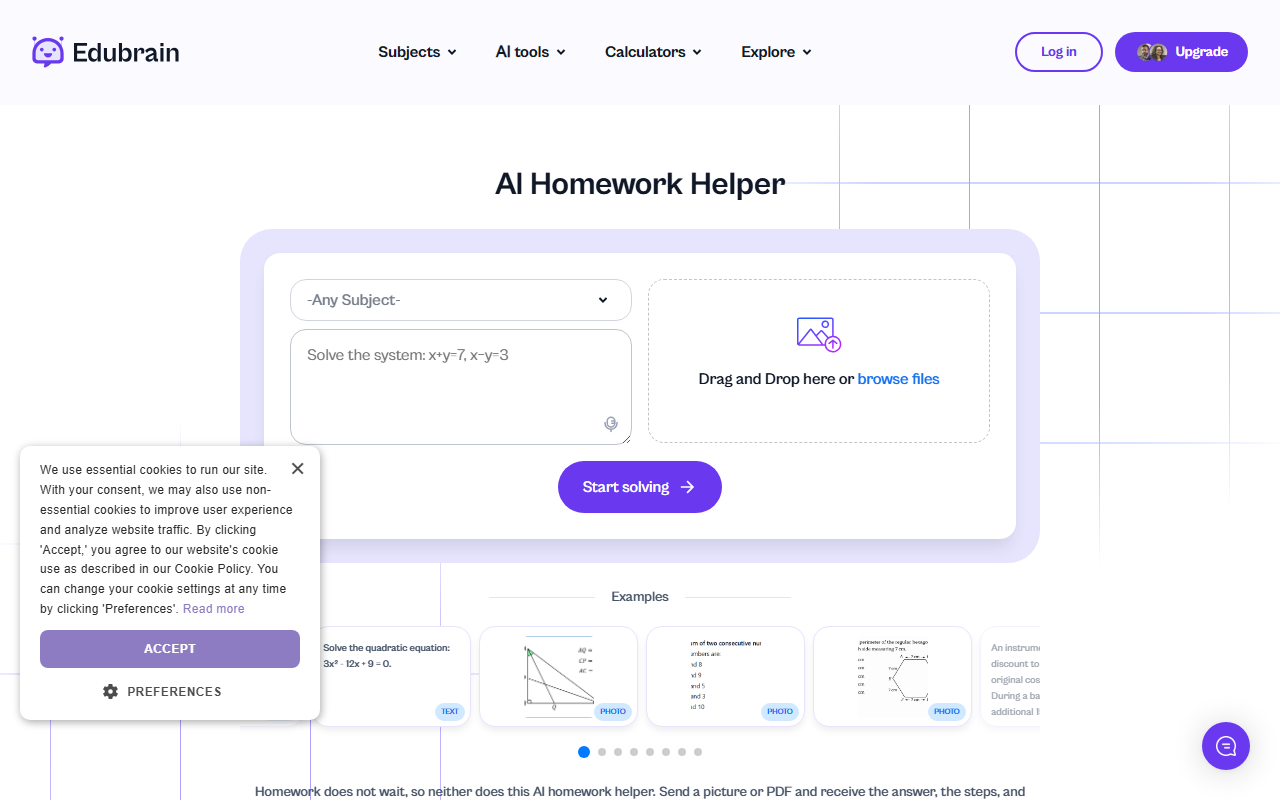
Upon visiting Edubrain.ai, I was struck by the clean, no-nonsense layout. The homepage immediately presents a large subject dropdown—over 60 options including niche fields like Annotated Bibliography, Organic Chemistry, and Discrete Mathematics—alongside a file upload area and a voice recording button. There is no sign-up wall; you type a question or drop a file and hit "Start solving." The interface feels minimalist but functional, clearly prioritizing speed over flashy design. The "AI Homework Helper" tagline is front and center, and a gallery of example prompts (a math equation, a history multiple-choice, a PDF problem) gives instant context. The tool also up-sells an "Explore plans" button for advanced reasoning, but the core service is free and requires zero account creation.
How it works and core features
Workflow is straightforward: choose a subject (or leave at "Any Subject"), type your question or upload a file (txt, pdf, doc, png, jpeg, jpg; max 32 MB for files, 25 MB for audio), or record live audio. After submission, you can select the answer style: quick answer, detailed step-by-step, or homework correction. The AI then returns a response with multi-step logic and math formulas rendered as clear text. I tested a quadratic equation and received a step-by-step breakdown that included factoring and verification steps. The tool also supports follow-up questions, allowing you to refine responses. Notably, Edubrain emphasizes privacy: files are processed and immediately deleted, and the study environment is fully anonymous—no accounts, no tracking. Additional features include multilingual support and a "tutor-like" tone that avoids excessive jargon.
Performance and limitations
During testing, the AI answered straightforward math and history questions accurately within seconds. However, the free tier imposes limits: one file per query, 10,000-character text input, and no support for file types like spreadsheet or video (the site redirects to "expert help" for larger tasks). The "advanced reasoning mode" appears to be behind a paywall, but pricing is not publicly listed on the website—the "Explore plans" link leads to a page I could not fully access without logging in. Compared to competitors like Chegg or Quizlet, Edubrain offers the advantage of anonymity and no upfront cost, but lacks account-based history tracking, collaborative features, or a dedicated mobile app. The AI occasionally struggled with nuanced multi-part problems; a complex economics scenario returned an overly generic explanation. Overall, the free tier is solid for quick homework checks, but power users may find the export and session management features too limited.
Who should use it?
Edubrain is best suited for students who need rapid, anonymous homework help on standard academic topics—especially those in high school or early college. Its audio and picture upload make it handy for solving problems on the go. However, students requiring deep, iterative tutoring or long-form essay feedback should look elsewhere (e.g., Chegg for structured Q&A or a human tutor for sustained guidance). The service excels at one-off questions and quick clarifications, but its lack of persistent sessions and the 10K character limit hinder extended use. For a free, no-sign-up tool that respects privacy and covers an impressive range of subjects, Edubrain.ai is a strong choice—just keep expectations realistic for advanced or multi-file tasks.
Visit Edubrain.ai at https://edubrain.ai to explore it yourself.













Comments