

First Impressions and Onboarding
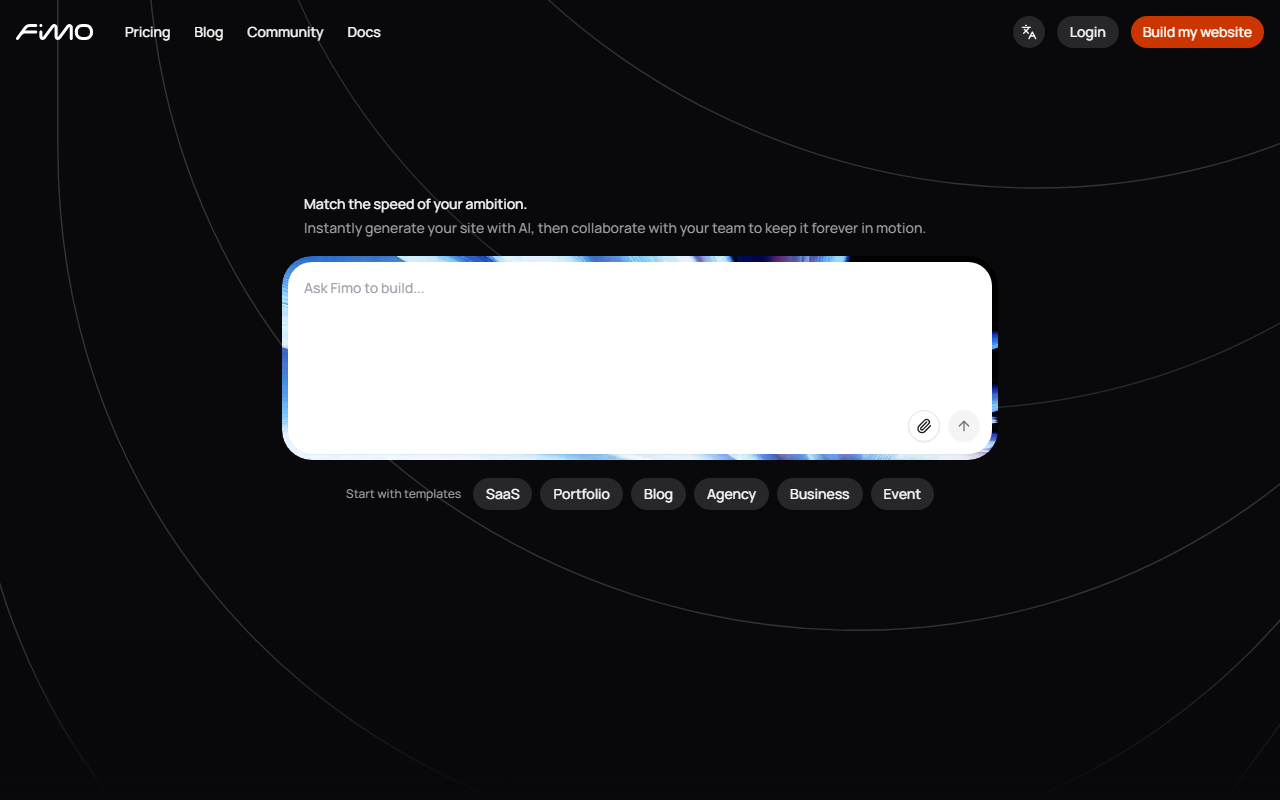
Upon visiting Fimo's site, I was greeted with a clean, modern layout that immediately pushes a single call-to-action: “Build my website.” The headline — “Your free website. Live in minutes.” — sets clear expectations. The homepage scrolls through a carousel of user types (entrepreneurs, doctors, teachers, etc.), emphasizing inclusivity. Landing on the platform, the onboarding is straightforward: you describe your project in a few words — for example, “a portfolio for a freelance designer” — and the AI generates a complete website within seconds. No credit card is required to start, which lowers the barrier significantly. The dashboard, once accessed, presents a preview of the generated site with placeholder content that you can edit immediately. I tested the free tier with a simple business description, and within about 30 seconds I had a multi‑page site with realistic text, images, and a consistent color scheme. The speed is genuinely impressive, though the initial content felt somewhat generic — expected from an AI‑driven builder.
Core Features and AI Capabilities
Fimo positions itself as an AI‑powered CMS, meaning the assistant doesn’t just generate a template but writes alongside you. The editor works on a page‑by‑page basis, allowing you to change text, swap images, and tweak colors. One standout feature is server‑side rendering for search visibility — a technical detail many similar tools overlook. The platform also includes built‑in analytics (tracking visits and countries) and hosting, so you don’t need separate infrastructure. Another welcome addition is real‑time collaboration with granular permissions, useful for teams. The templates are categorised into Business, Blog, Event, Portfolio, Landing, and Industrial — each with several starter designs. However, the selection feels limited compared to established competitors like Wix or Squarespace, which offer hundreds of templates. For users wanting deeper design control, Fimo claims “infinite personalization,” but in practice the editor’s flexibility is constrained by the initial AI generation; you can change colours and fonts but not fundamentally restructure the layout. The AI assistant understands natural language commands — e.g., “add a contact form” — and inserts the element correctly. During my test, it responded quickly, though complex requests sometimes yielded random results.
Pricing and Positioning
Fimo’s pricing model is notably opaque. The homepage repeatedly promotes a free tier with “no credit card required,” but there is no public pricing page listing upgrade options. This suggests the free version may have limits on storage, page count, or custom domain support, and that paid plans exist behind the signup flow. Given that the tool states “2,000+ entrepreneurs and builders already trust Fimo,” it seems early‑stage but growing. Competitors like Wix ADI and Squarespace offer similar AI‑driven design, but Fimo differentiates by focusing on speed and a true free tier. Unlike many site builders that lock essential features behind paywalls, Fimo’s free option includes hosting and analytics. For users who need a quick, no‑cost web presence — a landing page for an event or a basic portfolio — this is compelling. However, for someone requiring advanced e‑commerce, deep SEO control, or a large blog, the missing pricing details are a risk: you may hit a feature ceiling without warning.
Final Verdict and Recommendations
Fimo delivers on its promise: a free, instantly live website from a simple description. Its strengths are speed, ease of use, and the inclusion of hosting and analytics in the free tier. The AI CMS effectively handles basic content generation and editing. That said, limitations include a small template library, less design flexibility than premium builders, and unclear upgrade pricing. This tool is best suited for freelancers, small business owners, and creators who need a functional site up in minutes without technical overhead. It is less appropriate for large organisations or users who demand granular design control. If you’re willing to accept a minimalistic, AI‑shaped site to test an idea or launch quickly, Fimo is worth trying. For those who need customisation or scale, look at alternatives like Wix or WordPress. Visit Fimo at https://fimo.ai/ to explore it yourself.










Comments