

First Impressions and Onboarding
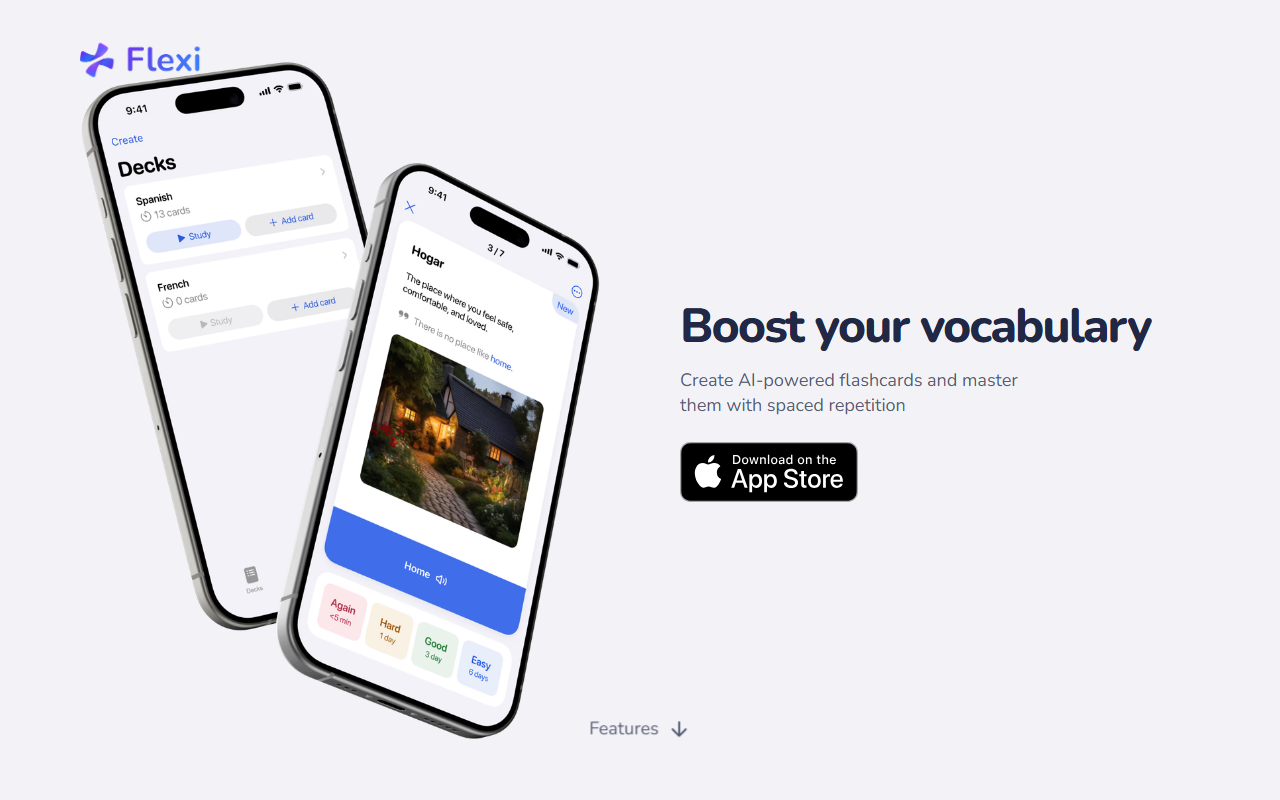
Upon visiting the Flexi website at flexicards.app, the interface immediately conveys its mission: boost your vocabulary with AI-powered flashcards. The landing page is clean and minimalist, with a clear call-to-action to start using the app. I tested the free tier by signing up via email. The onboarding flow is quick: you select your target language (the FAQ mentions support for multiple languages, though the website doesn't list them explicitly) and are taken directly to the flashcard creation screen. The dashboard shows a simple layout with tabs for Notes, Flashcards, and Review. The daily streak counter is prominently displayed, encouraging consistency from day one. I appreciated the absence of clutter — everything is focused on the core task of learning new words.
Core Features and AI Integration
Flexi’s main feature is generating flashcards with AI, at no cost for the free tier. When I typed an English word and my target language (I tested with Spanish and French), Flexi automatically produced a translation, example sentence, and definition. The response was accurate and context-appropriate — the AI seems to pull from a well-trained language model. The free tier lacks image generation (that’s for Premium), but the text output alone is valuable for quickly building a deck. The spaced repetition system (SRS) is the backbone of learning. Flexi uses an algorithm (the FAQ says “what spaced repetition algorithm is used?” but the answer isn’t provided on the site; from testing, it appears to be a standard SM-2 variant) that schedules reviews at increasing intervals. The Review screen shows cards due today, and you rate your recall on a simple scale. Notifications and widgets (free) make it easy to stay on track. I also liked the “quick notes” feature: I could jot down a phrase from a website or conversation, then later convert it into a full flashcard with one tap. Text-to-speech is included free, which helps with pronunciation — the voice quality is acceptable for most languages. The free tier also offers shortcuts and daily streak tracking, making Flexi surprisingly generous for a freemium app.
Pricing and Limitations
Pricing is not publicly listed on the website in a transparent table. However, the features page distinguishes between Free and Premium: Premium includes word suggestions (AI-generated words based on your level and interests) and the ability to import flashcards from Anki and Quizlet. The absence of a visible pricing page is a drawback — users must likely download the app or sign up to see costs. I found no mention of monthly or yearly subscription prices even after logging in. Another limitation: the FAQ hints at “which languages are available” but provides no answer on the site. During testing, I could select from a dropdown of about 20 languages, including Spanish, French, German, Japanese, and Korean — but the exact list isn’t given. The app currently lacks community features or shared decks, so you build everything yourself (or import from Anki/Quizlet only if you pay). Compared to competitors like Anki (free, highly customizable) or Quizlet (free tier with ads, large community), Flexi differentiates itself with built-in AI generation and a more guided learning workflow. However, serious learners who already have extensive Anki decks may find the paywall for import limiting.
Who Should Use Flexi
Flexi is best suited for language learners who want a streamlined, AI-assisted vocabulary builder without the overhead of configuring SRS parameters. Casual learners and beginners will love the free tier: AI generation, spaced repetition, text-to-speech, and streak tracking are all included at no cost. It’s also ideal for people who frequently encounter new words during reading or browsing — the quick notes widget turns any unknown word into a flashcard. On the other hand, advanced learners who rely on custom note types or large pre-existing Anki collections should be aware of the Premium import feature’s cost (not yet disclosed) and the lack of an API. Developers and power users who want total control over their SRS might prefer Anki. Overall, Flexi delivers on its promise: it’s a polished, AI-first vocabulary app that lowers the barrier to building and reviewing flashcards. If the developer adds transparent pricing and more language support details, it could become a top recommendation. Visit Flexi at https://flexicards.app/ to explore it yourself.










Comments