

First Impressions and Onboarding
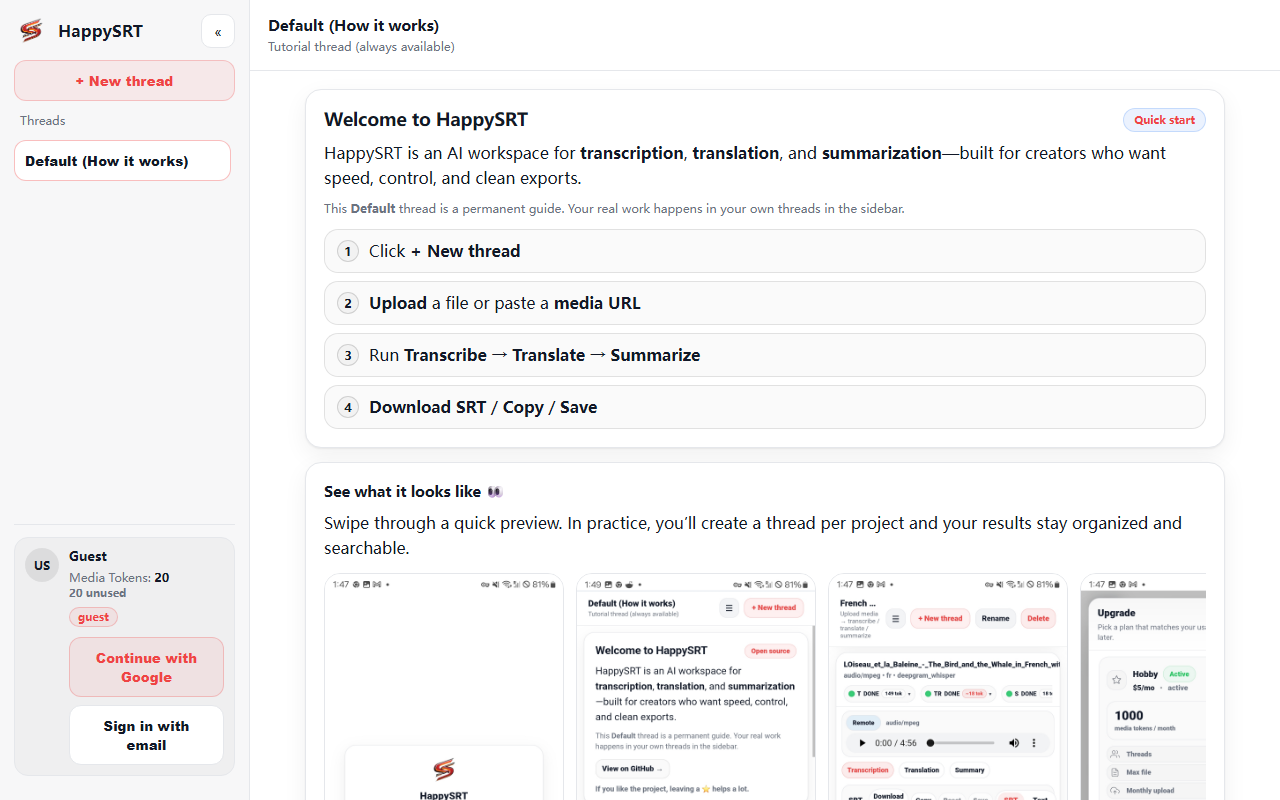
Upon visiting HappySRT's website, I was greeted by a minimalist loading screen displaying three status messages: "Loading your workspace…", "Checking sign-in…", and "Loading FFmpeg engine…". The absence of a traditional landing page with marketing copy immediately signals that this is a no-frills, developer-oriented tool. After a brief wait—presumably for the browser to load necessary libraries—the workspace becomes interactive. The dashboard is sparse: a central area for file upload, a sidebar for history, and a thread view for processed items. There are no guided tutorials, so users must be comfortable exploring on their own. I tested the free tier by uploading a short MP3 file. The app asked for no API key or account creation, which was refreshing. Transcription began almost instantly, with progress indicated by a simple spinner. The response quality was solid: the English transcription was accurate, though it struggled slightly with heavy accents.
How HappySRT Works and What It Solves
HappySRT is a pure client-side web application that performs AI transcription, translation, and summarization directly in your browser. It uses FFmpeg (loaded via WebAssembly) to decode audio and video files, then runs a local AI model (likely Whisper or a similar variant) for speech-to-text. No data is sent to external servers, which makes it a standout option for privacy-conscious users. The tool solves three core problems: converting spoken content into text, translating that text into multiple languages, and condensing the transcript into a concise summary. You can upload common formats like MP3, WAV, MP4, or even link to a YouTube video (though that feature may require network access). After transcription, editing is possible inline, and you can export results as SRT (subtitle format), TXT, or JSON. For multilingual needs, the translation step supports over 50 languages, though the quality depends on the underlying model's language coverage. Summarization produces a few bullet points, adequate for quick overviews but not in-depth analysis.
Pricing, Technology, and Market Position
Pricing is not publicly listed on the website. Since the software is open-source and runs entirely client-side, there are no subscription tiers or usage limits for the web version. Users can also self-host the tool via its GitHub repository, which is explicitly mentioned. This contrasts with competitors like Otter.ai (cloud-based, subscription tiered) and DeepL (paid API for translation). HappySRT sacrifices ecosystem convenience for total privacy and zero cost. The underlying technology appears to be the open-source Whisper model, combined with FFmpeg for media processing. There is no official API, but developers could theoretically extend the code. The tool is best suited for individual researchers, privacy advocates, developers who need quick transcriptions without uploading sensitive files, or hobbyists tinkering with local AI. It is less suitable for enterprise teams needing collaboration features, high accuracy for specialized jargon, or mobile users (the interface is not responsive beyond basic scaling). A notable limitation is the lack of real-time streaming—you must wait for the full file to process. Also, browser performance can degrade with very long audio files (over 30 minutes), as the app consumes significant RAM.
Final Verdict and Recommendation
HappySRT delivers on its promises with a clean, open-source approach. Its greatest strength is absolute data privacy: nothing leaves your machine. The transcription quality is competitive with mainstream tools, though translation and summarization feel slightly rougher. The interface is functional but lacks polish; a beginner might find the absence of error messages or help text frustrating. For tech-savvy users who value control over convenience, this is an excellent choice. I recommend trying the web version for quick, one-off tasks—especially for transcribing interviews or lectures where confidentiality matters. If you need collaborative editing or high-volume processing, look elsewhere. Visit HappySRT at https://happysrt.com/ to explore it yourself.










Comments