

First Impressions: Real-Time Avatars for the Privacy-Conscious Streamer
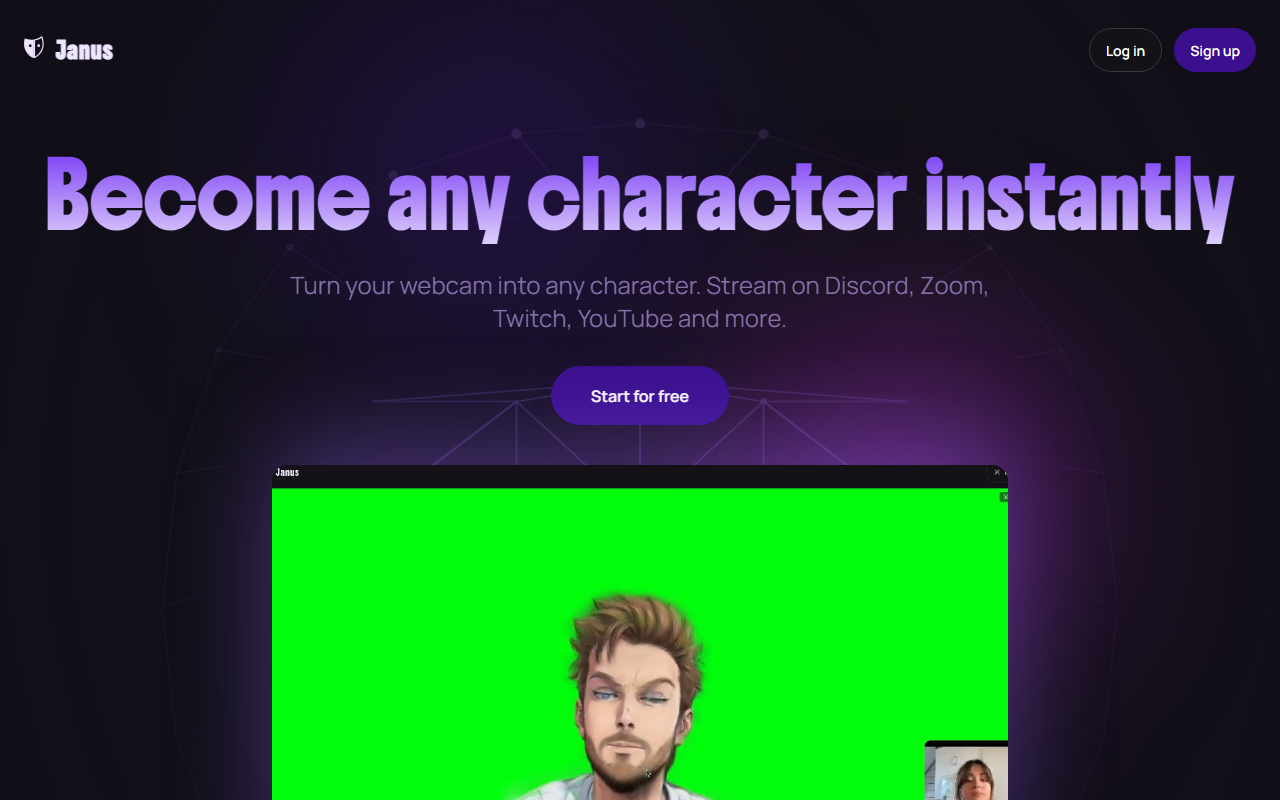
Upon visiting janus.cam, the landing page immediately sells a simple promise: turn your webcam into any character and stream live without showing your face. The interface is clean and modern, with a short onboarding flow that asks for just a selfie or uploaded photo. I tested the free tier by uploading a standard portrait. Within seconds, the browser rendered a 3D avatar based on my face, driven by my webcam’s facial tracking. The quality was impressive—1080p rendering, no noticeable lag, and the avatar mirrored my expressions accurately. Everything runs locally in the browser using Gaussian splats, so there's no cloud server latency. Janus supports all major platforms: Discord, Zoom, Twitch, YouTube, OBS, and any app that accepts a virtual camera. The dashboard shows a simple list of your avatars, credit balance, and a button to start streaming. For someone who values privacy but still wants a dynamic presence, this tool delivers a surprisingly polished experience.
How Janus Works: From Selfie to 3D Avatar in Minutes
Janus uses your webcam to track facial movements in real-time, animating a 3D avatar directly in your browser. The technology relies on a photo or prompt to generate the initial avatar, then continuously maps your expressions to the character. Unlike many competitors that require expensive hardware or cloud processing, Janus processes everything locally. This means zero lag and no risk of your video feed being stored on a server—a key selling point for privacy. I tried creating an avatar from a photo, and the app offered options to refine outfits, hairstyles, and accessories after creation. The customization is ongoing: you can change looks anytime without starting over. For streaming, you use Janus’s Chrome extension or OBS to output the avatar as a virtual camera. In my test, the character responded to head tilts, eyebrow raises, and mouth movements with natural smoothness. The only catch is that you need a reasonably modern computer and a Chromium-based browser; Mac, Windows, and Linux are all supported. Janus does not store your uploaded photos—they are only sent to image generation providers and then discarded, as stated in their FAQ.
Pricing and Limitations: Free Streaming but Pay for Creation
Janus offers a free tier with unlimited streaming time but only 25 free credits on sign-up. Credits are used to create avatars and generate videos. Once you run out, you can purchase additional credits (pricing is not publicly listed on the website—you top up as needed). The Pro tier is listed as a 7-day free trial at $0/month, but monthly credits are zero, implying that Pro is actually a subscription after the trial? The website is vague: it says “Pay as you go with top-ups, or unlock everything with Pro” but doesn’t show a Pro price. This lack of transparency is a limitation. Additionally, the free version includes a watermark on streams and generated videos, limited styles, and no green screen support. Pro removes watermarks, enables 60fps+ streaming, and adds expression customization. While the free tier is generous for unlimited streaming, creating multiple avatars will cost credits, and there’s no clear path for heavy users without recurring payment. Another limitation: the tool is browser-dependent and works best on Chrome/Chromium—Firefox and Safari users may face issues. Compared to alternatives like VRoid Studio or Ready Player Me, Janus focuses on real-time streaming simplicity rather than deep customization, which is both a strength and a weakness. It’s ideal for streamers who want quick setup and privacy, but less suited for those needing advanced rigging or offline rendering.
Who Should Use Janus?
Janus is best for content creators and professionals who want to maintain visual presence on video calls or live streams without showing their real face. If you stream on Twitch or host remote meetings on Zoom, Janus gives you a polished cartoon avatar that reacts in real-time—no headset or capture suit needed. The privacy-first approach is a standout: no cloud servers during streaming, no stored photos, and full local processing. However, users who need high-fidelity avatars with detailed customization should look elsewhere, as Janus’s quality is good but not at the level of mocap-based solutions. And if you’re averse to browser-based tools or lack a modern CPU/GPU, performance may suffer. The unclear Pro pricing also dampens trust. I’d recommend Janus for anyone who values ease of use and anonymity over extreme graphical fidelity. Try the free tier to see if it fits your workflow—you have nothing to lose, and the 25 free credits are enough to create one or two avatars. Visit Janus at https://janus.cam/ to explore it yourself.










Comments