

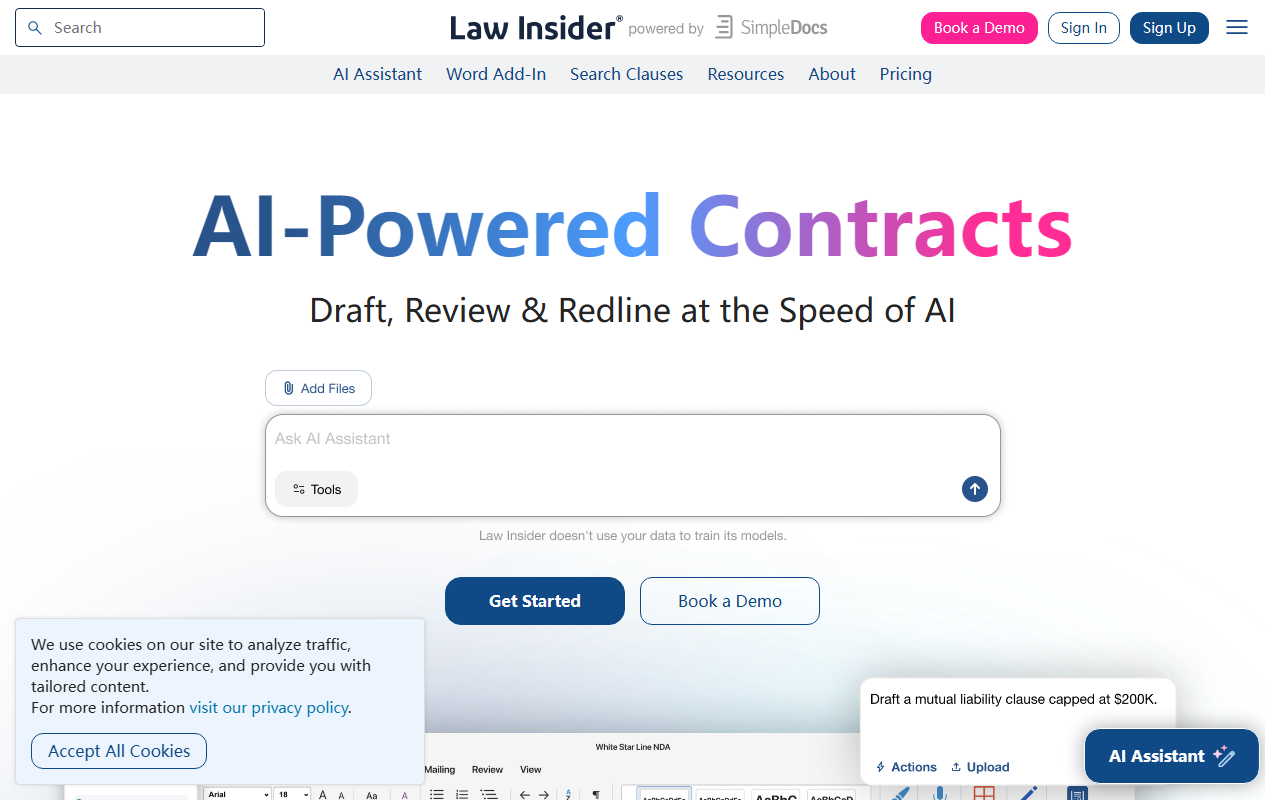
First Impressions and Onboarding
Upon visiting Law Insider, the landing page immediately pitches an AI-powered approach to contract work. The bold claim—“Draft, Review & Redline at the Speed of AI”—is backed by a prominent “Get Started” button and a “Book a Demo” option. After clicking “Try for Free,” I was guided through a simple sign-up process that required only an email and password. No credit card was requested for the free trial, which gives you 14 days of full access. The dashboard loaded quickly, presenting a clean interface with two main pathways: “Search the world’s largest public contract database” and “AI Assistant.” I appreciated that the onboarding tooltip walked me through the search bar and the AI clause generator in less than two minutes. The Microsoft Word integration is teased on the homepage, but the free trial focuses on the web experience. I tested the search function by typing “indemnification clause,” and it returned over 12,000 results from publicly filed contracts. Each result includes a snippet, source metadata, and a link to the full document. The sheer breadth of the database is immediately impressive—Law Insider claims access to 200 million+ clauses.
Core Features: AI Drafting, Review, and the Law Insider Index
The AI Assistant, powered by OpenAI, allows you to generate original contract clauses or entire sections. I instructed it to “draft a force majeure clause for a SaaS agreement.” Within seconds, it produced a clause that read well but felt generic. What sets Law Insider apart is the “Index Score” feature: each AI-generated clause is benchmarked against the database to show how closely it matches standard market language. My clause received a 7.2 out of 10, indicating moderate alignment, with suggestions to adjust trigger events and duration. This validation layer adds trust that the AI isn’t hallucinating. Another standout is the “Law Insider Standard Playbooks,” a library of over 40 pre-built playbooks for common contract types (e.g., NDAs, MSAs, SOWs). I opened the NDA playbook and could instantly review, redline, and summarize a third-party draft. The redlining happens in-browser with a track-changes-style interface. For teams working in Word, the Microsoft Word add-in replicates these functions natively—a huge time-saver for legal professionals who prefer their usual environment. The “Review” mode scans a contract for risky clauses and flags deviations from your selected playbook. I uploaded a sample vendor agreement, and it highlighted non-standard liability caps and missing audit rights. The speed was impressive: full review in under 10 seconds.
Pricing, Integrations, and Market Position
Law Insider offers a single paid tier at $150 per user per month when billed annually, or roughly $179 monthly if paid month-to-month. The annual plan saves about 16%. For enterprise teams, custom pricing is available. Compared to competitors like Ironclad (which starts around $150/user/month but requires an annual commitment for basic features) or LexCheck (which focuses solely on AI review without a public database), Law Insider is competitively priced given the included database access and playbooks. The tool integrates with Microsoft Word via an add-in, but I did not find API documentation or integrations with Google Docs or contract lifecycle management systems on the website. The “10,000 customers worldwide” badge suggests solid adoption, primarily among mid-market and enterprise legal departments. Law Insider is backed by its parent company, Law Insider Inc., but no venture capital funding is publicly disclosed. The database itself, aggregated from SEC filings and public sources, is the strongest differentiator—no other AI contract tool offers real-time benchmarking against millions of actual clauses.
Strengths, Limitations, and Who Should Use It
The greatest strength of Law Insider is its validation layer: the Index Score and Playbooks ground AI outputs in real-world usage, reducing the risk of non-standard language. The web experience is intuitive, and the Word add-in covers a critical workflow need. However, I noticed some limitations. First, the free trial is limited to 14 days, which may not be enough for a thorough evaluation of clause quality across many contract types. Second, the AI sometimes generates clauses that are too generic—I had to manually adjust a confidentiality clause to match my jurisdiction’s specific definitions. Third, there is no native e-signature or negotiation tracking, so you will need to export the final document to a separate platform. Cost can be a barrier for solo practitioners or small firms: $150/user/month is steep if you only handle a few contracts monthly. Law Insider is best suited for in-house legal teams at companies that process dozens of contracts per month, law firms with multiple associates, or any organization that needs to standardize contract language at scale. If you rarely draft contracts and only need occasional review, a free alternative like DocJuris (with limited features) or a simple find-and-replace approach may suffice.
Visit Law Insider at https://lawinsider.com/ to explore it yourself.










Comments