

First Impressions and Onboarding
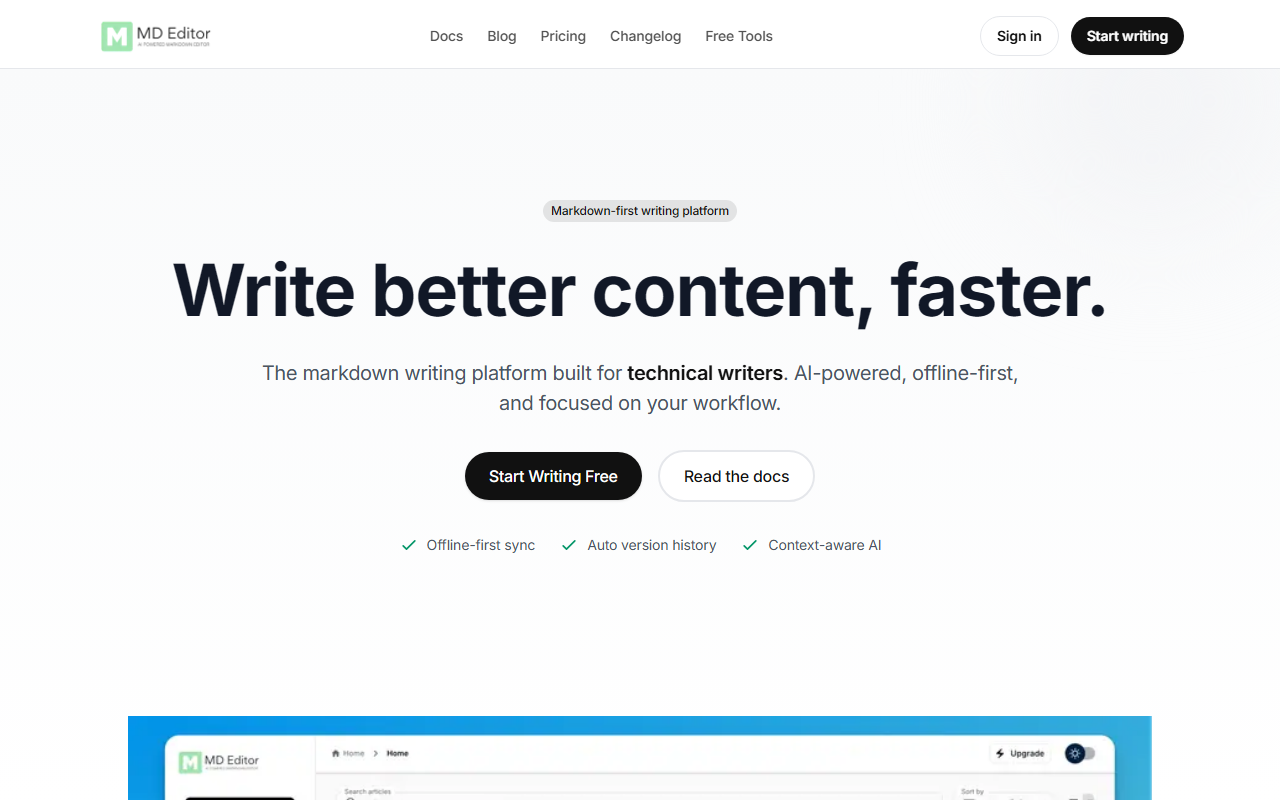
Upon visiting the MD Editor site, I was greeted by a clean, developer-oriented landing page that immediately communicates its purpose: a markdown-first editor for technical writing. The dashboard, which I accessed by signing up for the free tier, presents a minimalist file browser on the left and a split-pane editor/preview on the right. The onboarding flow is straightforward—I could import existing markdown documents, start a new file, or explore a sample article. Within minutes, I was writing and seeing real-time rendered output. The interface is snappy, and the fact that it works offline from the start (local-first storage) gave me confidence that my drafts would survive an internet dropout.
One feature that stood out early was the automatic version history. Every edit is saved as a snapshot, and I could revert to any previous state with a single click. The free tier limits snapshots to 3 per article, but that’s enough for small projects. I also noticed the "Lint" button—a smart markdown linter that fixes formatting inconsistencies. When I intentionally added broken link syntax, the linter flagged it and offered a one-click fix. For a technical writer, this kind of polish saves hours of manual cleanup.
Core Features and AI Capabilities
MD Editor’s standout value is its context-aware AI. When testing the free tier, I used the built-in AI chat (only available on the paid Premium plan; otherwise you bring your own API key). The AI understands the document you’re working on, so you can ask it to summarize a section, generate a table of contents, or even rephrase a paragraph without losing the surrounding style. I tried generating a draft for a technical tutorial on CI/CD pipelines. The AI produced a coherent outline and fleshed out the first few paragraphs, drawing from the few sentences I’d already written as context. The ability to review changes line by line before applying them is a genuine time-saver and builds trust—unlike many AI writing tools that apply bulk edits without transparency.
Beyond AI, the editor supports Mermaid, Graphviz, and Markmap for diagrams and mind maps. I built a simple flowchart using Mermaid syntax, and the live preview updated instantly. The rich media library pulls images from Unsplash, Pixabay, and Giphy, which is handy for blog posts and documentation. For developers, the code screenshot feature turns code blocks into pretty images, and the one-click publishing to GitHub Gist or S3 is a game changer for sharing snippets or hosting guides. The CLI tool (mdedit-cli) also lets you create and export articles from the terminal—a thoughtful addition for workflow automation.
Pricing and Value Proposition
MD Editor offers three tiers: Free, Standard ($6.99/month), and Premium ($17.99/month). The Free plan is generous for evaluation—it includes the core markdown editor, live preview, imports/exports, public shareable links, 3 cloud-synced articles (lifetime), 10 AI chats/images per month (with your own API key), and 5 agentic writing runs (beta). However, the limitations become apparent quickly: only 3 snapshots per article and no built-in AI without a key. The Standard plan unlocks unlimited articles, 50 snapshots, advanced image editing, and code-to-Gist features. The Premium plan is where the full AI experience shines—built-in AI models (no key needed), unlimited version history, and unlimited agentic runs. For serious technical writers who produce long-form content daily, the Premium tier is worth the investment.
Compared to alternatives like Typora (no AI or sync) or Notion (limited markdown support), MD Editor offers a more focused, offline-first environment with first-class AI integration. It’s less expensive than dedicated AI writing tools like Jasper or Copy.ai but far more tailored to technical documentation. The 99.9% sync reliability and 15+ hours saved per month (self-reported by users) reinforce its value for power users.
Who Should Use It and Final Verdict
MD Editor is ideal for technical writers, developers, bloggers, and students who live in markdown and need reliable offline access, version control, and AI assistance that understands document context. It excels at long-form technical content—tutorials, READMEs, documentation, and research papers. The free tier is perfect for trying it out, but power users will quickly want the Standard or Premium plan for unlimited articles and built-in AI.
On the downside, the free tier’s 3-article limit and snapshot cap may frustrate users with large projects. Real-time collaboration is still “coming soon,” so teams relying on collaborative editing should look at alternatives like HackMD or Google Docs (though those lack the markdown-first focus). Also, the AI chat on the free tier requires you to bring your own API key, which adds friction for casual users.
Overall, MD Editor is a thoughtful, well-built tool that solves real pain points for technical writers. The combination of offline sync, rich version history, and contextual AI makes it a strong contender in the niche of technical content creation. I’d recommend it to anyone who writes in markdown and wants a smarter, more reliable environment.
Visit MD Editor at https://mdedit.ai/ to explore it yourself.











Comments