

Why MemeCreator Stands Out in the AI Design Space
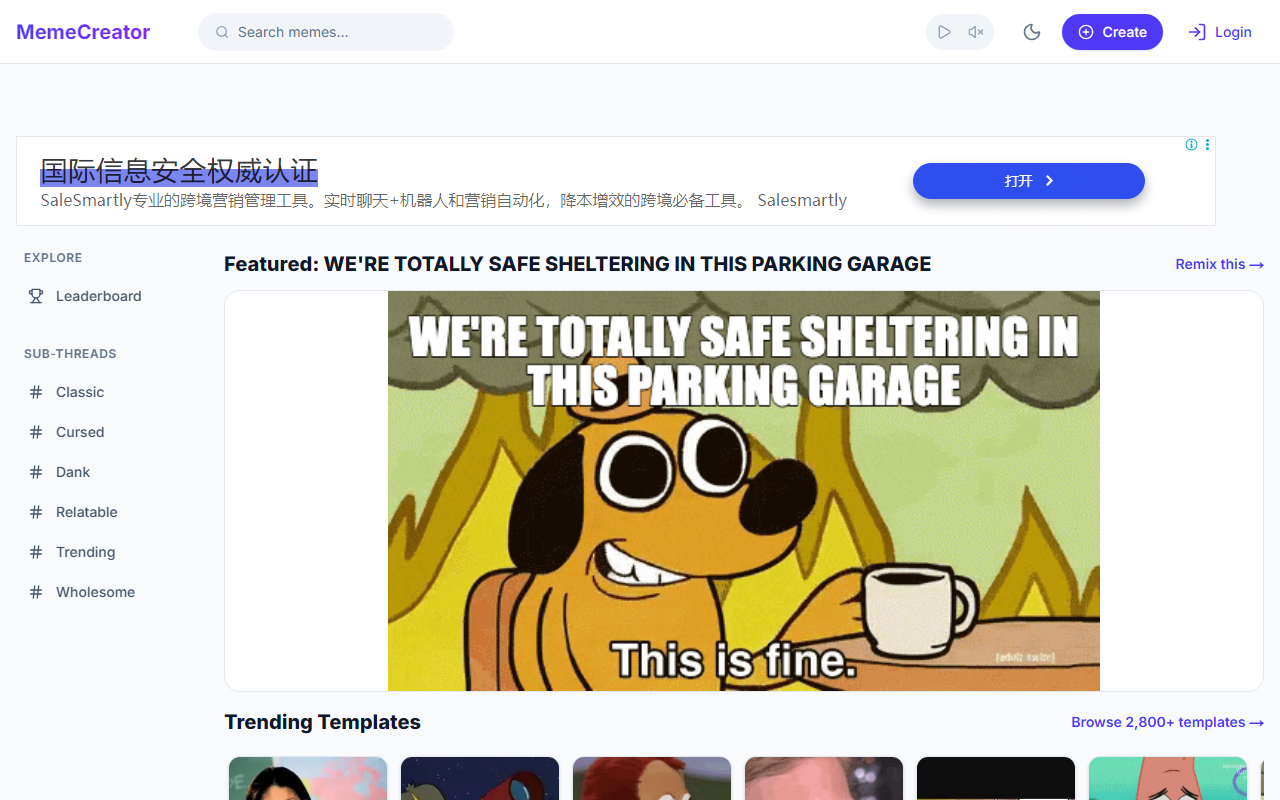
Upon visiting MemeCreator at mememaker.net, I was immediately struck by its laser focus on the meme community. Unlike general-purpose design tools like Canva or Kapwing, MemeCreator is built purely for quick, humorous image creation. The homepage greets you with trending templates—Distracted Boyfriend, Woman Yelling at Cat, and the classic Drake—plus a “Remix This Meme” call-to-action that lets you jump right in. The design philosophy is clear: get in, make a meme, and get out, all without a single account or watermark. I observed that the site loads almost instantly, and the layout prioritizes template discovery over complex menus, making it ideal for spontaneous creativity.
Core Features and User Experience
The dashboard is minimalist: a search bar for templates, a grid of trending memes, and navigation to explore all 4,500+ options. When testing the free tier, I clicked the “Remix This Meme” button on the “Me Facing Monday Like..” template. The editor opened with the template pre-loaded, plus text fields for top and bottom captions. The interface is snappy—no loading delays. For users wanting more control, MemeCreator supports video and GIF memes with timeline editing, frame-by-frame controls, and text overlays. You can also embed content from TikTok, YouTube, Instagram, and Twitter, making it easy to remix viral content. A notable touch: signing in (free) credits your username on every meme, so your work is attributed wherever it spreads—a smart gamification for the community. I also browsed the “Latest Memes” section, which refreshes daily, though the feed took a moment to load during my test.
Pricing and Positioning
MemeCreator is entirely free to use. There are no paid tiers, no watermarks, and no hidden limits on downloads. This sets it apart from competitors like Imgflip, which offers a free tier but restricts some features, or Kapwing’s pro subscription. The lack of pricing complexity is a huge plus for casual users. However, this also means no advanced AI generation—MemeCreator is purely a text-over-image tool, not a generative AI. If you need AI-powered meme creation (e.g., DALL·E or Stable Diffusion), look elsewhere. The tool is best suited for quick, community-driven meme making, especially if you want attribution for your creations. Notably, the website does not mention any API or underlying models—its technology is straightforward image and video editing.
Final Verdict: Who Should Use MemeCreator?
MemeCreator excels at what it sets out to do: provide a frictionless, free meme generator with a vast template library and community features. Its strengths are speed, no sign-up requirement, and the credit system for creators. The real limitation is the lack of any AI generation—it’s a remix tool, not a creation tool. I recommend it for social media managers, meme page admins, and anyone who frequently needs to produce shareable, on-trend memes without fuss. For users seeking AI-powered original meme generation, tools like Supermeme.ai might be a better fit. If you value attribution and simplicity above all, MemeCreator delivers exactly what it promises. Visit MemeCreator at https://mememaker.net/ to explore it yourself.













Comments