

First Impressions and Onboarding
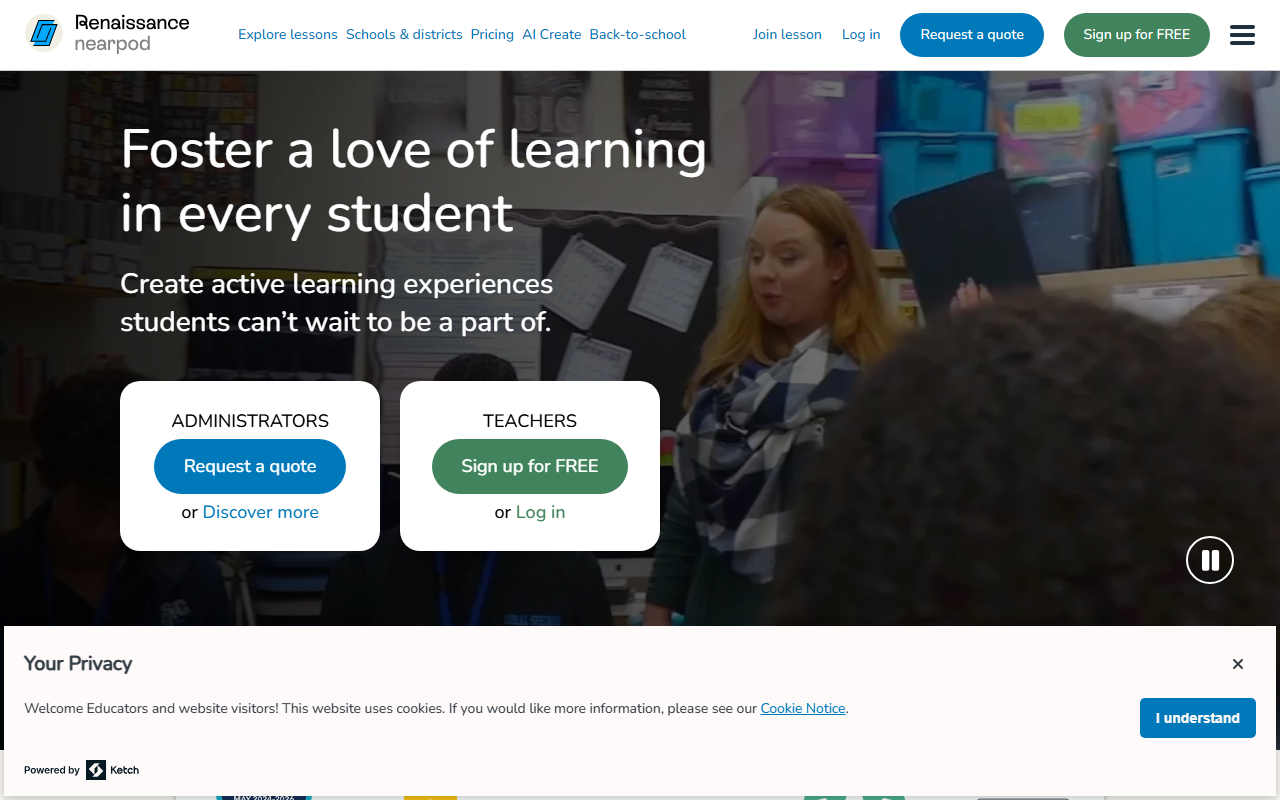
Upon visiting Nearpod’s website, the landing page immediately highlights its mission: “Foster a love of learning in every student.” The interface is clean and educator-focused, with clear call-to-action buttons for teachers (“Sign up for FREE”) and administrators (“Request a quote”). I signed up for the free tier to test the experience. The onboarding flow is smooth: after creating an account, I was guided to explore sample lessons and the AI Create feature. The dashboard shows a library of over 22,000 standards-aligned lessons, videos, and activities. I was able to search for a middle-school math lesson and preview it within seconds. The free tier allows you to create interactive lessons with up to 40 students per session, which is generous for individual teachers evaluating the platform.
Core Features and AI Integration
Nearpod is an instructional delivery platform that turns traditional slides into interactive experiences. Teachers can embed formative assessments, polls, gamified quizzes, virtual reality field trips, and collaborative boards directly into lessons. The standout feature is AI Create, which uses generative AI to instantly produce interactive lesson content. I tested AI Create by prompting it to generate a fifth-grade science lesson on ecosystems. Within a minute, it produced a complete set of slides with multiple-choice questions, a video suggestion, and a “Draw It” activity. The quality was impressive—the language was age-appropriate and the activities aligned with common standards.
Additionally, Nearpod offers ready-to-teach AI literacy lessons developed in partnership with Common Sense Education. This is a thoughtful addition for schools wanting to introduce students to AI concepts responsibly. During my test, the platform’s real-time insights dashboard showed me which students answered correctly and which needed help. Teachers can see participation data instantly and adjust instruction on the fly. Nearpod also integrates with the Renaissance ecosystem, which means schools using Renaissance Star Assessments can get instructional recommendations based on student performance. This integration adds significant value for districts already using Renaissance tools.
Pricing and Target Audience
Nearpod offers a free tier with core functionality: you can create and deliver interactive lessons with up to 40 students per session, and you get access to the library of pre-made lessons. For more features—like unlimited lesson storage, advanced reporting, and data export—you need a paid plan. Pricing is not publicly listed on the website beyond the free option; you must request a quote for school or district plans. This is typical for enterprise education tools. Based on industry benchmarks, school-wide licenses often range from $2,000 to $12,000 per year depending on size and features. There is also a “School & District” plan that includes dedicated support and training.
Who should use Nearpod? It is best suited for K-12 teachers who want to increase student participation and gain real-time feedback. Administrators will appreciate the data and the ability to standardize instruction across classrooms. If you are a higher-education instructor or a corporate trainer, Nearpod works too, but it is primarily designed for primary and secondary education. Competitors include Pear Deck (now part of GoGuardian) and Kahoot!. Unlike Kahoot, which focuses on gamified quizzes, Nearpod offers a full lesson delivery system with embedded assessments. Pear Deck is more minimalist; Nearpod feels more feature-rich with the AI generation capability.
Strengths, Limitations, and Verdict
Strengths: The AI Create feature is a genuine time-saver. I was able to generate a complete interactive lesson in under two minutes. The library of 22,000+ expert-curated lessons reduces prep time. Real-time participation data helps teachers identify struggling students immediately. The platform supports 100% participation because every student responds on their own device—no one can hide. The integration with Renaissance and Common Sense Education adds credibility.
Limitations: The free tier limits you to 40 students per session, which may not be enough for larger classes or multiple sections. The AI Create output, while good, occasionally generated questions that were too simplistic or mismatched the grade level—I had to edit a few. There is no offline mode, so a reliable internet connection is required for both teacher and students. Pricing opacity can be frustrating for budget-conscious teachers who want to know exact costs before engaging with sales.
Verdict: Nearpod is a powerful interactive learning platform that leverages AI to reduce teacher workload. If you are a K-12 teacher or administrator looking to increase student engagement and streamline lesson creation, the free tier is worth trying. For schools ready to adopt a comprehensive solution, the paid plans offer excellent value. I recommend starting with a free account and exploring AI Create to see if it fits your teaching style.
Visit Nearpod at https://nearpod.com to explore it yourself.










Comments