

First Impressions and Onboarding
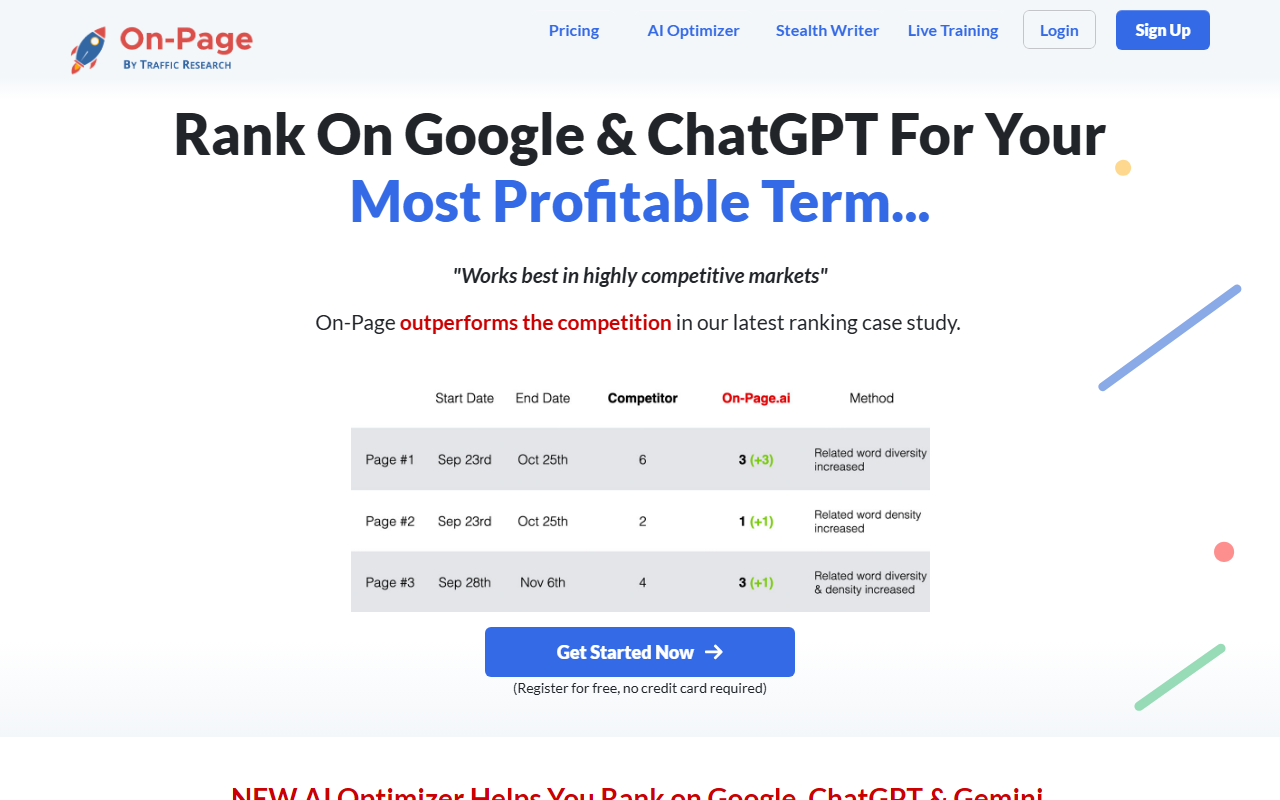
Upon visiting On-Page.ai, the landing page immediately pitches a bold promise: “Rank On Google & ChatGPT For Your Most Profitable Term.” The design is clean but dense with persuasive copy, testimonials, and feature snippets. A sticky header offers navigation to Pricing, AI Optimizer, Stealth Writer, and live training. The call-to-action to “Get Started Now” is prominent, with the reassurance “Register for free, no credit card required.” I clicked through, and the sign-up form asked only for an email and password — no payment details. Within seconds I was inside a dashboard that felt purpose-built for seasoned SEOs.
The core workflow is simple: enter a keyword you want to rank for, optionally compare your page, and the tool scans Google’s top results. The dashboard then presents a list of missing terms, an ideal Google category, and internal link suggestions. When testing a competitive term like “best running shoes,” the tool returned results in under ten seconds. The recommendations were granular — specific phrases to add, a recommended word count range, and even visual first impressions (how Google might interpret the page layout). The interface includes a content editor that updates in real time as you apply suggestions, which makes it easy to iterate.
Core Features – What On-Page.ai Actually Does
On-Page.ai bills itself as an “on-page SEO tool for the best Google optimization,” but it’s more than a typical content optimizer. The two flagship features are the AI Optimizer and the Stealth Writer. The AI Optimizer scans your page against Google’s top-ranking competitors and produces a score-based checklist. It covers title score, intent score, sourceability score, quotability opportunities, freshness factor, authority score, and visual first impressions. These metrics are derived from crawling the page structure like Google does — identifying main content, sidebars, footers, and ads — rather than relying on third-party data.
The Stealth Writer is a content editor described as the “Helpful Content” edition, now with images on demand, personalization, and dynamic research. I tested it by pasting a draft about “remote work productivity.” The tool suggested adding a specific statistic, a call-to-action, and even generated a relevant image. It also provided a “quotability opportunity” — a phrase I could bold to increase chances of being cited. The link relevancy feature lets you submit backlinks and evaluates their contextual relevance to your page. I entered a few links from my site; the tool flagged one as “low relevance” because the anchor text was generic. That insight alone could save money on wasted guest posts.
Behind the scenes, the tool claims to track Google’s algorithm changes in real time and adjust recommendations accordingly. While I can’t verify that claim in a few hours, the recommendations felt current and aligned with Google’s recent emphasis on helpful content and E-E-A-T. The platform also integrates a Predictive Guest Post score, which estimates how much ranking boost a given link might provide before you publish it.
Pricing, Market Position, and Who Should Use It
On-Page.ai does not publicly list specific pricing tiers on its website. The menu includes a “Pricing” link, but clicking it only leads to a page that reinforces the free registration offer. From the feature descriptions, it appears there are at least two paid plans: AI Optimizer and Stealth Writer, likely sold separately or bundled. The free tier gives you limited scans, but the exact limits aren’t disclosed without signing in. This lack of transparency is a notable limitation. For comparison, competitors like Surfer SEO start at $69/month for basic SEO analysis, and Frase.io begins at $14.99/month for content optimization. On-Page.ai positions itself as a premium tool aimed at agencies and serious solo entrepreneurs who compete in highly competitive markets.
The tool is best suited for experienced SEO professionals who understand how to interpret granular recommendations and need real-time algorithmic insights. Beginners might feel overwhelmed by the technical jargon and the sheer volume of suggestions. The live training option (free for teams) mitigates this somewhat, but the dashboard itself assumes familiarity with concepts like intent score and link relevance. For those who already rely on Surfer or Frase, On-Page.ai’s advantage lies in its direct Google-data claims and its link relevancy analysis, which competitors often treat as an afterthought.
Verdict – Strengths, Limitations, and Final Recommendation
On-Page.ai’s genuine strength is its depth of analysis. The combination of Google-like crawling, real-time algorithm tracking, and link relevance scoring goes beyond what most content optimizers offer. The Stealth Writer’s ability to insert images on demand and suggest quotable phrases is a thoughtful touch. I also appreciated the integration of the Predictive Guest Post tool — it can save you from publishing low-value backlinks.
However, the tool has real limitations. The lack of transparent pricing makes it hard to evaluate cost-effectiveness. Some claims on the landing page feel hyperbolically optimistic (e.g., “you’ll get speaking gigs and podcast offers”). The interface, while powerful, isn’t as polished as Frase’s or Surfer’s; I encountered minor lag when switching between tabs. Additionally, the tool’s recommendations can be overwhelming — you might receive dozens of suggestions per page, and without a clear priority system, it’s easy to get lost.
Who should try On-Page.ai? Serious SEOs and content marketers working in highly competitive niches who need a data-driven edge. The free tier is generous enough to test its accuracy on your main keywords. If you’re a beginner or on a tight budget, start with a simpler tool. For everyone else, On-Page.ai offers a unique and arguably superior approach to on-page optimization, provided you have the patience to climb its learning curve.
Visit On-Page.ai at https://on-page.ai/ to explore it yourself.










Comments