

First Impressions and Interface
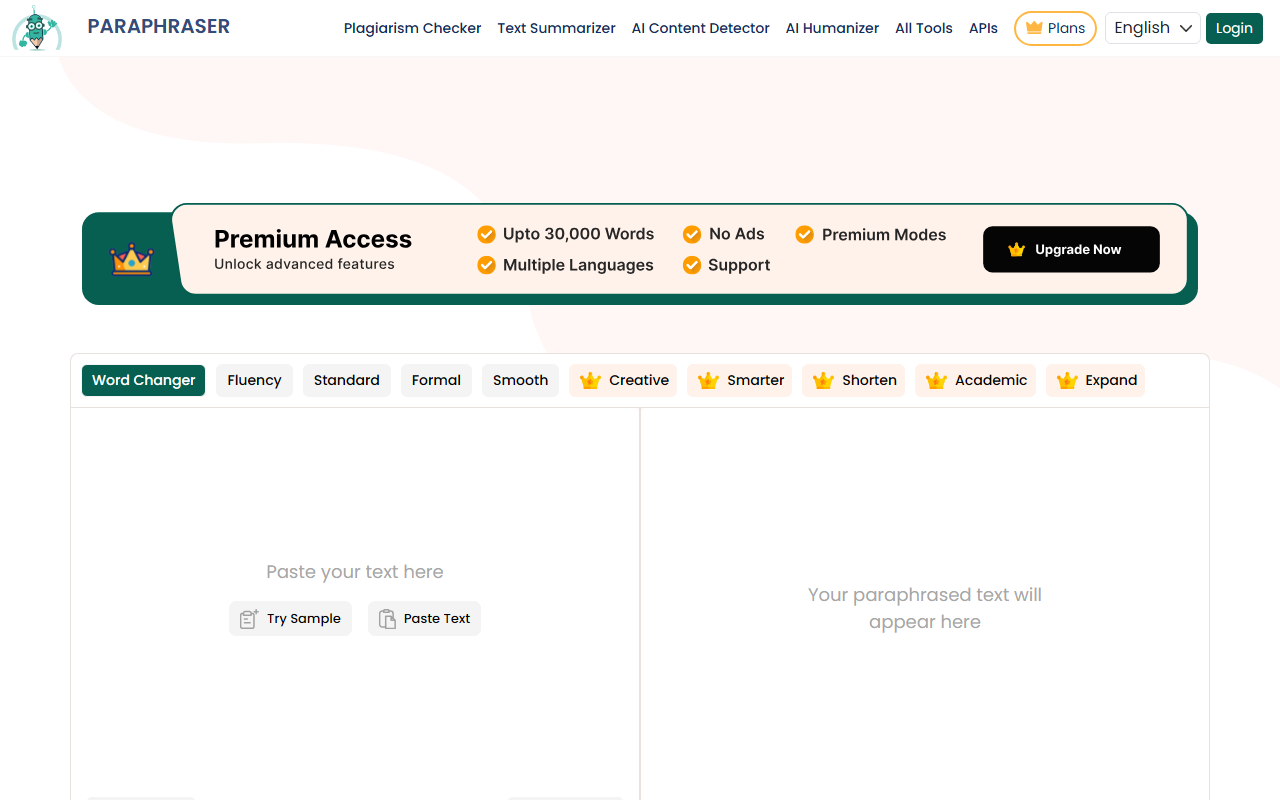
Upon visiting Paraphraser.io, the landing page presents a clean, modern dashboard with a prominent text input area. The default view shows a "Paste your text here" box with a 400-word limit prominently displayed. Below the input field, a row of mode buttons—Standard, Fluency, Formal, Smooth, Creative, Smarter, Shorten, Academic, Expand—offers quick rewording style selection. A handy "Try Sample" button loads demo text, which I used to test the tool's basic functionality. The interface also supports file uploads (images or screenshots via OCR) and real-time speech-to-text input, both of which add convenience. Language selection includes 20+ languages from English to Afrikaans. Sign-in is required for free usage, with options to sign up via email or Google. Overall, the onboarding is straightforward, though the sign-up gate may deter casual visitors.
Core Features and Performance
Paraphraser.io employs an NLP-based AI to rephrase text while preserving original meaning. The predefined paraphrasing styles genuinely alter the output: the "Creative" mode produces more varied vocabulary and sentence structure, while "Formal" maintains a professional tone. During my test, pasting a 200-word paragraph on renewable energy took approximately 3 seconds to process, and the output was grammatically sound with sensible synonym replacements. A standout feature is "Freeze Words"—I could lock key terms like "solar panel" to keep them unchanged, preventing overly aggressive synonym swapping. The tool also offers a "Multiple Synonym Option" in the output: clicking any word shows a dropdown of alternatives, allowing fine-tuning. However, the free tier's 400-word limit is restrictive; upgrading is needed for longer texts. The site promotes a premium plan at $4.55 (likely monthly), though full pricing details aren't listed. For institutions, paraphrasing APIs are available for integration. Compared to QuillBot, Paraphraser.io supports more input methods (audio, image) but lags in terms of built-in plagiarism checking—the "Check Plag" button redirects to a separate tool, not an integrated feature. Grammar correctness is high, but complex academic text occasionally loses subtle nuances in "Expand" mode.
Pricing and Target Audience
Pricing is not fully detailed on the site, but a premium upgrade is advertised at $4.55—likely a monthly subscription for unlimited words and extended features. The free tier suffices for quick snippets under 400 words. The tool also offers a humanize AI mode, though its effectiveness varies. Paraphraser.io is best suited for students, content writers, and multilingual users who need fast paraphrasing with language flexibility. It also shines for users who work with audio or image-based text (e.g., transcribing spoken notes or extracting text from screenshots). However, professional editors or academic researchers who demand deep stylistic control and built-in plagiarism detection may find QuillBot or Grammarly's rewriting tool more comprehensive. The lack of a native grammar checker or citation support limits its appeal for rigorous academic use.
Final Verdict
Paraphraser.io is a solid AI writing tool that delivers on its core promise: rephrase text quickly across multiple tones and languages. Its unique input methods—voice and image—set it apart from typical paraphrasing services. The free tier is generous enough for occasional use, and the premium price point is competitive. However, the 400-word cap and absence of integrated plagiarism checking are notable gaps. If you need a straightforward, multilingual paraphraser with a user-friendly interface, Paraphraser.io is worth trying. For more advanced rewording with plagiarism avoidance, look elsewhere. Visit Paraphraser.io at https://paraphraser.io to explore it yourself.










Comments