

First Impressions: The Interface and Onboarding
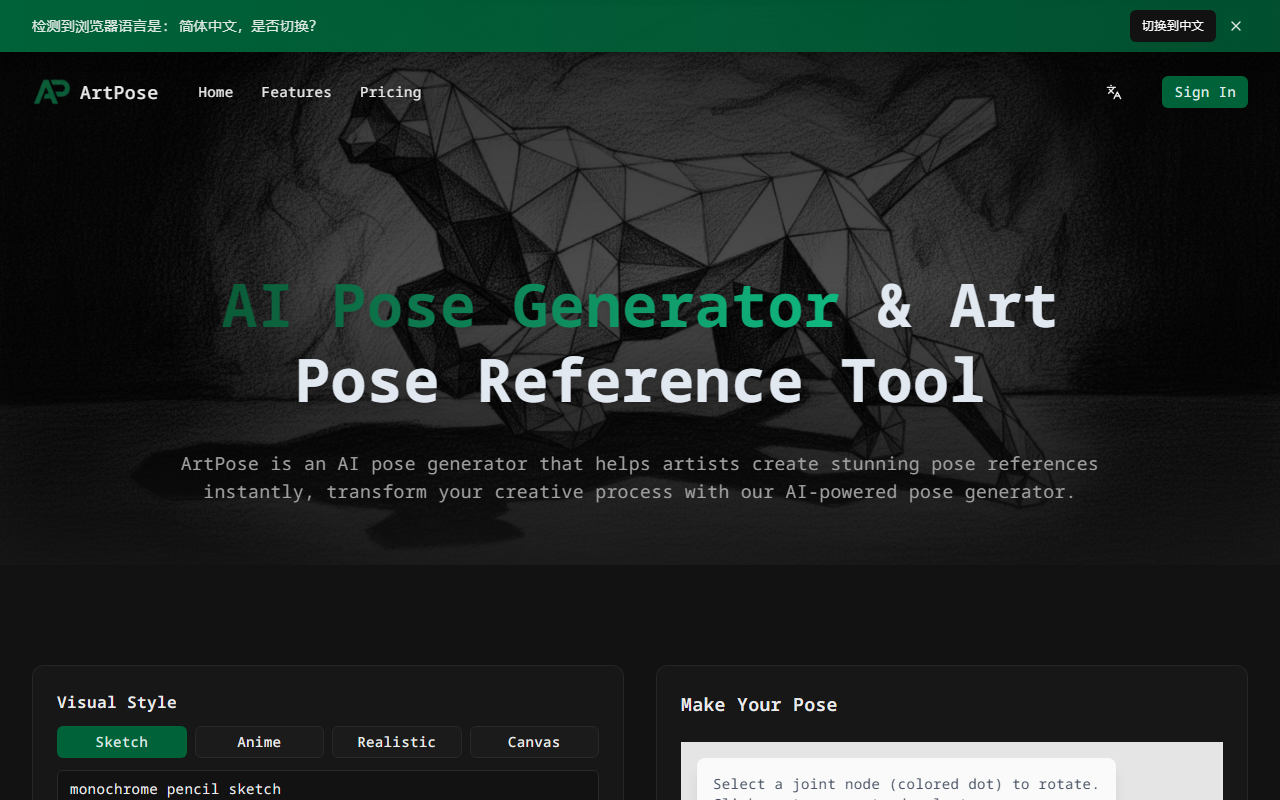
Upon visiting PoseGenerator.net, I was greeted by a clean, single-page tool called ArtPose. The interface immediately presents a set of adjustable parameters: visual style (Sketch, Anime, Realistic, Canvas, Monochrome pencil sketch), camera angle (Standard, Low, High, Fisheye, Eye Level), lighting (Cinematic, Dramatic, Studio, Natural), anatomy (Slender, Muscular, Plus-size, Ballet), and clothing (Skin-tight, Casual, Armored, Loose). Each option includes a short sub-description, which helps narrow down intent. Below these sliders is a text box labeled “Final Prompt” that accepts up to 2,000 characters—handy for adding specific action or mood details. Right next to it, a 3D pose editor appears (loading initially) showing a jointed figure. You can click on joint nodes (colored dots) to rotate limbs, and clicking empty space deselects. This editor serves as a baseline before AI generation. The overall layout is unobtrusive, with the main “Make Your Pose” button at the top and an aspect-ratio selector (1:1, 16:9, etc.) below. I found the onboarding very intuitive: no sign-up required to explore the editor, though generation requires credits.
The Pose Generation Experience
I decided to test a typical use case: a dynamic action pose in anime style. I set visual style to “Anime”, camera angle to “Low Angle”, lighting to “Cinematic”, anatomy to “Slender”, and clothing to “Skin-tight”. In the prompt box, I typed “leaping forward with sword in right hand”. Then I used the 3D editor to tweak the right arm and leg angles slightly. The joint rotation felt responsive; the figure is a basic polygon mannequin, enough to set rough position but not detailed anatomy. After clicking “Make Your Pose”, the tool requested I purchase credits (I had none). Fortunately, the site provides a preview of the generated pose on the pricing page and testimonials, so I can see sample outputs. Based on those, the generated images are high-resolution and match the chosen style remarkably well, with correct proportions and dynamic lighting effects. The AI handles complex poses like twisting torsos and foreshortening convincingly—a clear strength over searching stock photos. Unlike competitors such as PoseMy.Art (which relies on adjustable 3D models without AI generation) or Magic Poser (mobile-focused), ArtPose’s AI speeds up the process by turning a crude joint sketch into a polished, stylized reference in seconds. However, the 3D editor is basic; you cannot adjust fingers, facial expressions, or fabric folds. The AI fills those details, but sometimes the final image may lack the exact gesture you intended if the prompt is vague.
Pricing and Value Proposition
ArtPose uses a credit-based, one-time purchase model with three tiers. The Starter pack at $9.90 gives 40 credits (roughly 20 poses, assuming 2 credits per generation). The Creator pack is currently $29.90 (normally $39.90) for 150 credits (about 75 poses). The Studio pack costs $69.90 (normally $99.90) for 400 credits (about 200 poses). Credits never expire—a strong selling point for artists who work sporadically. Each pack includes a commercial use license and a private gallery for saving poses. Higher tiers add priority generation, bulk download, and faster speed. Notably, there is no free tier or trial; you must purchase to see actual generated images from your own prompts. The website offers sample results but not a live demo. For heavy users, the cost per image is relatively low (Studio pack ~$0.35 per pose). Compared to subscription-based tools like Clip Studio Paint’s Pose library or the ongoing cost of stock photo subscriptions, ArtPose can be cheaper over time. However, the credit system might frustrate artists who generate many variations—each tweak consumes a credit. Also, there is no refund policy mentioned for unused credits. The FAQ indicates generated poses can be used commercially, which adds to the value for freelance illustrators.
Final Verdict: Who Should Use ArtPose?
ArtPose excels at generating stylized, ready-to-use pose references for digital artists, especially those working in anime, comics, or concept art. Its strengths are speed (seconds per generation), variety (multiple art styles and camera angles), and the commercial license included in every tier. The one-time payment model without recurring fees is refreshing. Limitations include the lack of a free trial, the basic 3D joint editor that cannot modify fingers or facial expressions, and the fact that the AI sometimes imposes its own interpretation rather than precisely following the joint positions. Artists who need precise control over every muscle and proportion may prefer a traditional 3D poser like DesignDoll or a photobashing approach. But for those who want a fast, inspiring starting point—especially for dynamic or hard-to-visualize poses—ArtPose is a valuable addition to the digital toolbox. I recommend the Starter pack for hobbyists and the Creator pack for serious freelancers. Visit PoseGenerator.net to explore it yourself.










Comments