

What PseudoEditor Does and How It Works
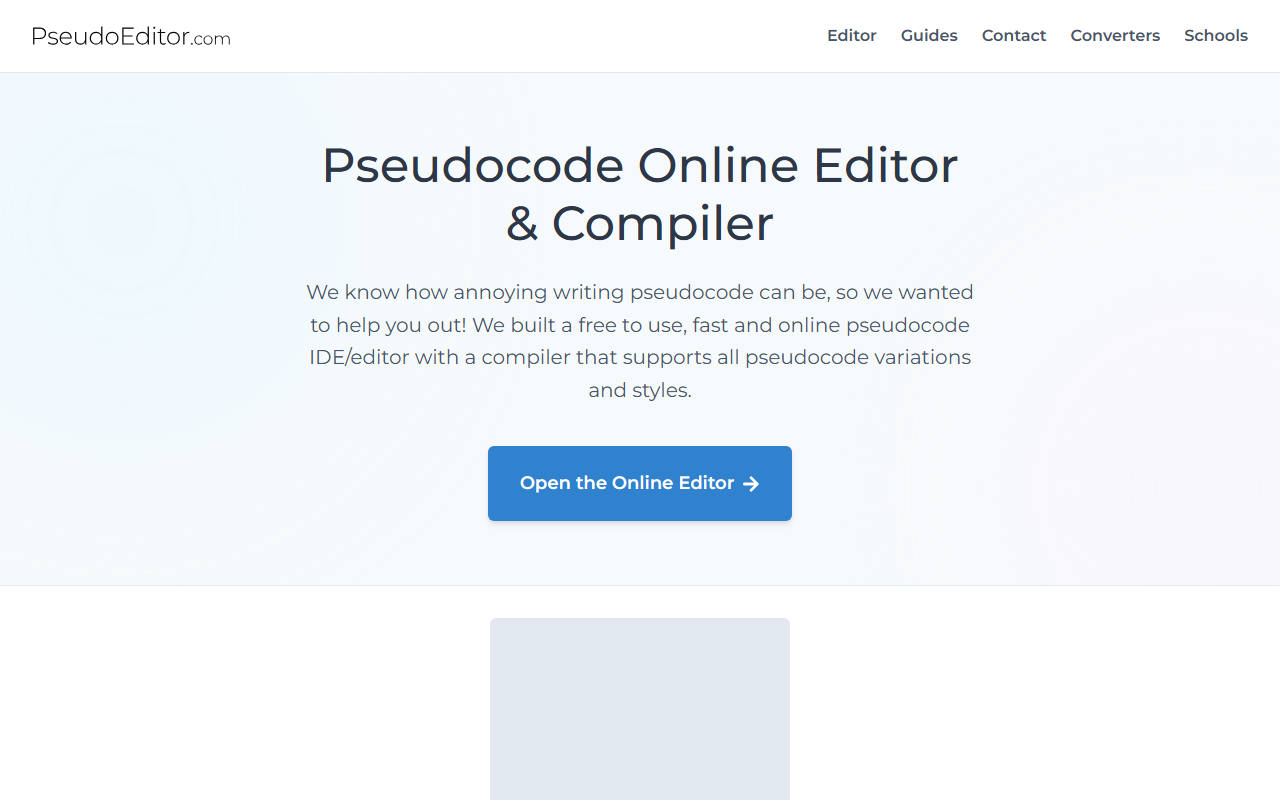
Upon visiting PseudoEditor, I was greeted by a clean, minimal interface that immediately gets to the point: a browser-based pseudocode editor and compiler. The tool is purpose-built for students and educators who need to write, test, and debug pseudocode without the overhead of a full IDE. The landing page clearly states, "We know how annoying writing pseudocode can be", and the solution is a lightweight editor that supports syntax highlighting, autocomplete, error highlighting, and instant execution. I tested the free tier by opening the online editor. The dashboard shows a code window with a dark/light mode toggle, a run button, and an output pane. I typed a simple function—FUNCTION calculateTotal(price, tax) RETURN price + tax ENDFUNCTION—and clicked compile. The output appeared in under a second with a "Compiling... 0.01s" message. The syntax highlighting worked immediately, colouring keywords like FUNCTION, RETURN, and ENDFUNCTION in distinct hues. The experience felt snappy and responsive, much faster than writing pseudocode in a generic text editor like Notepad.
PseudoEditor also includes a pseudocode generator and code converters that translate pseudocode into real languages such as Python and C++. While I did not extensively test the converter, the FAQ mentions it is a Pro feature. The compiler supports major exam board specifications (AQA, OCR, CIE, Edexcel, IB) and lets you toggle syntax rules to match your syllabus—a thoughtful addition for students preparing for assessments.
Features and User Experience
The editor’s core strengths lie in its simplicity and speed. Syntax highlighting covers keywords, functions, data types, and conditionals, which speeds up debugging. The autocomplete feature reduces typing effort, and the instant execution gives near-real-time feedback. I observed that saving projects requires a free account; once registered, you can store pseudocode in the cloud and access it from any device. The FAQ states 20,000+ registered users and 50,000+ projects saved, indicating a healthy user base primarily from education.
For the free tier, there are ads (they help cover hosting costs), and the editor itself is fully functional. The Pro version removes ads and unlocks an AI Tutor, intelligent code generation, and unlimited use of code converters. During my test, I did not see any obvious API documentation, which positions PseudoEditor as a consumer tool rather than a developer API. The editor also offers light and dark modes, and a modular approach to specifying pseudocode variations—useful for different exam boards.
One limitation I noted: the editor is purely pseudocode-focused. If you need to write actual production code, you will need a different tool. Also, the Pro AI features are not available in the free tier, so users wanting advanced help must upgrade. The website does not explicitly list Pro pricing; it only says "Upgrading to Pro unlocks..." without numbers. I suspect pricing is displayed after account creation or via the institutional licensing page, but it was not immediately visible.
Pricing and Target Audience
PseudoEditor is free to use with ads. The Pro tier removes ads and adds AI Tutor, code generators, and code converters. Pricing is not publicly listed on the website, which is a minor transparency issue. However, the FAQ emphasizes that "nobody should have to pay for tools online", and the free experience is genuinely capable for most educational needs. Institutional licensing is available for schools and universities, offering bulk Pro access with teacher controls. The tool is clearly aimed at beginner programmers, CS students, and teachers who want to teach algorithmic thinking without language-specific syntax. Unlike full IDEs like VS Code or Replit—which require setting up environments—PseudoEditor is zero-configuration and browser-based. It competes indirectly with generic code editors but owns the niche of dedicated pseudocode editing.
If you are an experienced developer needing to write complex algorithms in a real language, this tool is not for you. But if you are a student learning programming logic or an educator running a class on pseudocode, PseudoEditor is a polished, purpose-built solution.
Final Verdict: Strengths and Limitations
Strengths: Fast, intuitive, and completely free for core use. Syntax highlighting and instant compilation are excellent for learning. Support for multiple exam boards and cloud saving add practical value. The AI Tutor (Pro) is a useful differentiator that no other pseudocode tool offers. Limitations: Pro pricing is hidden, and the free tier includes ads. The editor cannot handle real programming languages or complex projects. Code converters and AI features require a subscription.
Overall, I recommend PseudoEditor to any student or teacher who needs a reliable, no-fuss pseudocode environment. It fills a gap that generic editors ignore. Give it a try for your next algorithm assignment—it just might become your go-to tool for learning logic.
Visit PseudoEditor at https://pseudoeditor.com/ to explore it yourself.










Comments