

First Impressions and Onboarding
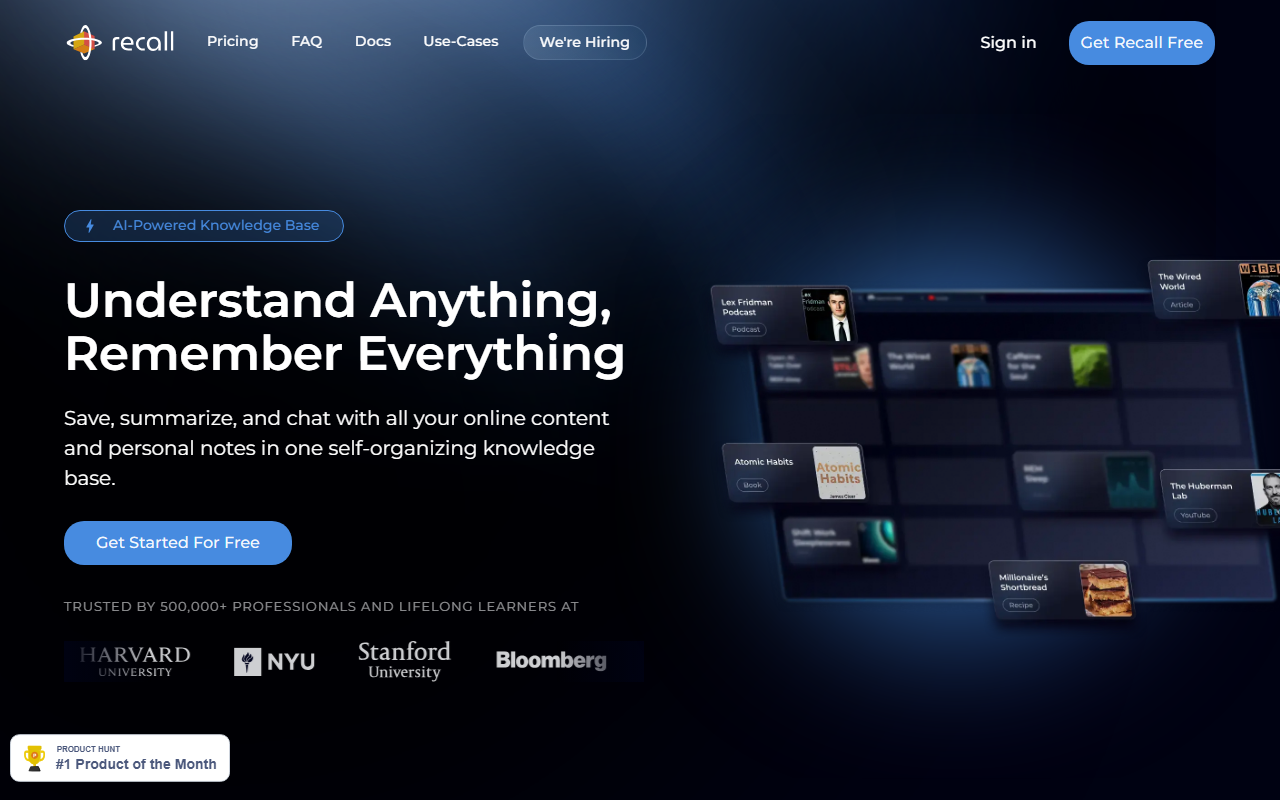
Upon visiting Recall's website at recall.wiki, the first thing that strikes you is the bold claim: “AI gave everyone the same brain – your knowledge is your edge.” The landing page is clean, modern, and immediately pitches the product as a personalized knowledge companion. A prominent “GET STARTED” button leads to a straightforward sign‑up flow that supports Google and email registration. There’s no paywall to hit – the entire service is labeled “it’s free,” which is refreshing for a tool that positions itself as a “second brain.” After logging in, I found a dashboard that surfaces a graph view of saved items, a search bar, and a left‑hand panel showing folders and tags. The onboarding walkthrough is brief but effective, prompting you to install the browser extension or mobile app to start saving content with one click. I tested the free tier immediately by saving a YouTube video (a Lex Fridman interview) and a blog post about morning routines. Within seconds, both appeared in my library, automatically tagged and summarized with a concise bullet‑point summary. The interface felt responsive and intuitive, though the sheer amount of features can be slightly overwhelming for a first‑time user.
Core Features: From Smart Saving to AI Quizzes
Recall’s value proposition rests on three pillars: saving, understanding, and retrieving knowledge. The browser extension lets you clip any webpage, YouTube video, PDF, or even a tweet – it works similarly to tools like Pocket or Notion Web Clipper. But the AI layer is what sets it apart. Every saved item gets an instant summary that you can read or listen to in a cloned voice (a neat touch). The summaries are well‑written and capture key points without hallucinating. More impressively, Recall automatically generates smart tags that evolve as you add more content. For instance, after saving a few sleep‑related items (a podcast, a journal entry, and a book note), the system suggested tags like “sleep science” and “circadian rhythm.” It also links related material across your library, displaying a “connections” panel when you view a specific save. This is where Recall feels like a true knowledge graph. I was able to ask the chat feature a question: “Why am I sleeping poorly?” and it pulled from my saved sleep journal, a podcast on alcohol’s impact on sleep, and 12 online sources – all without leaving the interface. The model selection is another differentiator: you can toggle between GPT‑4, Claude, Gemini, and others mid‑conversation, depending on the context you choose (your knowledge, the internet, or both). For learners, Recall adds a quirky but effective AI quiz feature that turns your saved content into spaced repetition flashcards. You can choose quiz types like “time‑based,” “short form,” or “matching the answer,” and the app schedules reviews to combat the forgetting curve. This is reminiscent of tools like Anki or Memrise but integrated directly into your knowledge base.
Strengths and Limitations
Recall’s strongest asset is the seamless integration of saving, summarization, and retrieval within a single free tier. The automatic tagging and connection system is genuinely smart – I didn’t have to manually organize anything, yet I could quickly find related ideas I’d long forgotten. The voice clone feature, while a bit gimmicky, adds a personal touch for audio learners. For power users like researchers, students, or professionals balancing multiple domains, Recall can dramatically cut the time needed to review and connect information. However, there are notable limitations. First, the platform’s reliance on user‑curated content means it’s only as good as what you feed it. If you stop saving, the AI has nothing to connect. Second, privacy is a concern: all your saved materials and queries are processed on Recall’s cloud servers. While the company likely uses encryption, there’s no mention of local‑only options, which may deter users with sensitive data. Third, the initial learning curve is real; while the core features are easy, the graph visualization and model switching require a few hours of experimentation to fully leverage. Finally, Recall lacks native integrations with note‑taking apps like Notion or Obsidian, though it does offer MCP and API access for developer‑level connections. In comparison to tools like Roam Research and Notion AI, Recall is more focused on dynamic retrieval and less on structured writing. It’s best suited for people who consume a lot of diverse content and want an AI that surfaces connections automatically. If you prefer manually curating a zettelkasten or need a full‑featured writing environment, you might find Recall complementary rather than a replacement.
Final Verdict
Recall is a powerful, free AI knowledge base that excels at turning a chaotic pile of saved links into a structured, queryable second brain. Its summarization, automatic tagging, and connected graph are genuinely impressive, and the inclusion of spaced‑repetition quizzes is a thoughtful addition for learners. The multi‑model chat and voice clone features add polish that competitors often charge for. On the downside, the platform is cloud‑only, has a moderate learning curve, and requires consistent content input to remain useful. That said, for anyone – from students to executives – who wants to augment their memory and synthesize knowledge faster, Recall is well worth trying. I recommend starting with the free tier, saving at least 20 diverse items over a week, and testing the chat and quiz features to see if the system’s connections match your workflow. Visit Recall at https://recall.wiki to explore it yourself.










Comments