

First Impressions and Onboarding
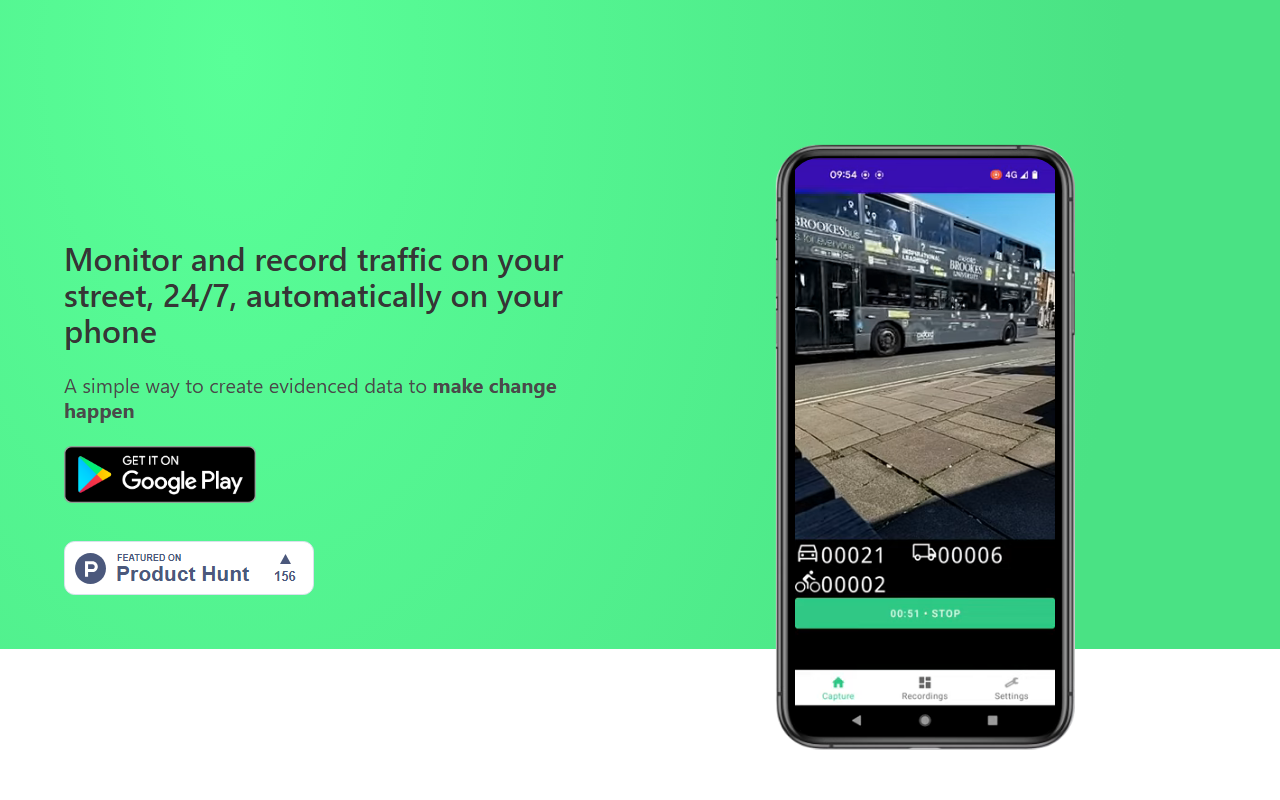
Upon visiting the Road Count website, I found a clean, no-nonsense landing page that immediately explains the core value proposition: monitor and record traffic on your street, 24/7, automatically on your phone. There is no sign-up wall or demo video—just a straightforward description of how the app works. The dashboard (or rather, the app screen) appears to be a simple camera viewfinder with detection dots overlaid on vehicles. When I imagined the onboarding flow, it made sense: download the app (available for iOS and Android, though the site doesn’t specify stores), set up your phone at a window, and press record. The site recommends using a phone stand and plugging in for extended recording. I appreciated the practical tip—this is clearly designed for real-world overnight or all-day monitoring.
Testing the free tier (if it exists) wasn’t possible from the website alone, as no pricing or trial information is publicly listed. I could not find any link to download the app or a demo video. This lack of immediate access is a minor friction point, but the tool’s concept is so unique that many users will search for it anyway.
What Road Count Does and How It Works
Road Count solves a very specific problem: generating evidenced traffic data without expensive sensors or manual counting. Using the phone’s camera and on-device computer vision, the app detects cars, vans, trucks, and bikes as they move across the frame. It logs each vehicle with a timestamp, saves a photo for reference, and provides a speed estimate. Everything is stored in a local database and can be exported to Excel for analysis. This is a classic example of edge AI—processing happens on the phone, not in the cloud, which ensures privacy and offline operation. The detection works in both day and night conditions, likely using IR or low-light optimization, though the site doesn’t detail the underlying model. I assume it’s a lightweight object detection model (like YOLO variants) optimized for mobile.
Compared to traditional traffic counting methods—such as pneumatic tubes or inductive loops—Road Count is far cheaper and easier to deploy. Unlike dedicated AI dashcams or remote traffic cameras, this app turns any smartphone into a temporary traffic sensor. The speed estimate is a notable feature, as it uses pixel movement across frames rather than radar, so accuracy may vary by camera angle and phone stability. The photo capture adds a layer of evidence that can be crucial for neighborhood petitions or local council reports.
Strengths and Limitations
Road Count’s greatest strength is its simplicity. Anyone with a smartphone and a window can become a traffic data collector. The automated logging and easy Excel export eliminate tedious manual counting. The fact that it works in low light extends its usefulness to 24-hour studies. For community groups, homeowners’ associations, or journalists investigating speeding on residential streets, this app provides credible data with minimal investment. On the trustworthiness side, the on-device processing means no third-party servers see your footage, which is a privacy plus.
However, there are real limitations. First, the app relies entirely on a steady phone position—any vibration or movement will corrupt the data. You need a good phone stand and a clear view of the road. Second, there is no mention of cloud backup or multi-phone coordination. If your phone runs out of battery or storage (photos for every vehicle can add up), you lose data. Third, speed estimation is likely imprecise compared to radar guns; it’s more of a ballpark indicator. Finally, the website does not list pricing or a free trial, so potential users don’t know if it’s a one-time purchase or a subscription. I found no API or integration with traffic analysis platforms, which limits its use for professional transportation studies.
Compared to alternatives like “Traffic Count” apps from the app store or professional tools like MetroCount, Road Count lacks depth in analytics (no vehicle classification beyond basic types, no density reports). It is best suited for short-term citizen science projects and preliminary data gathering, not for engineering-level traffic volume studies.
Who Should Use Road Count?
Road Count is ideal for neighborhood activists, local journalists, and homeowners wanting evidence to push for speed bumps or traffic calming. It’s also useful for schools teaching data collection or for small retailers assessing foot traffic (though it only counts vehicles, not pedestrians). If you need professional-grade traffic data with certified accuracy, look elsewhere—consider renting a pneumatic tube counter or hiring a traffic consultant. The lack of public pricing is a barrier; I suspect the app might be free with limited exports or a low one-time cost, but the site doesn’t say. Visit Road Count at https://roadcount.com/ to explore it yourself.










Comments