

First Impressions and Onboarding
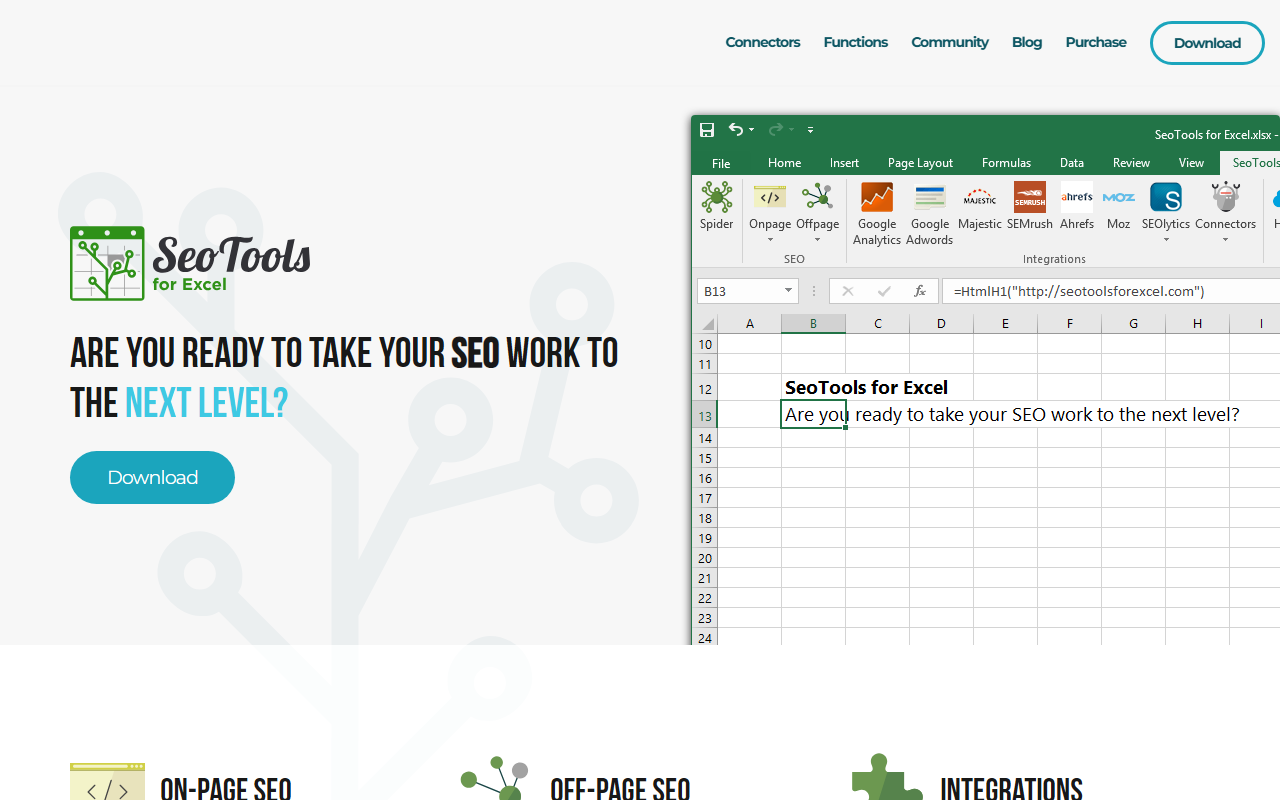
Upon visiting the SeoTools for Excel website, I was greeted with a clean, no-nonsense layout highlighting the core value proposition: bringing SEO capabilities directly into Microsoft Excel. The download button is prominent, and the page immediately lists on-page SEO functions, off-page backlink checks, and integrations with services like Google Analytics and Majestic. I downloaded the add-in and installed it on a Windows machine – note that this tool is Windows-only, a significant limitation for Mac or Linux users. The installation was straightforward, and after restarting Excel, a new “SeoTools” tab appeared in the ribbon. The dashboard shows a toolbar with categories for functions, connectors, spider, and settings. The onboarding flow is minimal: a quick guide suggests starting with the function wizard to explore available formulas. I tested the HtmlTitle function by pasting a column of URLs and watched it pull tags instantly. The tool works as promised: it fetches data in bulk, saving hours of manual copy-pasting.
Key Features and Workflow Observations
The add-in is packed with over 100 helper functions, and I spent most of my time exploring the Connector and Spider features. The Connector system uses an XML format to integrate with any external API – essentially a custom API bridge inside Excel. For example, the built-in Google Analytics connector lets you pull KPI reports directly into a sheet; I set up a few metrics like sessions and bounce rate for a client’s site, and the data populated in seconds. The Spider tool is another highlight: you supply a root URL or list of URLs, and the add-in crawls pages using the configured connectors. I tested it with a list of 50 product pages from an e-commerce site, and the spider extracted H1 tags, meta descriptions, and response status codes. Off-page SEO functions such as CheckBacklink verify whether a backlink is still present – a crucial but tedious task for link building audits. The tool also includes text utilities like SpinText and XPathOnUrl, which are handy for content and web scraping workflows. A practical example: I used RegexpFind to extract email addresses from a batch of downloaded HTML files. The community is active, and the blog shows regular updates (e.g., version 10.0 added ChatGPT integration and Google Analytics 4). The tool is clearly maintained, with the latest update from June 2023.
Pricing and Market Positioning
Pricing is not publicly listed on the website – the “Purchase” page likely requires contact or a subscription model, but I could not find exact figures during my review. This lack of transparency may deter potential users who want upfront pricing. There is a free download, presumably with limited functionality or a trial period (the site does not specify). Alternatives include SEO PowerSuite (a standalone desktop suite) and Google Sheets add-ons like SEOTools for Sheets. Unlike those, SeoTools for Excel focuses exclusively on the Excel environment, which is both its strength and weakness. It’s ideal for agencies and in-house SEOs who already work extensively in Excel and need to automate data collection without coding. However, if you prefer cloud-based tools or use a Mac, look elsewhere. The tool is built by Bosma Interactive, and it has strong endorsements from industry figures like Dixon Jones (Majestic) and Richard Baxter (builtvisible), lending credibility.
Verdict and Recommendations
SeoTools for Excel genuinely excels at what it does: turning Excel into a powerful SEO workstation. The combination of on-page functions, off-page checks, API connectors, and a custom spider is impressive – I haven’t seen another tool that packs so much into a spreadsheet add-in. The learning curve is moderate; the function names are intuitive, but mastering the connector XML format requires some technical skill. A genuine limitation is the Windows-only support – this excludes a large segment of the market. Also, the lack of transparent pricing may be a turnoff for freelancers or small teams. If you are an SEO professional using Windows and Excel daily, this tool can save you hours of manual data gathering and analysis. I recommend the free download to test its core functions, then decide if you need the full version. Visit SeoTools for Excel at https://seotoolsforexcel.com/ to explore it yourself.










Comments