

First Impressions and Onboarding
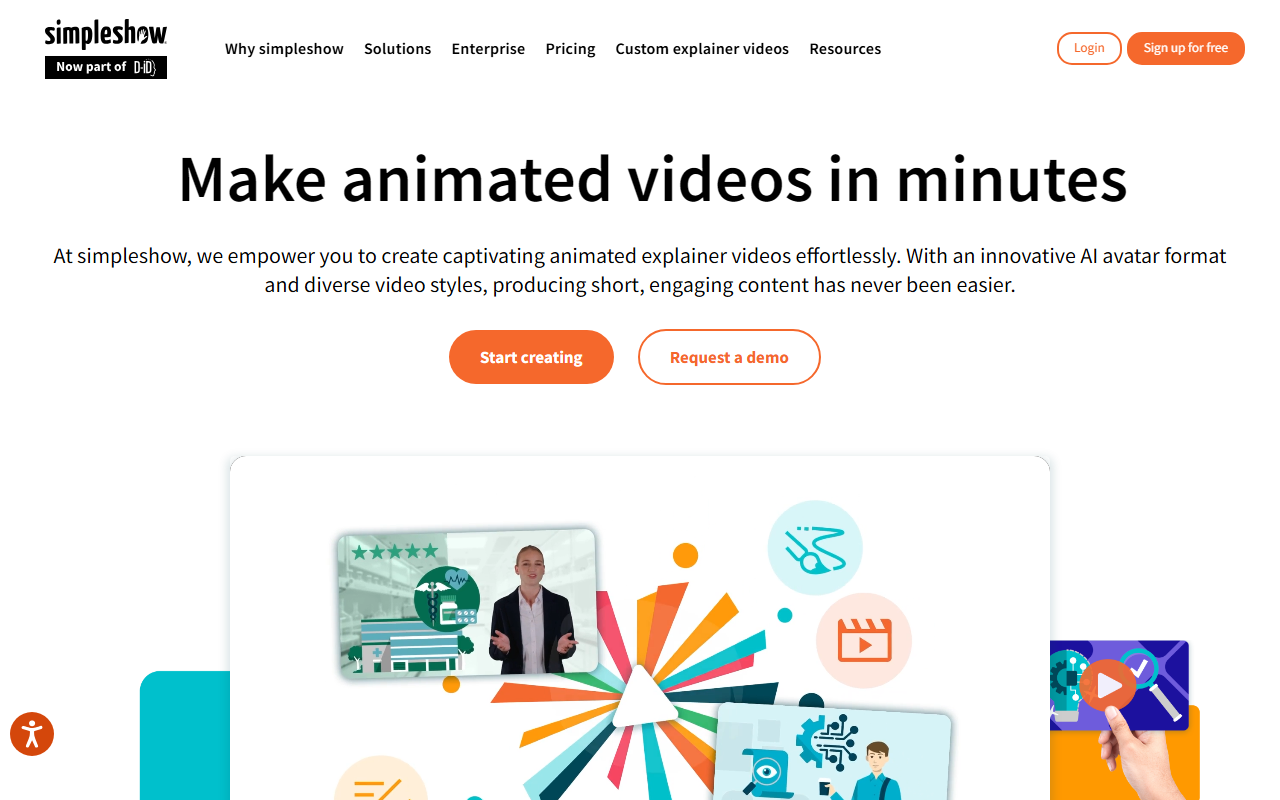
Upon visiting simpleshow's website, I was greeted by a clean, professional layout that immediately emphasizes its enterprise focus. The hero section invites you to "Start creating" or "Request a demo," which hints at a sales-led model. The announcement that simpleshow is now part of the D-ID family caught my attention—this acquisition brings advanced avatar technology and live visual agents into the mix, a notable upgrade for a tool that already specialized in animated explainer videos.
Scrolling through the homepage, I saw a carousel of logos from large organizations (Bayer AG is explicitly mentioned in a testimonial). The messaging consistently targets corporate teams: "Tailored for large companies," enterprise security certifications (ISO 27001, TISAX, SOC 2), and dedicated customer success managers. This is not a tool for casual creators; simpleshow positions itself as a serious communication solution for businesses.
I tested the free tier by clicking "Start creating." The onboarding process guided me through selecting a video style—animation, avatar, or a custom mix. The interface was intuitive, with a text-to-video workflow: input a script, choose a style, and the AI generates visuals and timing. However, I noticed that the free version limits export options and watermarks videos, which is typical for such tools. Overall, the first impression is polished but clearly directs you toward a paid plan.
Features and Workflows
simpleshow offers three primary video formats: animation styles, avatar videos, and video experiences. Under animation styles, you can pick from a library of illustration templates or upload your own brand assets. The AI handles automatic scene matching and transitions based on your script. I tested this with a short 30-second script about digital transformation. The AI generated a storyboard with relevant icons and characters, but the visual suggestions were occasionally generic—fine for internal training, less so for customer-facing content without manual tweaking.
Avatar videos are a standout feature, especially with the D-ID integration. You select a human-like avatar (multiple ethnicities and styles available) that speaks your script with synchronized lip movements. The avatar feels natural, though the gestures are somewhat repetitive. Supporting visuals (text overlays, icons) appear alongside the avatar to emphasize key points. This format is ideal for training or onboarding videos where a human presence adds context.
The platform also includes enterprise customization: brand colors, fonts, backgrounds, and security compliance. The "Expert creative services" option lets you hand off complex projects to simpleshow's team—a differentiator from pure DIY tools like Synthesia or Vyond. While Synthesia focuses solely on AI avatars and Vyond on cartoon animations, simpleshow tries to be a one-stop shop for explainer videos across styles. The interface dashboard shows video projects, templates, and team collaboration features. Missing is a built-in stock video library; you must use their illustration sets or upload your own.
Pricing and Positioning
Pricing is not publicly listed on the website. The only options visible are "Start creating" (likely a free tier with limitations) and "Request a demo" (for enterprise plans). This opacity suggests simpleshow is targeting mid-to-large organizations that prefer custom quotes. Competitors like Synthesia start at $30/month for a personal plan, while Vyond Professional is around $79/month. Without published pricing, it's hard to compare cost directly, but the emphasis on enterprise features indicates a higher price point—possibly thousands per year for multi-seat licenses.
simpleshow's positioning is distinct: it's not for solopreneurs or small YouTube channels. It's tailored for corporate training, HR communications, and marketing teams that need brand-compliant, secure video creation at scale. The D-ID acquisition gives it an edge in lifelike avatars, but competitors like HeyGen and Colossyan also offer similar technology with more flexible pricing. For organizations already using D-ID's other products, the integration could be a strong selling point.
Verdict and Recommendations
simpleshow excels in enterprise readiness: security certifications, brand customization, and dedicated support make it a safe bet for large teams. The AI video generation is efficient, especially for script-to-animation workflows. However, limitations exist. The free tier is heavily restricted, and the lack of public pricing may frustrate smaller buyers. The visual output, while decent, doesn't always match the polish of manually animated videos, and you'll need to invest time in customizing templates to avoid generic results.
I recommend simpleshow for corporate training departments, internal communications teams, and marketing leads at companies with 500+ employees. If you need quick explainer videos with consistent branding and don't have a video production team, this tool is worth a demo. Look elsewhere if you're an individual creator on a tight budget—Synthesia or Vyond offer more affordable plans with similar core features.
Visit simpleshow at https://simpleshow.com/ to explore it yourself.










Comments