

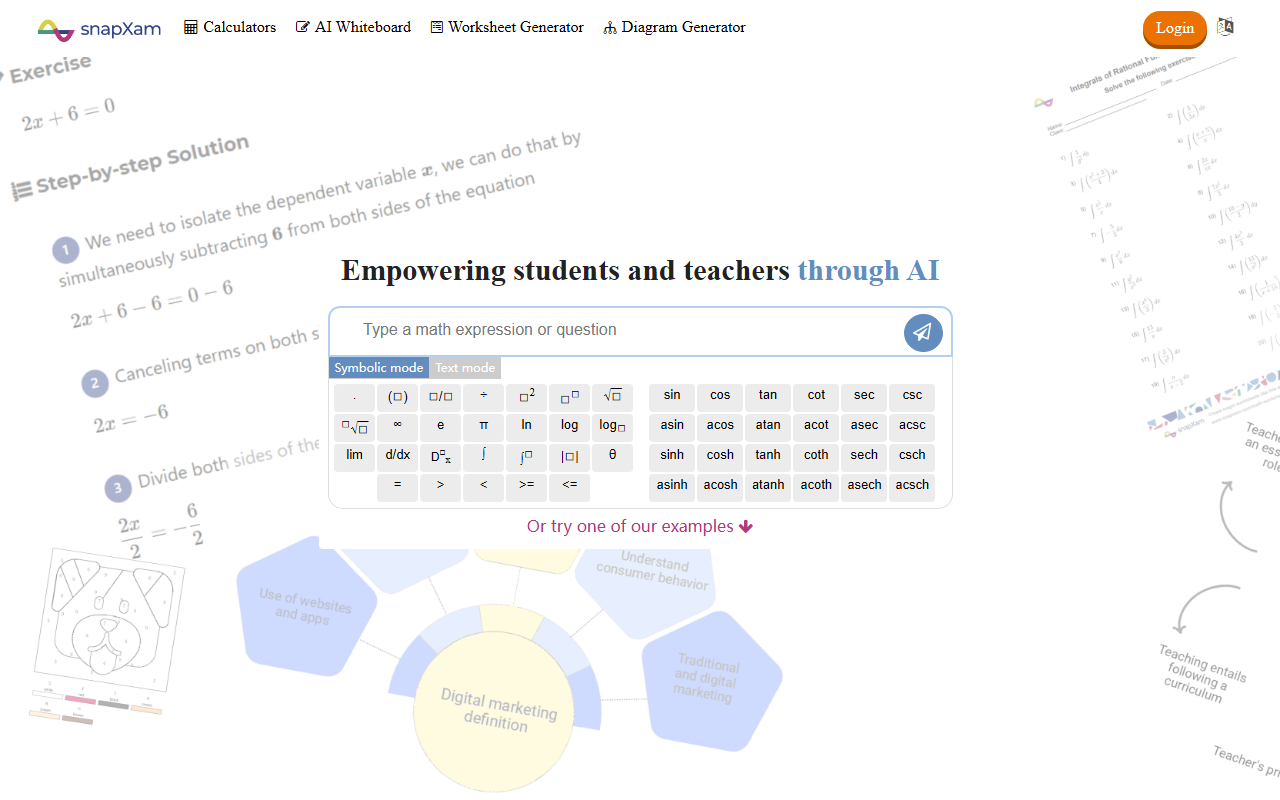
Hands-On Experience with SnapXam
Upon visiting SnapXam, the interface immediately presents a clean calculator input area with two modes: Symbolic and Text. I tested the free tier by typing a derivative problem—d/dx (x^2 + 3x)—and within seconds the tool displayed a detailed step-by-step solution, including the chain rule breakdown. The built-in virtual keyboard includes symbols for calculus, trigonometry, and constants, making input intuitive. I also tried snapping a photo of a printed problem using the camera icon; recognition was accurate for a simple quadratic equation. The left sidebar offers quick access to calculators, an AI whiteboard, worksheet generator, and a diagram generator. Overall, the onboarding is smooth, with no account required for basic solving, though saving solutions prompts registration.
Core Features and Technology
SnapXam is positioned as an AI-powered math tutor covering arithmetic through differential equations. Its technology appears to rely on symbolic computation engines (similar to Wolfram Alpha’s backend) combined with natural language explanation. Key features include:
- Step-by-step solving for over 5 million problems, as claimed on the site.
- AI Whiteboard for visual problem-solving and diagram creation (e.g., geometry shapes).
- Worksheet and Color by Number generators aimed at teachers.
- YouTube integration with a dedicated channel for additional math tips.
- Text and image input (photo capture) for convenience.
The site lists free examples covering simplification, L'Hôpital's rule, integration by parts, and differential equations, confirming the breadth. No API or specific model name is mentioned, but the response quality is comparable to Symbolab or Chegg Math Solver.
Pricing and Market Position
Pricing is not publicly listed on the website. The homepage shows a “Sign up for free” button and a “Go Premium” link, but clicking the latter redirects to a login page without displaying tiers. Based on common freemium models, the free tier likely limits step-by-step visibility or saves. In contrast, competitors like Photomath offer a clear subscription ($6.99/month) and Wolfram Alpha Pro starts at $5/month. SnapXam targets students (in 100+ countries, 500k+ users) and teachers via its worksheet generator. It best suits middle school to early college learners who need structured, step-by-step help, but advanced users might miss the depth of dedicated CAS software.
Strengths, Limitations, and Final Verdict
Strengths include an intuitive interface, broad topic coverage, and the unique AI whiteboard for visual learning. The step-by-step explanations are clear and include intermediate reasoning. However, limitations are notable: the lack of transparent pricing may frustrate budget-conscious users, the free version appears to cap features (no worksheet generation without account), and the tool does not support advanced topics like linear algebra or probability. Additionally, the site’s French acronym and mixed UI language hints suggest localization may not be fully polished.
I recommend SnapXam for high school students struggling with calculus or for teachers creating quick practice worksheets. But for university-level math or offline use, consider alternatives like Symbolab or Desmos. Visit SnapXam at https://snapxam.com to explore it yourself.










Comments