

First Impressions and Onboarding
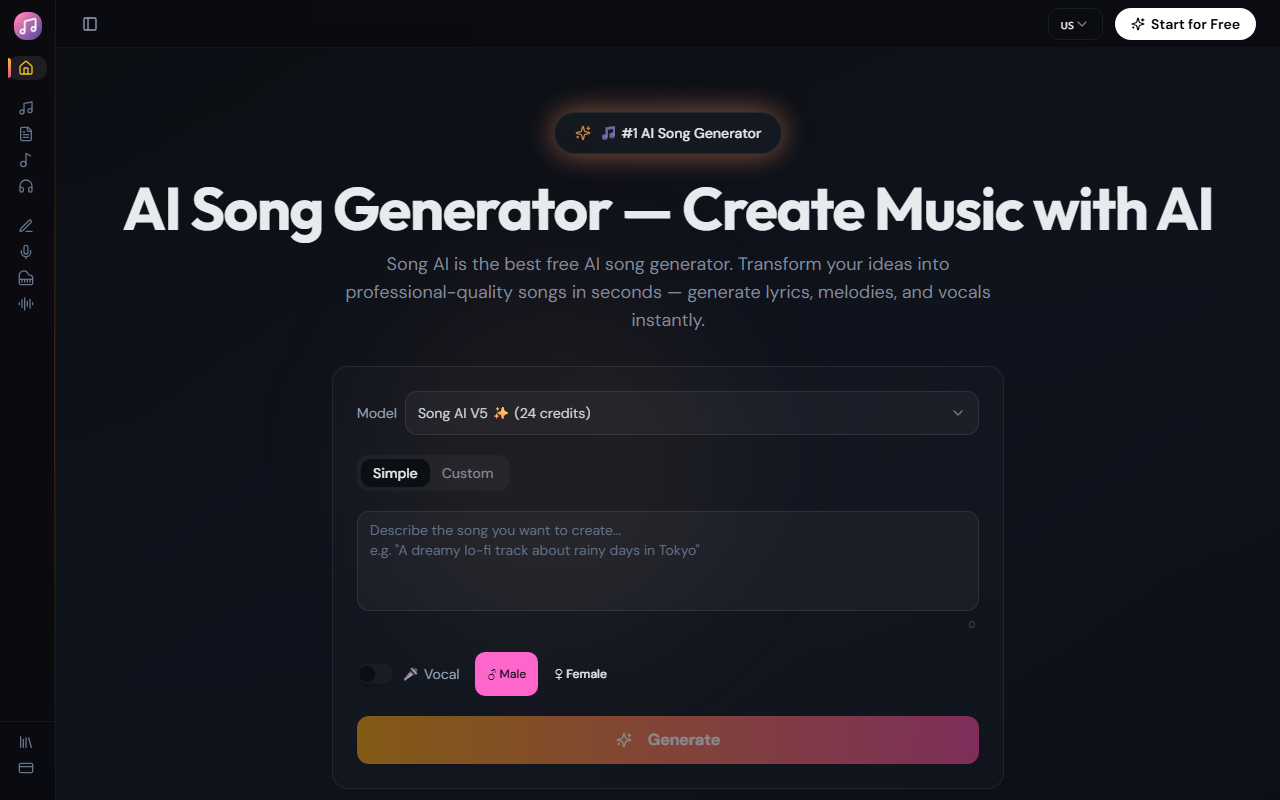
Upon visiting Song AI's website, I was greeted by a clean, modern interface with a prominent text prompt box. The dashboard clearly states it's a free AI song generator and music maker. I clicked the "Generate" button after typing a simple prompt like "upbeat pop song about summer road trips." Within seconds, the tool produced a full track — lyrics, male vocals, and instrumental mix. The landing page also shows sample songs with play buttons, which I previewed to gauge quality. The onboarding is minimal: you choose vocal gender (male/female) and a genre from a dropdown, then hit generate. No account creation is required to start, but you likely need one to download results. The site prominently displays a counter showing over 10,000 songs created and 5,000 happy creators, which builds immediate social proof.
Key Features and Core Functionality
Song AI isn't just a single tool; it's a suite of AI music tools. The primary offering is the AI Song Generator, which takes a text description and outputs a complete song with lyrics, vocals, and instrumentals. It claims to understand musical structure, harmony, and emotion. I tested this by prompting "dark electronic track with heavy bass and haunting vocals" — the result was instrumental only, suggesting vocal generation may be more basic for certain genres. The site lists six tools: Song Generator, Lyrics to Song (paste your own lyrics), AI Song Cover (recreate a song in a new style), AI Lyrics Generator (write lyrics only), Online MIDI Editor (browser-based), and AI Vocal Remover (stem separation). Each has its own landing page. The vocal synthesis offers male/female options but no advanced control over timbre or emotion — a limitation compared to more sophisticated voice generators.
Performance, Pricing, and Market Position
All generations on Song AI are advertised as taking under 30 seconds. My test track took about 25 seconds — fast enough for rapid iteration. Audio export is available in WAV and MP3 formats at up to 320 kbps, and the company claims full commercial rights for all generated music. This is a strong selling point for content creators worried about licensing. However, pricing is not publicly listed except for the "Free" tier. The website repeatedly says "Free AI Song Generator," but it doesn't detail any premium plans or usage limits. This suggests a freemium model — likely with daily generation caps or watermarking on the free tier — but I couldn't verify this without signing up. Compared to alternatives like Suno AI or Udio, Song AI focuses on simplicity and a broad genre library (50+ genres), but its vocal synthesis feels less nuanced. It lacks advanced features like custom voice cloning or multi-track editing within the generator. Its market position is as an entry-level tool for non-musicians.
Who Should Use Song AI?
Song AI is best suited for content creators (YouTubers, TikTokers, podcasters) who need royalty-free background music quickly. Independent musicians can use the lyrics-to-song or cover features for demoing ideas, though they will likely find the vocal quality basic. Teachers and educators can generate custom songs for lessons. However, professional music producers seeking fine-grained control over arrangement, stems, or vocal phrasing should look elsewhere — tools like Suno AI or LANDR offer deeper customization. The absence of transparent pricing on the website is a drawback; users may hit a paywall after a few free generations. Overall, Song AI delivers on its promise of fast, genre-varied song creation from text prompts, making it a useful free resource for non-technical music makers. Visit Song AI at https://songai.io/ to explore it yourself.











Comments