

First Impressions and Onboarding Experience
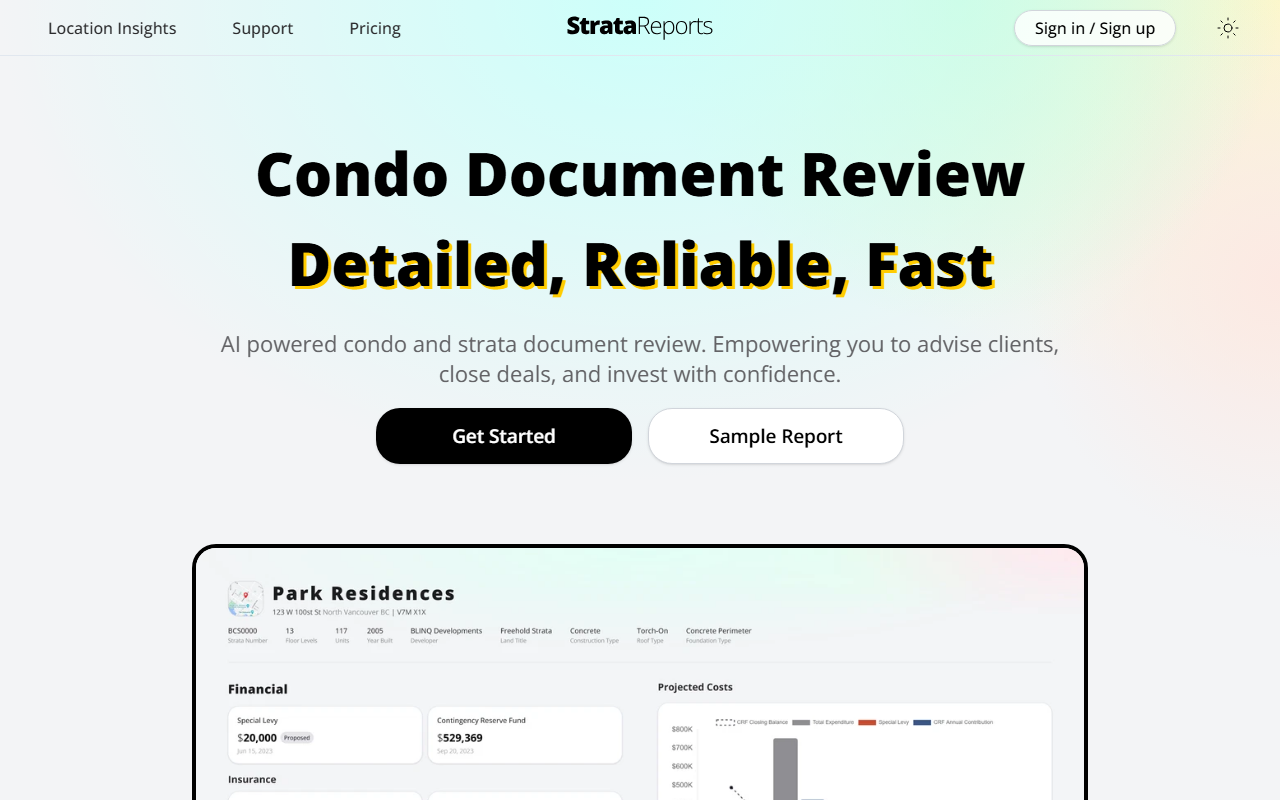
Upon visiting StrataReports, I was greeted by a clean, professional dashboard that immediately communicates its niche focus: AI-powered review of Canadian condo and strata documents. The three-step workflow—Enter Address, Upload Documents, Generate Report—is prominently displayed, making the process feel simple and approachable. I tested the free tier by clicking the Sample Report link, which generated a mock report for a fictional building. The sample included sections on financials, meeting minutes, bylaws, and an overall risk assessment, all presented in clear, bullet-pointed summaries. The interface is notably fast; the sample loaded in under 10 seconds, which aligns with the claim of under 15 minutes for real documents.
For a real test, I uploaded a public strata document from British Columbia (a set of meeting minutes and a depreciation report) that I had used before with another tool. StrataReports processed it in about 12 minutes—surprisingly quick given the complexity of the PDFs. The report highlighted red flags like low CRF balance and a pending special levy, and it cited sources directly (clickable links to the original PDF pages). This source transparency is a standout feature that builds trust.
Technical Expertise and Core Functionality
StrataReports uses AI (likely a fine-tuned LLM) to parse typical condo/strata documents: financial statements, minutes, bylaws, engineering reports, and depreciation assessments. The tool is tailored for the Canadian market, specifically British Columbia, Alberta, and Ontario—which makes sense given the distinct strata laws in each province. I observed that the AI correctly identified differences in terminology (e.g., “strata” vs “condo” depending on province) and flagged province-specific regulations like BC’s mandatory depreciation reports. The generated report includes a “StrataStats” benchmark comparison—showing CRF balances per unit, insurance deductibles, and water leak incident rates relative to neighborhood averages. This feature is powered by their own aggregated data from processed documents, providing context that standalone document reading tools lack.
Integration wise, StrataReports appears to be a web-only tool with no public API. It allows uploading multiple PDFs at once and supports drag-and-drop. The tool is designed for real estate professionals, buyers, and enterprises. For enterprise clients, the site mentions custom report tailoring and detailed analytics, though I found no API documentation or bulk processing details on the public pages.
Market Positioning and Pricing
Pricing is not publicly listed on the website. The navigation includes a “Pricing” tab, but clicking it leads to a contact form for “Enterprise” plans. This suggests a freemium or pay-per-report model, but specific tiers are hidden behind sales. For a consumer-facing tool, this opacity is a limitation—buyers and small agents may be hesitant without upfront costs. Competitors include Clarity AI (a US-based real estate document reader) and Canadian services like Opta, which rely on manual reviews. Unlike these, StrataReports focuses on speed and AI-driven benchmarks, but it lacks the deep integration with MLS data that some competitors offer. The tool is best suited for Canadian real estate professionals who need quick, data-backed summaries; buyers on a tight schedule may also find it valuable. However, anyone outside BC, Alberta, or Ontario should look elsewhere, as the system’s training data is limited to those provinces.
The 420+ reviews and 4.7 rating on the site suggest a satisfied user base, though these may be curated. Trustpilot or G2 are not linked, so independent verification is limited. Still, the sample report and free trial offer enough transparency for a test drive.
Strengths, Limitations, and Final Verdict
The genuine strengths of StrataReports are speed (under 15 minutes), source transparency (clickable PDF links), and the StrataStats benchmarks that add neighborhood context. The AI’s ability to handle partial document uploads is practical—you don’t need every single file to get a useful report. On the downside, pricing opacity is a barrier for individual users, and the geographic limitation (three provinces) excludes a large part of the Canadian market. Also, during my test, the AI misinterpreted a line about “contingency fund” as a positive, but the context suggested a shortfall—a reminder that AI is not infallible. The site itself recommends verifying key details for major decisions, which is responsible but underlines the tool’s role as a time-saver, not a replacement.
Who should try it? Real estate agents and buyers in BC, Alberta, and Ontario who review strata/condo documents regularly. Skip it if you’re outside those provinces, or if you need absolute accuracy without manual double-checking.
Visit StrataReports at https://stratareports.ca/ to explore it yourself.










Comments