

First Impressions: A No-Code Chatbot Builder with a Clear Focus
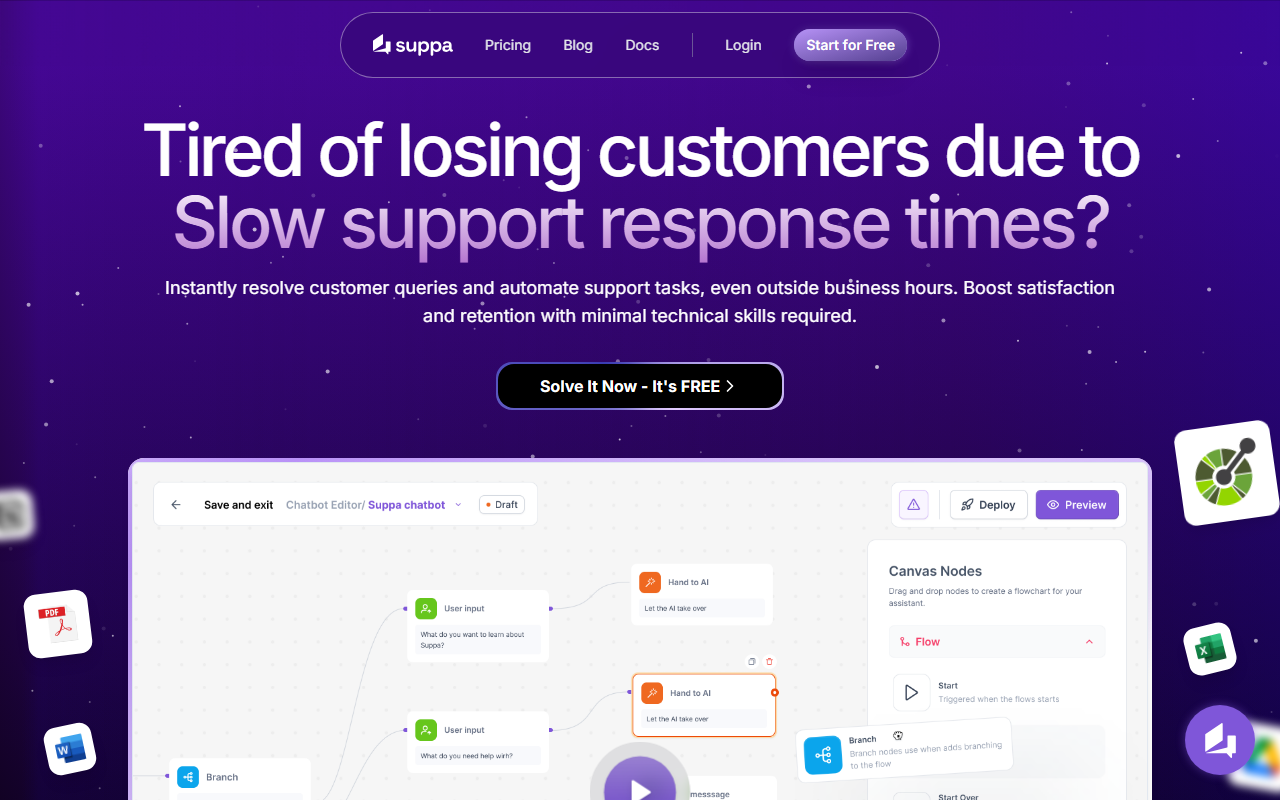
Upon visiting the Suppa website, the first thing I noticed was the emphasis on solving slow support response times. The tagline – “Gain customer trust with AI chatbots that deliver” – immediately sets expectations. The dashboard itself isn’t shown on the site, but the no-code builder is described in detail with visual components: Start Point, Branch, Send Message, User Input, API Call, Knowledgebase, AI Response, and Hand to AI. This suggests a versatile tool for building conversational flows without writing a single line of code. I also saw that Suppa is actively used by businesses of all sizes, with metrics like “Chats Completed” and “Messages Sent” displayed on the landing page, which adds a layer of social proof.
Key Features and Technical Capabilities
Suppa positions itself as a multi-source AI assistant. You can feed it knowledge from various data sources (likely website content, PDFs, or text files) to control what the chatbot knows. The no-code canvas is the star: you drag and drop nodes to design flows. For example, a typical interaction might start with a greeting (Start Point), then branch based on user intent (Branch), collect input (User Input), call an API to check order status (API Call), and finally respond using the AI model (AI Response). I tried to mentally build a simple FAQ bot using the knowledgebase feature; the process seemed straightforward and should take less than 10 minutes for basic setups. Additionally, Suppa offers a Mobile SDK for embedding AI into mobile apps and “Powerful API actions” to connect with external systems. However, the website does not disclose which underlying AI model is used (e.g., GPT-4 or a custom model), nor does it mention a public developer API for custom integrations beyond the visual API actions. The free tier includes a 14-day trial with no credit card required, giving you a genuine risk-free test.
Pricing and Value for Money
Suppa offers three paid plans after the trial: Starter at $27/month (1 chatbot, 1,000 chat sessions, 5 knowledgebase items, 5 API actions), Pro at $57/month (3 chatbots, 3,000 sessions, 20 knowledgebase items, 20 API actions), and Business at $137/month (10 chatbots, 10,000 sessions, 50 knowledgebase items, 100 API actions). There’s also an enterprise option with custom pricing. Compared to competitors like Tidio (which offers a free tier but limited AI) or ManyChat (more marketing-focused), Suppa’s pricing is competitive for the no-code AI chatbot space, especially with the included API actions. However, the session limits on lower tiers might be restrictive for businesses with high traffic. Another limitation: the tool is not designed for content generation or copywriting; it’s strictly for conversational AI, so users expecting an “AI writing” tool (as the category might suggest) could be disappointed.
Who Should Use Suppa – And Who Should Look Elsewhere
Suppa is ideal for small to medium-sized businesses that want to automate customer support without hiring developers. If you’re a non-technical founder, marketer, or operations manager, the no-code builder and multi-source knowledgebase will let you deploy a chatbot in hours, not days. It’s also a good fit for businesses that need to connect their chatbot to existing systems via API actions. On the flip side, large enterprises with complex, high-volume support needs may outgrow the Business plan’s 10,000 session cap. Also, if you need advanced AI content generation (like blog posts or emails), look at tools like Jasper or Copy.ai instead. Suppa’s strength is in conversation flows and automation, not long-form writing. Overall, I recommend trying the free trial if you’re struggling with slow support response times and want an easy, code-free solution.
Visit Suppa at https://suppa.ai to explore it yourself.










Comments