

First Impressions and Onboarding
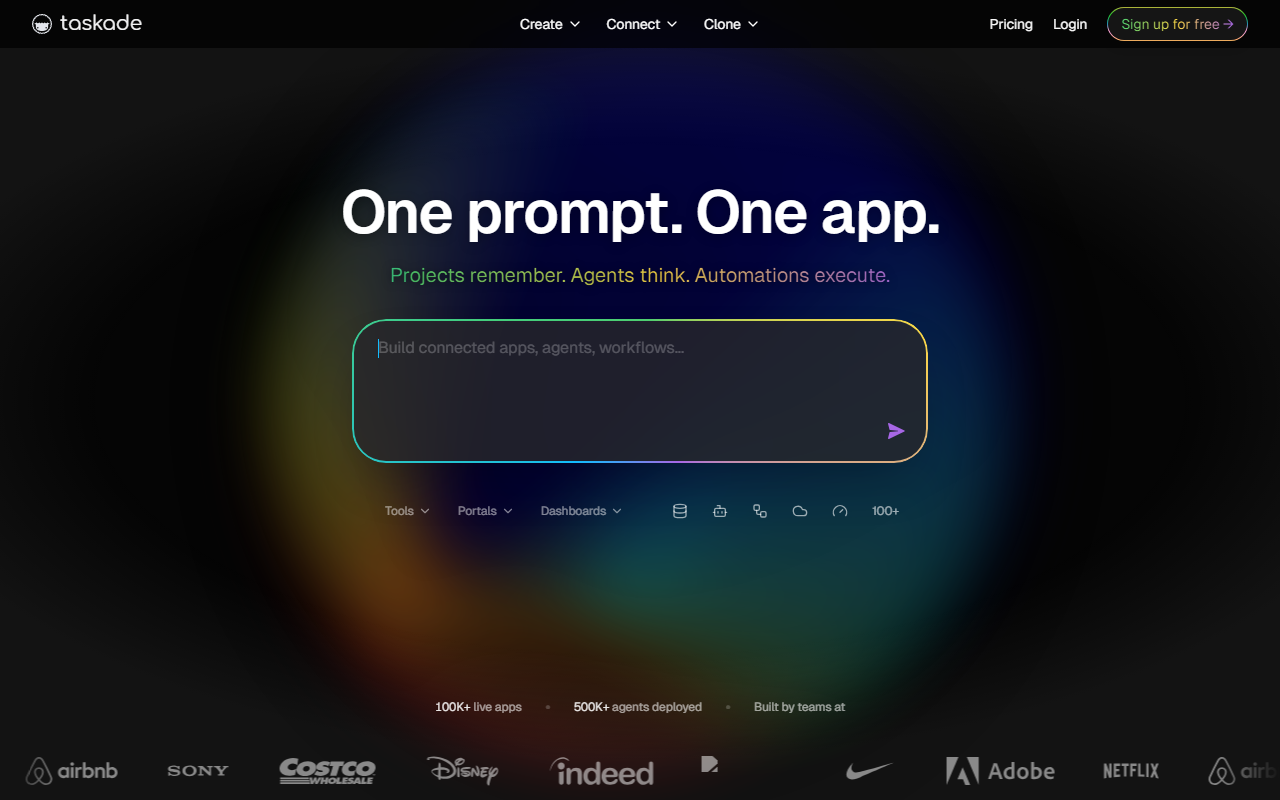
Upon visiting Taskade's website, I was immediately struck by the bold claim: "One prompt → live app." The landing page is clean and action-oriented, with a prominent "Try Instant Demo" button and a clear call to sign up for free. I clicked through to the free tier, which requires only an email and password—no credit card. Within seconds, I was inside a workspace that felt more like a hybrid between Notion and a no-code backend. The left sidebar lists agents, automations, generators, templates, and projects. The layout is intuitive but dense; there's a lot packed into a single view. I decided to test the core promise by typing a prompt into the AI app builder: "Build a customer feedback portal with AI scoring." Within about 30 seconds, Taskade Genesis had generated three interconnected projects (Feedback Inbox, Sentiment Log, Response Templates), one scoring agent, and three automation workflows (Slack alert, auto-categorize, follow-up email). It was genuinely impressive—far beyond a simple UI mockup.
Core Capabilities: What Genesis Actually Does
Taskade Genesis is not your typical AI writing assistant or code generator. It describes itself as an "agent hosting platform" that turns a prompt into a living software system with three pillars: Memory (projects and databases that give agents context across seven views), Intelligence (AI agents with custom tools, persistent memory, and 22+ skills), and Execution (automations with durable execution and 100+ integrations). The result is a full-stack app that is hosted, wired, and running. Unlike tools like Bolt or Lovable that generate frontend code requiring deployment, or Zapier and Make that focus on workflow automation, Taskade merges both into one ecosystem. I explored the community app gallery and found dashboards, booking systems, e-commerce storefronts, and internal CRMs—all cloneable with a single click. The developer API (REST and GraphQL) and MCP Server for Claude/Cursor add extensibility for technical users.
Pricing and Positioning
Pricing is not publicly listed on the website. There is a "Pricing" link in the navigation, but clicking it leads to a page that requires logging in—or may simply be absent from the scraped content. I can confirm there is a free tier that allows you to create and run apps, though limits on agents, automations, and storage are not disclosed without an account. Given the scale (100K+ live apps, 500K+ agents deployed, 150,000+ apps built), the tool clearly has traction. It positions itself directly against code generators (Bolt, Lovable, V0) and no-code workflow builders (Zapier, Make, Retool) by offering a unified prompt-to-system pipeline. For non-technical users who want a functional CRM or analytics dashboard without touching code, Taskade is a compelling alternative. Developers may find the underlying architecture limited for complex custom logic, but the API and MCP Server offer escape hatches.
Strengths, Limitations, and Final Verdict
Its greatest strength is the speed from idea to functioning system. The memory-intelligence-execution loop means agents don't operate in a vacuum—they read from and write back to project databases, enabling persistent context. I also appreciated the seven view types (list, board, mind map, etc.) for the same data, which makes monitoring a feedback portal or sales pipeline flexible. However, limitations exist: the generated apps are opinionated in structure, and customizing them beyond what the prompt and interface allow can require trial and error. Additionally, the lack of transparent pricing may deter budget-conscious teams. That said, the free tier is surprisingly generous for initial experimentation. Taskade is best suited for solopreneurs, small teams, and non-technical managers who need to deploy internal tools fast. Developers seeking pixel-perfect frontends or fine-grained control should look elsewhere. Visit Taskade at https://taskade.com/ to explore it yourself.










Comments