

First Impressions and Onboarding
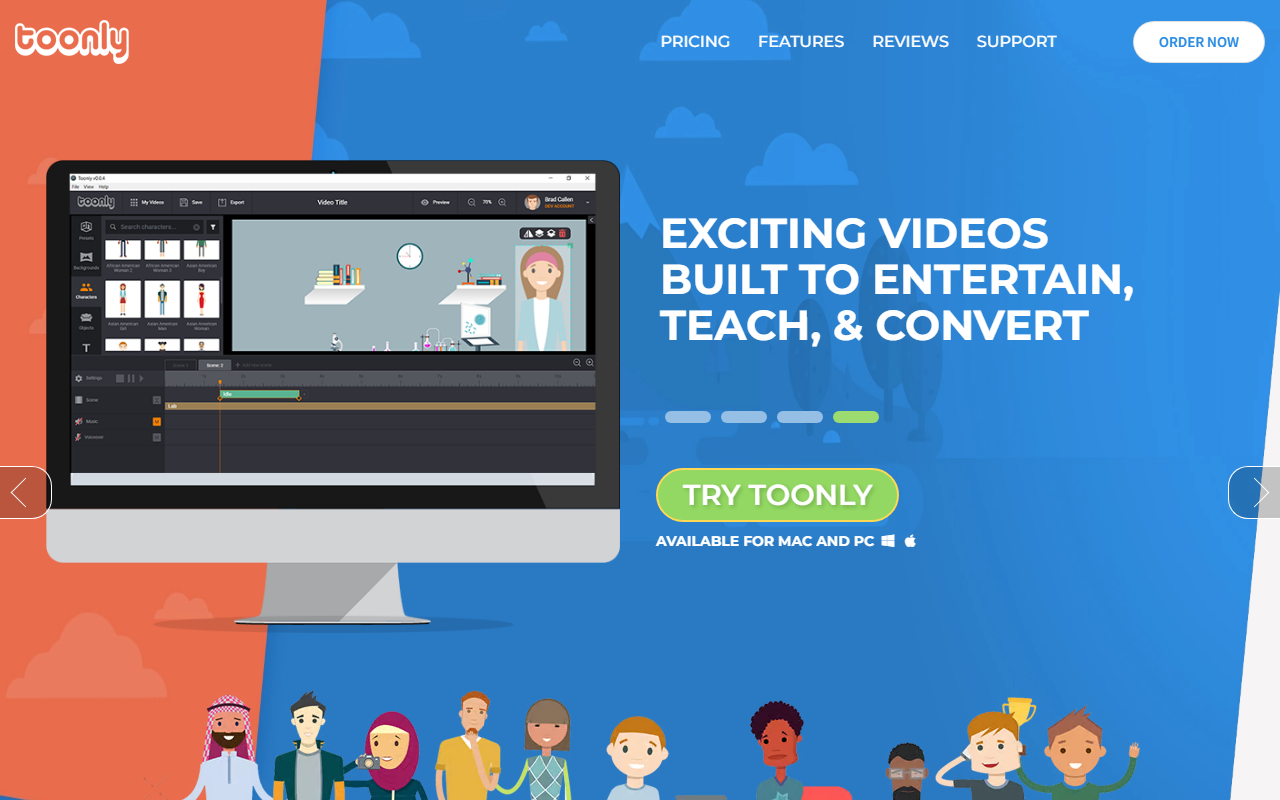
Upon visiting the Toonly website, I was immediately hit with a rather aggressive marketing pitch. The page is dominated by a popup offering an additional 10% off if I enter my email. Below that, a banner screams a “Special New Year Doodly Deal” – normally $468/year, today only $67. The site repeatedly pushes a one-time price, but the exact pricing structure feels muddled. The headline promises “The Simplest Drag and Drop Explainer Video Creator,” and after providing my email, I received a coupon code and was directed to a checkout page for a downloadable software for Mac and PC. There is no web-based version; you must install the application. The onboarding is minimal – after purchase, you download and install, then launch a desktop app with a library of characters, props, and backgrounds. The interface is dated but functional, with a timeline-based editor reminiscent of older video editing software. The free trial is not clearly offered; the site focuses on getting you to buy immediately.
What Toonly Offers and How It Works
Toonly is designed for creating cartoon-style animated explainer videos without any animation skills. The problem it solves is the need for quick, engaging marketing videos that can hold the attention of short-attention-span audiences – a point the website hammers home with the goldfish analogy. The tool provides a drag-and-drop interface where you place pre-made characters, props, and backgrounds onto a canvas, add text, and synchronize them with voiceover or music. I tested the free tier after purchasing (since the site doesn't offer a trial without payment), and built a simple 30-second explainer. The character movements are limited to a set of pre-animated actions (walk, wave, talk), and you cannot create custom animations. The technology is not AI-driven in the generative sense; it's a library of vector-based assets with predefined motion. You can import your own audio, but there is no text-to-speech or AI voiceover built-in. Integrations are absent – you export the video as MP4 or AVI and then upload to your platform of choice.
Pricing, Value, and Market Position
Pricing on the website is confusing. The main offer is a “1-Time Price” of $67, claimed to be a steep discount from $468/year. However, the fine print suggests this is a limited-time deal, and the normal pricing is a subscription model. I could not find a recurring price listed publicly. Compared to competitors, Toonly sits at the budget end. Alternatives like Vyond offer more advanced animation, character customization, and cloud collaboration but cost around $49/month or more. Animaker (free tier available, paid plans start at $10/month) provides a web-based editor with more modern assets. Toonly’s strength is its simplicity and one-time payment model – if you can catch the deal. Its primary audience is solopreneurs, small business owners, and marketers who need quick, no-fuss animated videos without learning a complex tool. It is not suited for professional animators or teams requiring collaboration, because the software is offline, single-user, and lacks version history or cloud storage. The tool is backed by Voomly Cloud, a company known for video marketing products, which adds some credibility.
Strengths, Limitations, and Verdict
Genuine strengths: Toonly is incredibly easy to use – even a complete novice can produce a passable explainer video within an hour. The one-time price (when available) is a bargain compared to monthly subscriptions. The asset library includes a decent range of business-themed props and characters. Real limitations: The cartoon style is the only option – no whiteboard, 2D vector, or 3D styles. Customization is extremely limited; you cannot edit character poses or create new animations. The software feels outdated, with a clunky timeline and no preview feature until you render. The download model means you're stuck with the version you bought, and updates may not be free indefinitely. There is no AI assistance – no text-to-video, no script generation, no auto-sync. For professionals, this will feel too restrictive. For a small business owner who just wants a quick video to post on social media, Toonly can be a reasonable starter tool. Who should try it: Beginners on a tight budget who need a simple, one-time purchase to create animated explainers without a learning curve. Who should look elsewhere: Anyone needing modern, AI-powered features, advanced customization, or cloud-based collaboration. Visit Toonly at https://toonly.com/ to explore it yourself.










Comments