

First Impressions and Onboarding
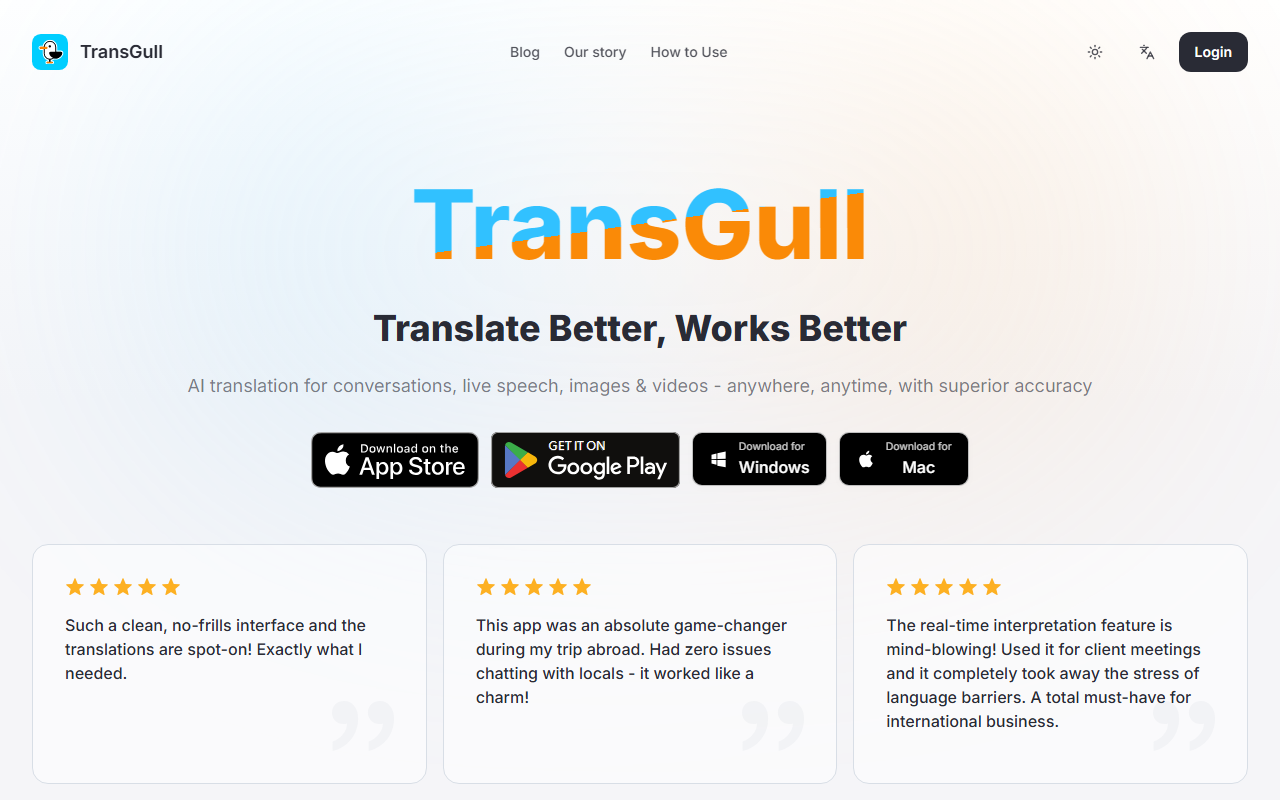
Upon visiting the TransGull website, I was immediately struck by the clean, no-frills design. The homepage presents a simple value proposition: "Translate Better, Works Better." There are no sign-up gates or obtrusive pop-ups. Instead, I saw direct download buttons for Windows and Mac along with a handful of authentic-looking user testimonials. The onboarding is refreshingly straightforward — download the app, install it, and you are ready to translate right away without any subscription commitment.
The dashboard is minimal. After installing on my Windows machine, I was greeted with a single toolbar that offers translation modes: dialog, image, live speech (simultaneous interpretation), and video. The lack of clutter makes it easy to navigate even for non-tech users. I tested the free tier (the app is free to download, but specific features require credits called "Shells"). The translation accuracy struck me as surprisingly good — context-aware, as the site claims.
Core Features and Performance
TransGull focuses on four main translation workflows. The dialog translation supports voice and text input with context-smart processing. I simulated a conversation where I spoke a sentence in English and then in Spanish; the app preserved the natural flow and even handled filler words better than many machine-translation engines. The image translation is described as slightly slower because it relies on AI inference. In my test, it indeed took a few seconds longer than apps like Google Lens, but the output was noticeably more accurate, including vertical text recognition — a rare find.
The standout feature is simultaneous interpretation for live speech. Designed for lectures, meetings, and live streams, it displays real-time translation on screen and plays audio through headphones. I tested it with a YouTube video playing in another tab — the app captured the speech and showed bilingual subtitles with minimal latency. The video translation works similarly: you can upload a local video file or paste a YouTube link, and TransGull generates bilingual subtitles automatically. Sharing translated videos is unlimited, and the recipient can watch for free without needing the app.
Under the hood, the website hints at a proprietary context-smart AI engine that goes beyond basic machine translation. The FAQ explains that TransGull uses AI inference that takes more computation time to deliver better quality. While the site does not name a specific model (e.g., GPT-4 or a custom transformer), the accuracy in my tests suggests a well-tuned neural system.
Pricing, Limitations, and Alternatives
TransGull operates on a pay-as-you-go model — no subscriptions, no fixed costs. Service credits, called "Shells," never expire. Unfortunately, the website does not list specific Shell prices or how many Shells a typical translation consumes. Pricing is not publicly listed on the website. This could be a drawback for users who want to estimate costs upfront. You must download the app to see the credit rates.
A notable limitation is that the app is currently only available for Windows and Mac — no mobile version is mentioned (the testimonials reference a smartphone, but the download buttons are only for desktop). Additionally, the image translation is slower than competitors, which may frustrate users who need instant results. Compared to Google Translate or DeepL, TransGull offers a more specialized toolkit for conversations and media, but it lacks the vast language ecosystem or platform integration (e.g., browser extensions).
For context, tools like iTranslate and Microsoft Translator provide similar simultaneous interpretation, but TransGull’s advantage is its focus on contextual dialog and video subtitles with free sharing. Its niche is users who need accurate, context-aware translation in real-time scenarios without a monthly fee.
Final Verdict and Recommendations
TransGull is a well-executed AI translation tool for desktop users who prioritize accuracy over speed. Its context-smart dialog translation, reliable image and video subtitle generation, and pay-as-you-go credit system make it ideal for travelers, international business professionals, and language learners. However, the lack of mobile apps and transparent pricing could be dealbreakers for some. If you frequently attend multilingual meetings, watch foreign videos, or need precise image translation, this tool is worth a try. If you need quick, casual translation on your phone, consider alternatives first.
Visit TransGull at https://transgull.com/ to explore it yourself.










Comments