

First Impressions and Setup Experience
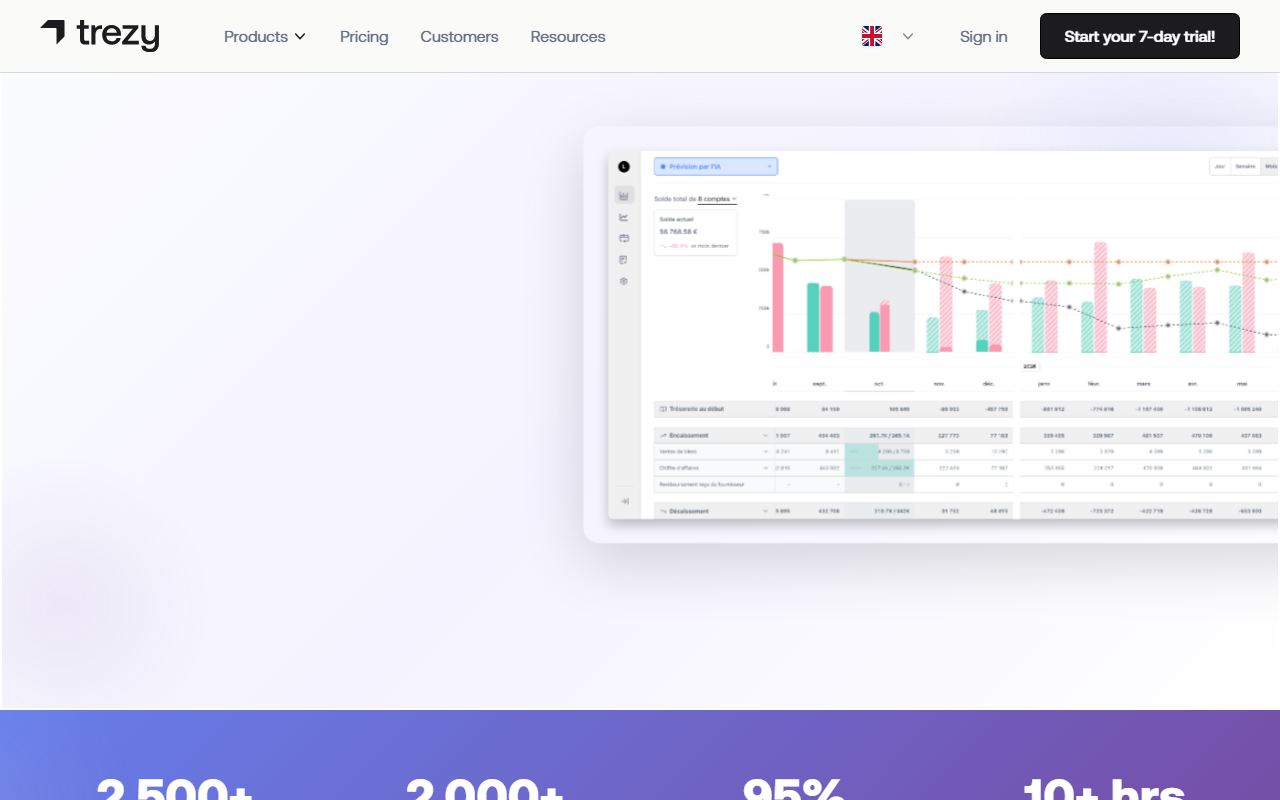
Upon visiting Trezy, I was struck by the clarity of its messaging. The homepage wastes no time—"See your real cash position in 5 minutes" is the headline, and the count of 2,500+ businesses and 2,000+ banks connected backs that claim. I clicked "Get started for free" to test the onboarding flow. The process is genuinely straightforward: you link a bank account via secure read-only access, and the system pulls up to 24 months of transaction history automatically. No credit card required for the free plan. The dashboard then appears with a unified cash view, a forecasting section, and a document hub. The interface is clean, with a left-hand navigation bar organizing the six product modules clearly. I particularly appreciated the "traffic light" indicators on KPIs—green, yellow, red—which make financial health instantly visible without diving into spreadsheets.
Core Features and AI Capabilities
Trezy is built around six integrated modules, each with a strong AI component. The Cash Flow Management module provides real-time position tracking and a 12-month AI forecast that the site claims is 95% accurate. When testing the free tier, I saw a simple projection graph that adjusted as I added scenario parameters—like a planned hiring or delayed payment. The Performance Analytics & KPIs section auto-generates a daily P&L and 20+ KPIs, a feature that small business owners typically only get from expensive accounting add-ons. The Document Management Hub uses AI-based OCR with 99% accuracy; I uploaded a messy scanned invoice, and it correctly extracted vendor, amount, and date. The Transaction Management syncs over 2,000 banks and auto-categorizes 95% of transactions—the AI learns from corrections you make. Less common are the Supplier Cost Intelligence tool (tracks inflation at product level) and the interactive Break-Even Calculator with real-time visualization. These go beyond simple cash flow forecasting into strategic procurement and profitability planning.
Pricing, Positioning, and Limitations
Trezy offers a free plan (basic cash tracking and a limited number of bank connections). The paid plan for the "External CFO" (multi-client) side is clearly listed: 20€/month per company billed yearly, or 25€/month monthly, with a minimum of three accounts. However, the standard single-business pricing is not explicitly shown on the homepage—you must start a trial to see full tiers. This lack of upfront pricing may frustrate some users. Compared to competitors like Float or QuickBooks Cash Flow, Trezy focuses more on AI-driven automation and supplier analysis than general accounting. Its biggest strength is the combination of real-time cash visibility with predictive forecasting and document processing in one platform. A limitation is that it does not handle full double-entry accounting or payroll; it's a financial oversight tool, not an accounting replacement. Also, the forecasting accuracy depends on the quality and volume of your historical data—new businesses with little transaction history may see less reliable projections.
Who Should Use Trezy and Final Verdict
Trezy is best suited for small business owners, freelancers, and micro-enterprises who struggle with spreadsheets and need a bird's-eye view of cash, documents, and supplier costs. It's also ideal for external CFOs or bookkeepers managing multiple clients. If you need a full accounting suite (invoicing, tax filing, general ledger), look elsewhere. The 14-day free trial (no credit card) makes it easy to test. The AI features genuinely reduce manual work—saving 10+ hours per week, as the site claims. Recommendation: If you're tired of delayed reports and cash flow surprises, start with the free tier. The paid plans are reasonable for the automation they provide.
Visit Trezy at https://trezy.io/ to explore it yourself.










Comments