

First Impressions and Onboarding
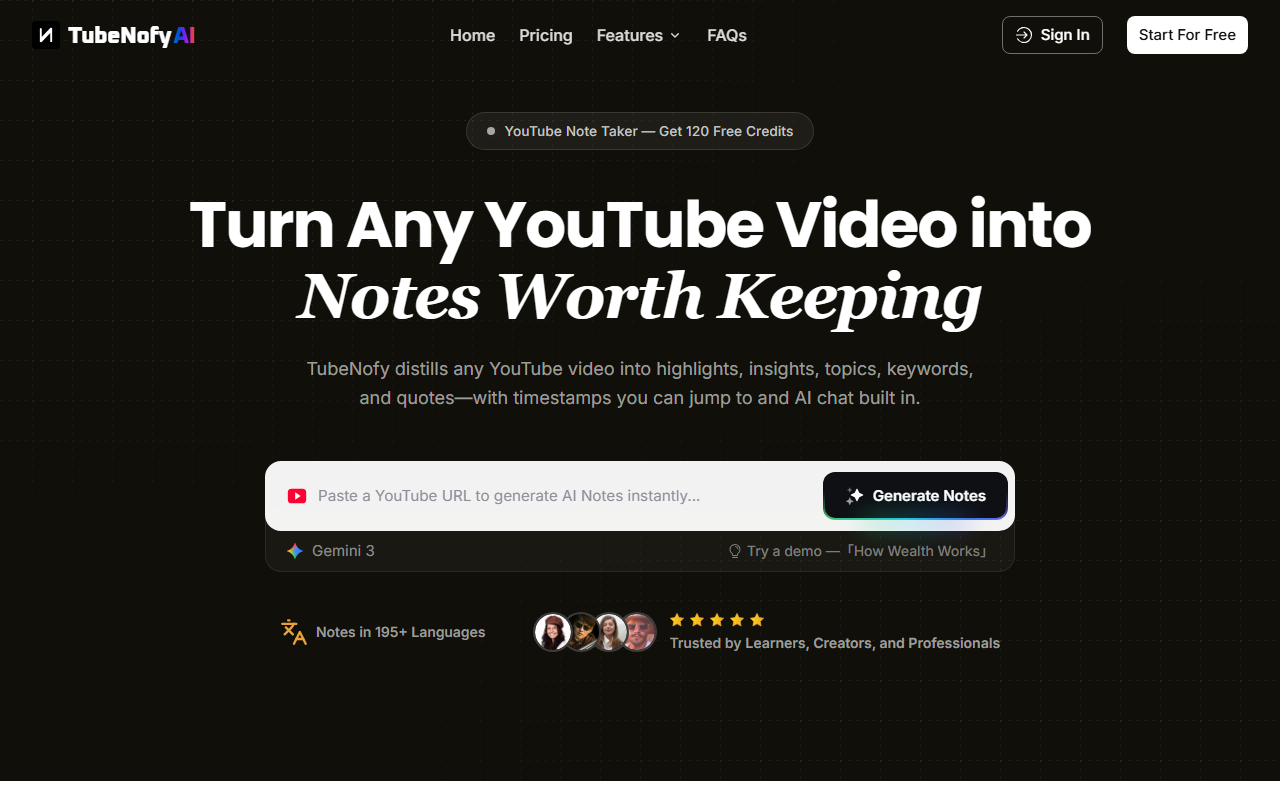
Upon visiting TubeNofy’s homepage, I was greeted by a clean, minimal interface with a clear call to action to "Start For Free." The site feels polished and immediately communicates its core value: turning any YouTube video into structured notes. After signing up, I received 120 free credits, which is generous for a trial. The onboarding is smooth—no lengthy tutorials, just a simple input field to paste a YouTube URL. I chose the demo video “How Wealth Works” to test the workflow. Within seconds, TubeNofy generated a full page of notes structured into five views: Highlights, Insights, Topics, Keywords, and Quotes. Each highlight came with an exact timestamp that I could click to jump directly to that moment in the video. The transcript-based AI chat was also enabled, allowing me to ask follow-up questions without rewatching. The experience felt fast and purposeful, especially compared to manual note-taking.
Core Features: Beyond Simple Summarization
TubeNofy’s main strength is how it goes beyond a one-shot summary. Most YouTube summarizers produce a brief overview and miss the details you actually need for research or content repurposing. TubeNofy extracts multiple formats from a single video: highlights with timestamps, key insights, topic clusters, important keywords, and exact quotes. The five note views are displayed side by side in a dashboard, making it easy to scan and reuse. I tested the search feature—typing a keyword instantly showed every occurrence in the transcript with links to the exact moment in the video. The AI chat function, powered by the Gemini 3 model, answered questions about the video content using only the transcript, not the entire internet. For example, I asked “What does the speaker say about wealth and time?” and received a concise, accurate response with a cited timestamp. Exporting to Notion worked with one click; the notes, timestamps, and quotes were preserved in markdown format. This feature alone saves hours for anyone who regularly watches long-form YouTube for work or study.
Pricing and Target Audience
TubeNofy offers a free tier with 120 credits, which is enough to process a handful of videos. Beyond that, the only pricing information I found on the site was a limited-time “20% OFF Pro deal for new users.” Exact Pro pricing is not publicly listed on the website—you have to sign up or contact sales to see the full tiers. That’s a minor transparency downside. Competitors like Otter.ai and Fireflies.ai offer similar transcription and note-taking for meetings but lack YouTube-specific features like timestamped highlights and keyword search. TubeNofy is clearly built for content creators, podcasters, UX researchers, product managers, and students who need to extract reusable notes from video content. If you only need a quick summary of a video, free tools like YouTube’s own transcript or ChatGPT might suffice. But for deep, structured note-taking, TubeNofy fills a genuine gap.
Final Verdict: Who Should Use TubeNofy?
TubeNofy excels at turning lengthy video content into structured, reusable assets. Its strengths are the timestamp‑linked highlights, AI chat grounded in the transcript, and seamless Notion export. I was particularly impressed by the search feature—it turns a 45‑minute lecture into a navigable document. The 120‑credit free tier is generous enough to evaluate the tool thoroughly. However, the lack of transparent Pro pricing is a limitation; I would have preferred to see dollar amounts before committing to a paid plan. Additionally, the chat sometimes struggled with very specific, context‑dependent questions. Overall, TubeNofy is best suited for YouTubers repurposing their own content, podcast hosts creating show notes, researchers analyzing interview recordings, and product managers reviewing competitor demos. If you regularly need to dig into YouTube videos for actionable notes, this tool is worth the trial. Visit TubeNofy at https://tubenofy.com to explore it yourself.











Comments