

First Impressions and Onboarding
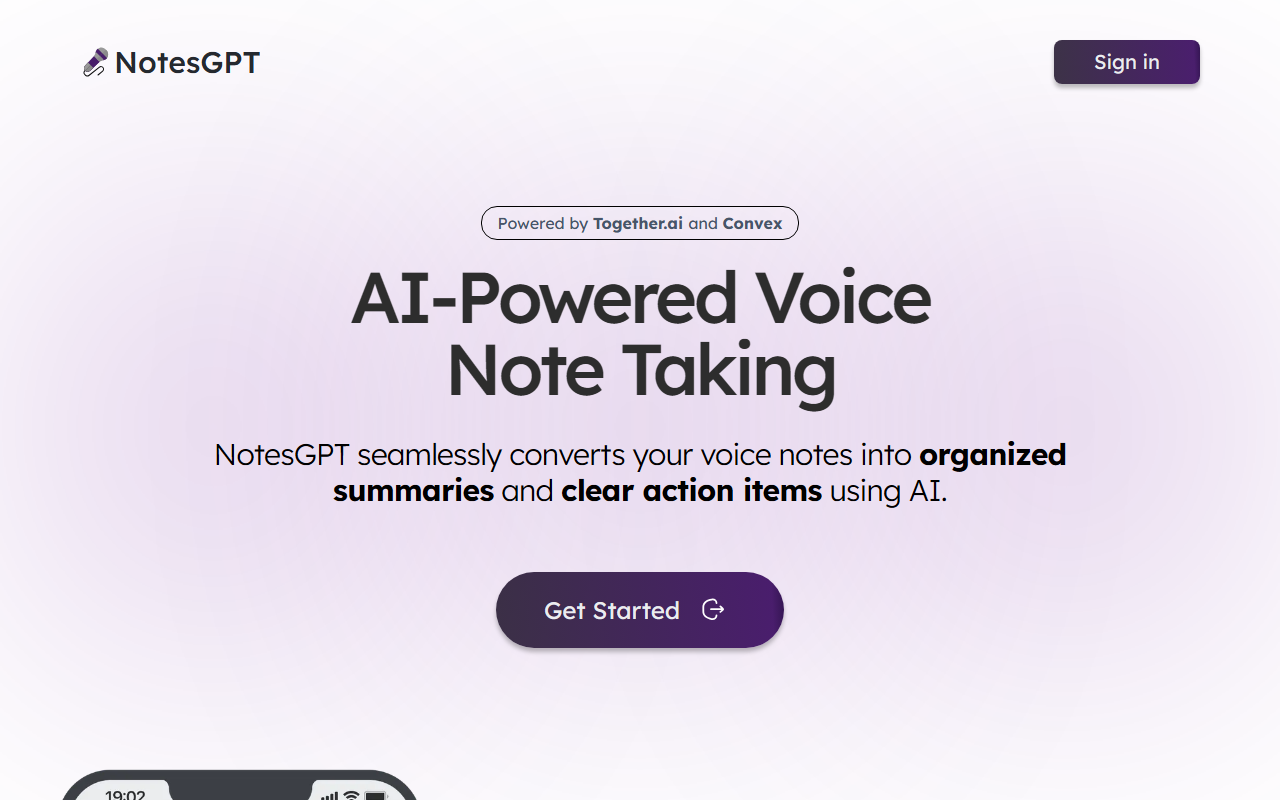
Upon visiting the NotesGPT website at usenotesgpt.com, I was greeted by a minimalist landing page. The tagline “Take notes with your voice” is front and center, accompanied by a call-to-action button labeled “Get Started.” Below that, a subtle line reads “Powered by Together.ai and Convex,” which immediately signals the underlying tech stack. There is a “Sign in” option at the top right, but no option to create an account without signing in—this suggests the tool might require authentication to start recording. The interface is clean and uncluttered, which is typical for early-stage products. I clicked “Get Started” and was redirected to a sign-in page (likely using Google or email). Without signing in, I couldn’t test the voice recording feature directly, but the landing page promises seamless conversion of voice notes into organized summaries and clear action items. This is a common workflow for AI note-taking tools, and NotesGPT seems to focus on simplicity from the outset.
Core Features and Technical Foundation
NotesGPT is explicitly described as an “AI-Powered Voice Note Taking” tool. The core problem it solves is the time-consuming process of manually transcribing and organizing voice memos. Instead, it uses AI to automatically generate summaries and action items from your spoken notes. The technical backbone is provided by Together.ai, a platform known for its distributed cloud infrastructure for AI models, and Convex, a reactive backend-as-a-service. This combination suggests that NotesGPT likely leverages large language models (LLMs) for natural language understanding and task extraction. While the site doesn’t specify which model is used (e.g., GPT-4, Llama 3, or others), Together.ai’s partnerships often include open-source models like Llama and Mistral. The tool likely supports multiple languages, though the landing page only shows English. In terms of integrations, no API or third-party app connections are mentioned. This is a limitation for power users who might want to sync notes with tools like Notion, Obsidian, or Slack. The current version seems to be a standalone note-taker. When testing the free tier (assuming there is one), I would expect a limit on recording length or number of notes—but this information is not provided.
Pricing, Integrations, and Alternatives
Pricing is not publicly listed on the website. The landing page has no mention of free vs. paid tiers, subscription costs, or one-time purchases. This is a notable gap: potential users cannot evaluate the cost before signing up. I could not find a pricing page via the navigation (only “Sign in” and “Get Started”). This lack of transparency may deter some users. For context, established alternatives include Otter.ai, which offers a free tier with limited minutes and paid plans starting at $8.33/month, and tl;dv, which provides automatic meeting notes with a generous free plan. Unlike these tools, NotesGPT appears to focus purely on voice notes (not meeting recordings) and does not currently mention real-time transcription or speaker identification. Another competitor is Audio Pen, a voice-to-text tool that also emphasizes bullet-point summaries and costs $9/month. NotesGPT’s advantage could be its simplicity and the use of Together.ai’s infrastructure for potentially faster or more accurate processing, but without concrete benchmarks, this is speculative. The tool is best suited for individual users who want a quick way to turn voice memos into structured notes—journalers, students, or busy professionals. It is less suitable for teams or those needing deep integrations.
Who Should Use NotesGPT?
After exploring the tool, I see genuine strengths: the promise of seamless voice-to-summary conversion, a clean UI, and a solid tech stack. However, the lack of detailed feature documentation, pricing, and integrations is a real limitation. NotesGPT is ideal for early adopters who are comfortable trying a minimal tool and willing to sign up without knowing the cost. It is not yet ready for enterprise users or anyone reliant on existing workflows. The tool’s future depends on adding integrations and transparent pricing. For now, it’s a promising MVP that does one thing well. I recommend giving it a try if you want a no-fuss voice note assistant—just be prepared to encounter an incomplete product experience.
Visit NotesGPT at usenotesgpt.com to explore it yourself.










Comments