

First Impressions and Onboarding
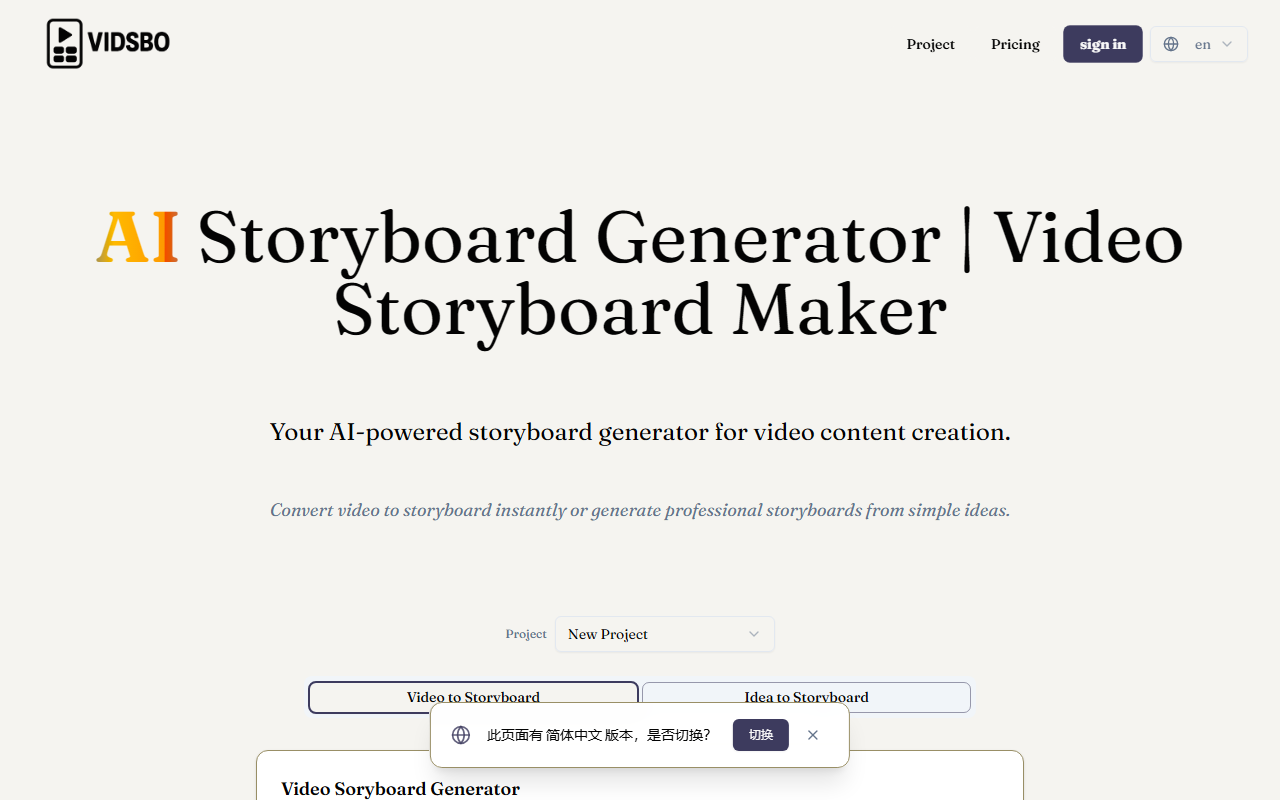
Upon visiting VidSbo.com, the first thing I notice is a clean, minimal dashboard with two primary tabs: "Video to Storyboard" and "Idea to Storyboard". The interface is straightforward, though the page initially showed a "Loading..." state, which raised a minor concern. Once fully loaded, the layout is intuitive: on the Idea tab, there's a text box with a 1200-character limit, a model selector, scenario dropdown, output language, and a customizable template preview shown as JSON schema. The Video tab offers drag-and-drop upload with optional instructions. The template preview is read-only but editable via an "Add Template" button, allowing users to add or remove fields like time, shotType, cameraMovement, sceneDescription, dialogueOrSound, and notes. This level of customization immediately signals that VidSbo targets professional workflows, not just casual users.
Core Functionality and Technology
VidSbo's core value is converting raw input—either a video file or a text description—into a structured storyboard. The tool appears to use AI (likely a language model) to analyze visual content and generate shot-by-shot breakdowns with timestamps, camera movements, scene descriptions, and optional dialogue. The custom template flexibility is a standout: you can define exactly which fields you need, making it adaptable for different production standards—from indie films to corporate videos. I also observed multilingual support in output, which is helpful for international teams. However, the tool currently generates only text-based JSON, not visual storyboard frames. This is a significant limitation if you're expecting illustrated panels; it's more of a shot list generator than a traditional storyboard. In terms of technology, the AI model isn't specified, but the structured output suggests a fine-tuned language model trained on film grammar.
Market Positioning and Use Cases
VidSbo sits in a niche between manual storyboarding tools like Boords (which offer visual boards) and AI script-to-video platforms like Runway. Unlike Boords, VidSbo automates the breakdown from scratch and provides a machine-readable output that can integrate with production software. It's best suited for pre-production professionals who need rapid, consistent shot lists—directors, videographers, storyboard artists, and content teams. However, if you need visual thumbnails or drawn frames, you'll need to pair VidSbo with another tool. The lack of exposed pricing on the website is a red flag; it may indicate early-stage development or a paid-only model. Competitors like Storyboarder (free) or FrameForge offer visual previews, so VidSbo's advantage is speed and JSON export. Small studios and solo creators will appreciate the free tier (if any), but larger teams should inquire about API availability.
Strengths, Limitations, and Verdict
Strengths: The dual input (video + text) covers two key workflows. The customizable template is powerful—you can include only the fields relevant to your project. The multilingual output is beneficial for global productions. The interface, while minimal, is not cluttered. Limitations: No visual storyboard output; pricing is opaque (likely not free); the initial "Loading..." delay is off-putting; and the tool requires some understanding of JSON/Template to fully utilize customization. The 1200-character limit for text ideas might be restrictive for complex scenes. Recommendation: VidSbo is a promising AI storyboard generator for professionals who value structured data over visual sketches. I recommend trying it if you're in pre-production and need to generate shot lists quickly from reference videos or concepts. Keep expectations in check: it is a text-based output tool, not a complete visual storyboard replacement. Visit VidSbo at https://vidsbo.com/ to explore it yourself.











Comments