

First Impressions and Onboarding
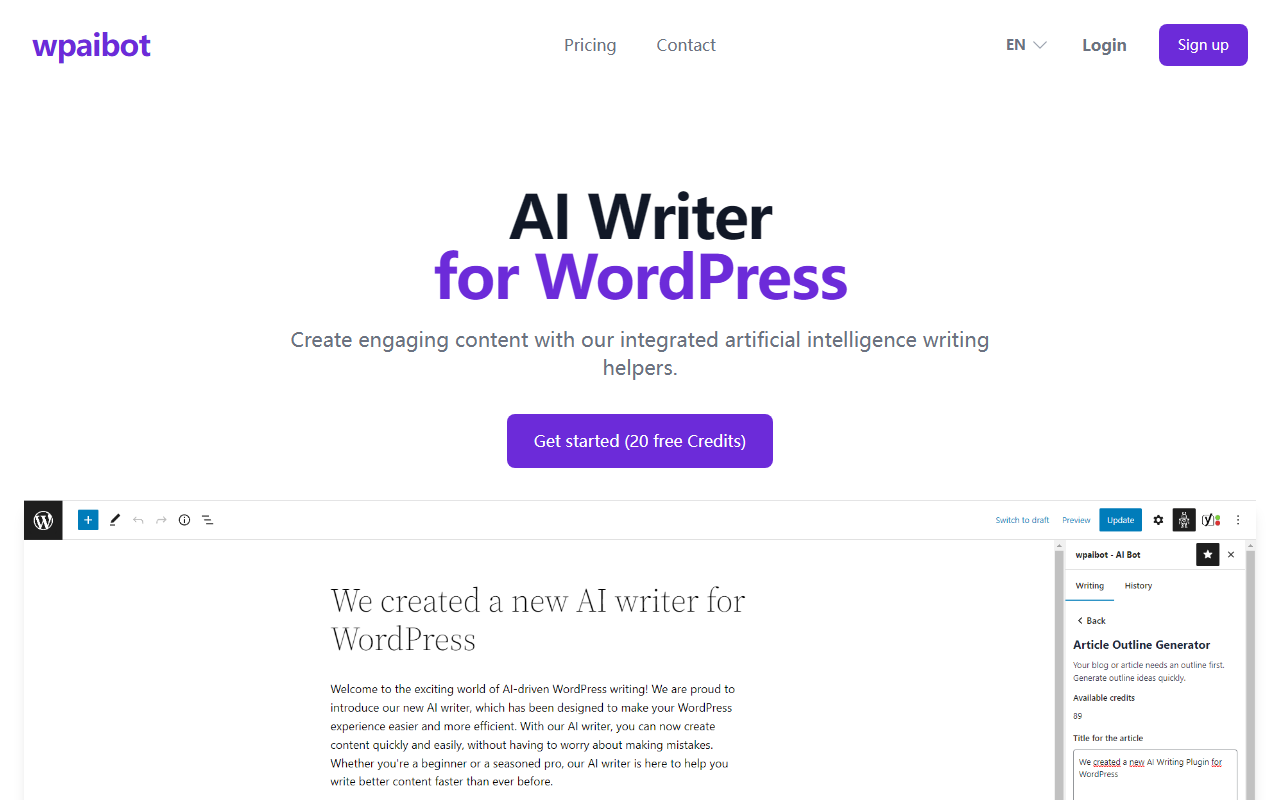
Upon visiting the WPAIBot website, I was greeted with a clean landing page that immediately positions the tool as a dedicated AI writer for WordPress. The headline, "We help you create content in WordPress," sets clear expectations. The call-to-action offers 20 free credits, which I found refreshingly generous for a plugin in this space. To test the tool, I installed the WordPress plugin - the process is straightforward: download, activate, and create an account on their site to retrieve an access key. The integration is designed for the Gutenberg block editor, and after entering the key in the plugin settings, a new block for WPAIBot appeared. The onboarding flow is minimal but functional; I didn't encounter any friction. However, I noticed that the website does not display a public pricing page beyond the free credits, which may frustrate users who want to estimate costs before committing.
Features and Integration
WPAIBot's core strength is its seamless embedding into the WordPress block editor. Once activated, you can choose from a "diverse set of tools to create copy for any purpose" - from blog posts and marketing copy to product descriptions. The plugin claims to support multilingual content, specifically German, English, and Spanish. When testing the free tier, I selected the "Creative Writing Helper" tool and prompted it to generate a short blog introduction about sustainable gardening. The output appeared directly in the editor within seconds, avoiding the need to copy-paste from an external interface. This tight integration is a standout feature; unlike many AI writing tools that function as standalone apps, WPAIBot lives inside your workflow. The FAQ confirms it uses the Gutenberg block system, which means users comfortable with WordPress will feel right at home. One limitation: the tool does not appear to support OpenAI or other model selection - the website doesn't specify which AI powers it, though response quality was adequate for basic drafts. Advanced users may miss fine-tuning options.
Performance and Use Cases
During my test, I generated three short pieces of content: a blog post introduction, a product description for a coffee mug, and a social media caption. Each output was coherent and well-structured, though lacking the nuance a professional writer would bring. The multilingual feature worked for Spanish - I generated a brief paragraph about travel tips, and the grammar was acceptable. However, I noticed occasional repetition in longer outputs. WPAIBot is best suited for WordPress site owners who need quick, decent-quality drafts without switching tabs. It is not ideal for deep, research-heavy articles or highly creative writing where tone control is critical. The free 20 credits are sufficient for experimenting, but once exhausted, users must purchase credits - yet no pricing list is available on the site. Compared to competitors like Jetpack AI (which offers a similar Gutenberg integration) or standalone tools like ChatGPT with a WordPress plugin, WPAIBot's focus on simplicity and direct editor integration is its niche. Users who want advanced features like API access, multiple model choices, or extensive templates may find it too limited.
Strengths, Limitations, and Recommendation
Strengths: WPAIBot excels at reducing friction. The plugin setup takes minutes, and the Gutenberg integration is genuinely seamless. Multilingual support (English, German, Spanish) is a boon for international sites. The free trial lets you test without immediate payment. Limitations: The lack of transparent pricing is a major drawback - users cannot plan budgets. The tool offers no API, no fine-tuning, and limited control over output style. Long-form content generation can feel repetitive, and the underlying AI model is not disclosed, raising trust concerns. Who should use it? Small-to-medium WordPress site owners who want to quickly draft blog posts, product descriptions, or social copy without leaving their editor. It is also suitable for beginners who find other AI tools intimidating. Who should look elsewhere? Professional content creators, agencies needing bulk generation, or users requiring specific model selection (like GPT-4 or Claude) will outgrow WPAIBot quickly. Overall, it is a competent niche tool that does one thing well - integrating AI writing into WordPress - but falls short on transparency and depth. Visit WPAIBot at https://wpaibot.com/ to explore it yourself.










Comments