

First Impressions and Interface
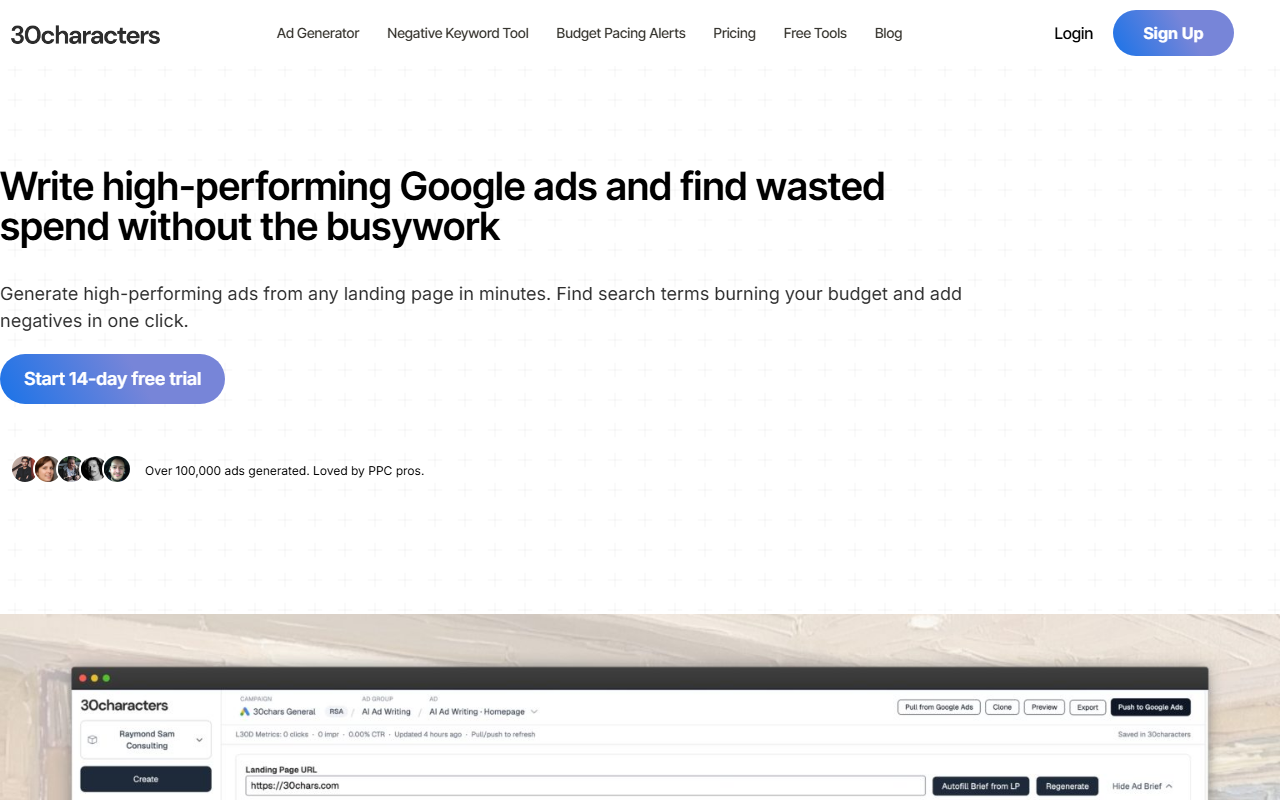
Upon visiting 30characters.com, I was greeted by a clean, professional landing page that immediately gets to the point: generating high-performing Google Ads and finding wasted spend. The tagline “Write high-performing Google ads and find wasted spend without the busywork” sets clear expectations. After signing up for the 14-day free trial, I was prompted to connect my Google Ads account. The onboarding flow is smooth—30characters is an approved Google Ads API Partner, and the app is read-only until you explicitly confirm write actions. This gives you control and peace of mind.
The dashboard is minimal but effective. On the left, a navigation panel lists three core modules: Ad Generator, Negative Keywords, and Budget Pacing. Each module has a simple interface with clear calls to action. For example, when testing the Ad Generator, I pasted a URL from one of my client’s landing pages. Within seconds, the AI generated multiple headline and description options, all displaying an “Excellent” ad strength indicator. I could then edit, re-generate, or push the ads directly into my linked Google Ads account. The response time was impressive—around 5-7 seconds for a full set of assets.
Core Features and Workflow
30characters focuses on three essential tools for Google Ads managers. The AI Google Ads Generator creates headlines, descriptions, callouts, and sitelinks from a URL or brief. It supports Responsive Search Ads (RSA), Performance Max (PMAX), and Demand Gen campaigns. You can bulk-generate ads from a list of URLs and even translate them into multiple languages—a huge time-saver for international campaigns.
The Negative Keyword Monitor automatically scans your search term reports and flags terms that waste budget. After the first scan, you review the suggestions and add negatives in one click. When testing this, I found it caught several irrelevant searches I would have overlooked. The Budget Pacing Alerts let you set spend thresholds for campaigns; the tool checks regularly during the day and sends alerts if pacing deviates.
During my trial, I connected one account (Core plan). The bulk generation from multiple URLs worked seamlessly, and the direct sync to Google Ads saved me from copy-pasting. The negative keyword monitor found over 20 wasted terms in one campaign, which I could confirm and apply instantly. The entire workflow felt designed for efficiency—ideal for busy PPC managers.
Pricing and Positioning
Pricing is straightforward and listed clearly. The Core plan is $29/month billed yearly (or $34 monthly) and includes 1 Google Ads account, unlimited copy generations, negative keyword monitoring, budget pacing alerts, and multi-language generation. The Pro plan at $59/yearly ($71 monthly) supports 10 accounts and MCC connections, plus priority support and roadmap input. For agencies, a custom plan is available via demo.
Compared to competitors like Optmyzr or AdEspresso, 30characters focuses purely on Google Ads with an emphasis on ad strength and negative keywords. Optmyzr offers broader PPC management but can be more complex. 30characters is simpler and cheaper for dedicated Google Ads users. However, it lacks multi-platform support (no Facebook, LinkedIn) and does not offer deep analytics or A/B testing at scale. Another limitation: the AI-generated ads, while strong, sometimes need human tweaking to match brand voice or specific campaign nuances.
Who Should Use 30characters?
This tool is best suited for in-house Google Ads specialists, freelancers, and small to mid-sized agencies. The 14-day free trial gives ample time to test the core features. Genuine strengths include the speed of ad generation, the clever negative keyword audit, and budget pacing alerts that prevent overspend. Real limitations are its Google Ads exclusivity and the fact that the AI can occasionally miss subtle brand tone. If you manage campaigns across multiple platforms, look elsewhere. But if you live and breathe Google Ads, this tool will save you hours each week and likely improve your ROI.
Visit 30characters at https://30chars.com/ to explore it yourself.










Comments