

First Impressions and Onboarding
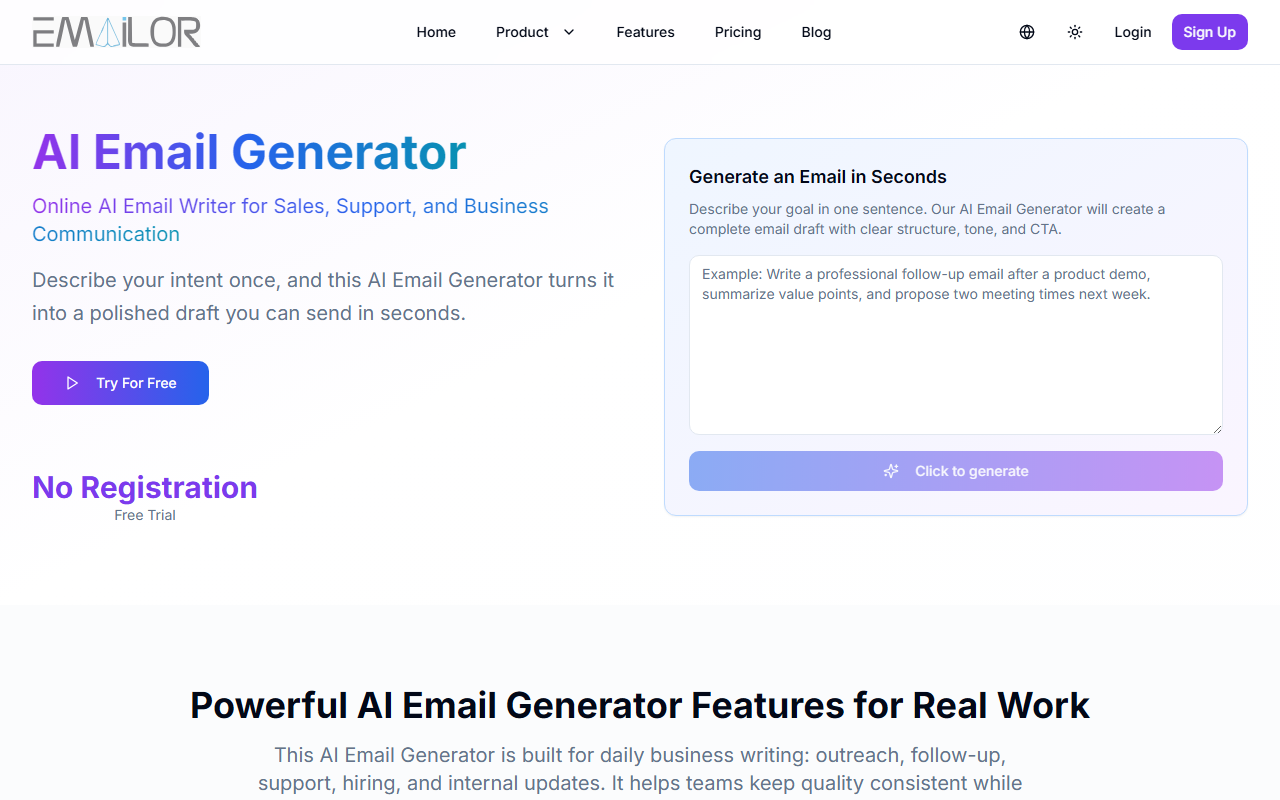
Upon visiting the Emailor website, the interface is clean and immediately functional. A single text box labeled "Purpose" invites you to describe your email goal, with options to select language and switch between Simple Mode and Custom Mode. The free trial requires no registration, which is a refreshingly frictionless start. I tested it by typing a brief request for a follow-up email after a product demo. Within seconds, a well-structured draft appeared with a clear subject line, a polite opening, and a call to action. The output felt natural and ready to send after minor tweaks.
Core Features and Workflow
Emailor focuses solely on email generation, which makes it purpose-built rather than a jack-of-all-trades writing tool. The intent-aware AI analyzes your prompt’s context—recipient, tone, urgency—and produces structured drafts that avoid generic filler. I appreciated the tone and urgency sliders in Custom Mode, which let me shift from a formal support reply to a casual internal update without leaving the page.
The template library covers nine common scenarios, from cold outreach to payment reminders. Each template can be loaded with one click, then customized. The workflow follows three steps: describe the goal, adjust settings, and generate. The editor allows regenerating or editing inline, though you cannot save drafts within the tool—you must copy the final text. This is a minor friction point, but consistent with the tool’s emphasis on speed over project management.
Pricing and Value
Emailor offers three annual plans: Starter at $47.90/year (10,000 credits per month), Pro at $95.90/year (25,000 credits), and Ultra at $191.90/year (60,000 credits). All plans include auto-renewal and access to all generation modes. The Pro plan adds fast queue access, and Ultra includes dedicated support and custom requirements. There is no monthly subscription option shown; only annual billing with a 20% discount is visible. For comparison, tools like Copy.ai and Jasper offer broader writing capabilities but at higher monthly costs. Emailor’s pricing is competitive if you only need email writing, but the lack of a monthly plan may deter casual users.
Who Should Use Emailor?
Emailor is ideal for sales and support teams that send dozens of similar emails daily and want consistency without spending time on structure. The free trial lets you validate output quality before committing. However, the tool has limitations: no API for integrations, no team collaboration features, and the output is limited to email text—no subject line optimization or A/B testing. If you need a general-purpose AI writing assistant or require deep CRM integration, look at alternatives like Lavender or Saleshandy. For straightforward, high-quality email drafting at a reasonable annual price, Emailor delivers exactly what it promises.
Visit Emailor at https://aiemailgenerate.com/ to explore it yourself.










Comments