

First Impressions and Onboarding
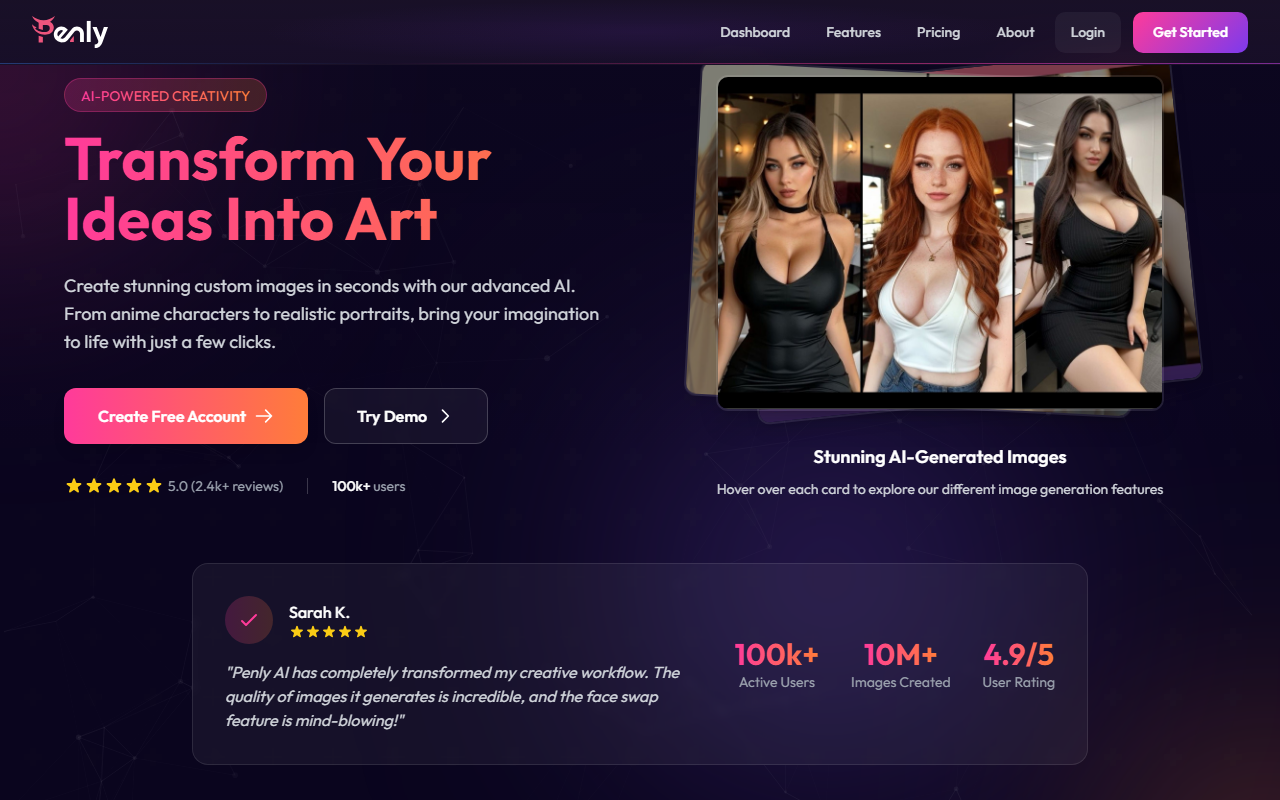
Upon visiting Penly AI at aipenly.com, I was greeted by a clean, modern landing page that immediately highlights key features: face swap, inpainting, AI portrait, and a 'Soulmate' creator. The hero section prominently displays a 'Get Started Free' button and a demo option. I clicked 'Try Demo' and was taken to a streamlined interface where I could upload an image or type a text prompt. The onboarding flow is minimal – no lengthy sign-up required to test basic functionality. Within seconds, I generated a test portrait of a 'fantasy elf warrior' using the default settings. The result was a high-resolution, detailed image that looked professional, though slightly generic in style. The dashboard, accessed after creating a free account, organizes tools into clear cards: 'Generate Images', 'Chat with AI', 'Face Swap', and 'Portrait Generation'. Everything feels intuitive, even for someone with no prior AI art experience.
Core Features and Performance
Penly AI offers a suite of tools that go beyond basic text-to-image generation. The AI Image Generation engine produces images in seconds, and during testing, I experimented with prompts like 'cyberpunk city at night' and 'watercolor painting of a cat'. Each output arrived in under five seconds, with options to upscale or download immediately. The Face Swap feature is impressively accurate; I uploaded a portrait photo and swapped faces with a provided stock image, and the result blended seamlessly, with natural skin tones and lighting. The Inpainting and Outpainting tools allow you to edit or extend existing images by selecting areas and typing new descriptions – very useful for refining compositions. I also tested the Portrait Generation feature, which creates lookalike portraits from a description or reference photo. The output was realistic but lacked the nuanced control of tools like Midjourney or Stable Diffusion. A unique addition is Conversational AI, a chatbot that helps brainstorm visual ideas. While not directly related to image generation, it adds a creative assist layer. Overall, performance is fast and reliable, but advanced users may miss fine-grained parameters such as prompt weighting, negative prompts, or seed control. The site claims 4.9/5 user rating and over 10 million images created, which suggests a satisfied user base, though I found the generated styles sometimes repetitive without extensive prompt engineering.
Pricing and Market Position
Penly AI aims to democratize AI art for beginners and casual creators. Pricing is not publicly listed on the website; I navigated to the 'Create Free Account' flow and saw only a 'Free' tier with limited monthly credits (likely 10-20 generations based on typical freemium models). The site mentions 'Affordable Plans' and 'Flexible pricing' but does not display tier costs until after sign-up. This lack of upfront transparency is a limitation compared to competitors like BlueWillow or Leonardo.ai, which show clear pricing pages. In terms of market positioning, Penly AI sits between simple mobile apps and professional tools. Its strengths are ease-of-use and a consolidated feature set – face swap, outpainting, portrait creation – all in one platform. However, it lacks API access (not mentioned), batch processing, or community galleries (like Midjourney). The tool is best suited for hobbyists, social media content creators, and anyone wanting quick, high-quality images without a learning curve. Serious digital artists or those needing commercial-grade control should look toward Stable Diffusion with custom models or Adobe Firefly. Penly AI’s privacy focus is commendable: it states 'Your creations belong to you' and uses industry-standard data protection.
Final Verdict
Penly AI delivers on its promise of transforming ideas into art in seconds. The user experience is frictionless, features are accessible, and output quality is solid for general use. I genuinely appreciated the fast generation times and the face swap accuracy. However, the lack of public pricing details and advanced customization options limits its appeal for power users. If you’re a complete beginner or need quick, reliable AI images for personal projects, try the free tier. For professionals seeking granular control or commercial licensing clarity, explore alternatives first. Penly AI is a promising platform with room to grow in transparency and sophistication. Visit Penly AI at aipenly.com to explore it yourself.










Comments