

First Impressions and Onboarding
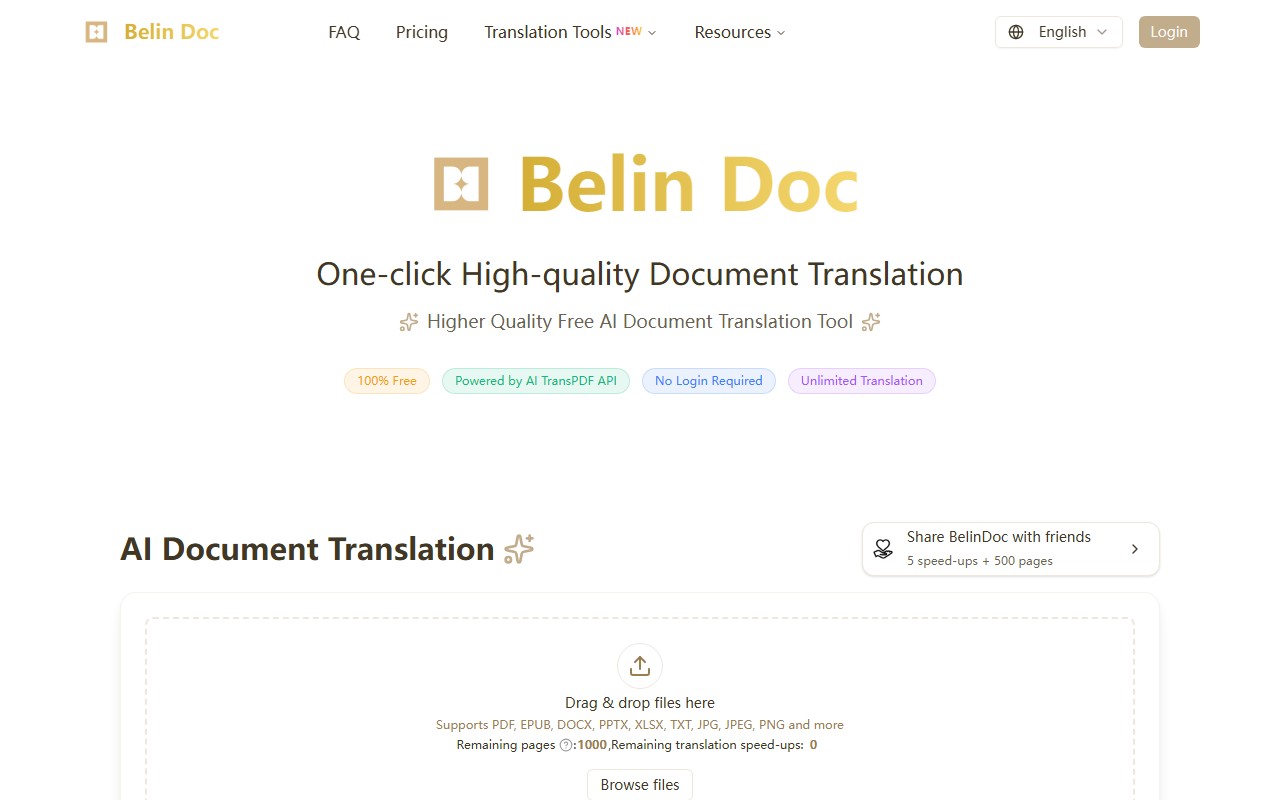
Upon visiting Belin Doc, the interface is refreshingly clean. The landing page immediately presents three tabs: AI Document Translator, Manga Translator, and Video Translator. I focused on the document translator. The main call-to-action is a drag-and-drop area that accepts PDF, DOCX, EPUB, PPTX, XLSX, TXT, JPG, and PNG files. There is no sign-up wall—I dropped a test PDF without any account creation. The source and target language dropdowns are straightforward, and the model selector defaults to Gemini-2.5-Flash. You can also toggle options like “Translate Images in PDF,” “Formula Recognition Enhancement,” and “Email Notice.” The entire onboarding took less than ten seconds.
Translation Quality and Supported Formats
Belin Doc uses top-tier large language models—including ChatGPT, Claude, Gemini, and DeepSeek—as the translation kernel. I tested a ten-page research paper (PDF) from English to Spanish. The translated document preserved the original layout, including tables, headings, and footnotes. The text flowed naturally, and technical terms were accurately rendered. The tool also handles scanned PDFs via OCR, which I confirmed by uploading an image-heavy document. The website claims support for 60+ languages, and model selection allows you to choose the best quality or fastest response. Format preservation is genuinely impressive; the parsing algorithm kept the structure intact without shifting images or breaking tables. However, I noticed that very complex Excel files with multiple sheets could lose some conditional formatting—a minor limitation.
Pricing, Privacy, and Limitations
Belin Doc is listed as 100% free with no usage limits. There is no credit card required, and no login is needed for immediate use. The website prominently states “Zero-Cost Translation” and “No Hidden Fees.” However, there is a referral program: sharing Belin Doc with friends grants translation quota pages. Initially, I saw “Remaining pages: 0” and “Remaining translation speed-ups: 0,” which suggests that while basic translation is free, page quotas and speed-ups are earned through referrals or may be required for heavy usage. The site does not publicly disclose exact quota limits for new users. Privacy is strong—files are deleted within 24 hours, and no personal data is stored. That said, advanced features like email notification require an email address, which could be a privacy concern for some. Compared to Google Translate, which has file size limits, and DeepL, which restricts free users to 5,000 characters, Belin Doc offers a more generous experience. But DeepL Pro has dedicated translation memory and glossary features that Belin Doc lacks. Also, there is no API mentioned, so developers may want to look elsewhere.
Who Should Use Belin Doc?
Belin Doc is ideal for academics, cross-border e-commerce professionals, and marketing managers who need quick, free, high-quality translations with format retention. The zero-login and unlimited pages (with referral) make it a strong choice for one-off projects. However, power users who need API access or consistent workflow integration should consider alternatives like DeepL or Google Cloud Translation. The video and manga translators are a bonus but remain untested in this review. Overall, Belin Doc delivers on its promise of a free, high-quality AI document translator, albeit with a referral-based quota system. I recommend it for anyone who frequently translates formatted documents without wanting to pay.
Visit Belin Doc at https://belindoc.com/ to explore it yourself.










Comments