

First Impressions and Onboarding
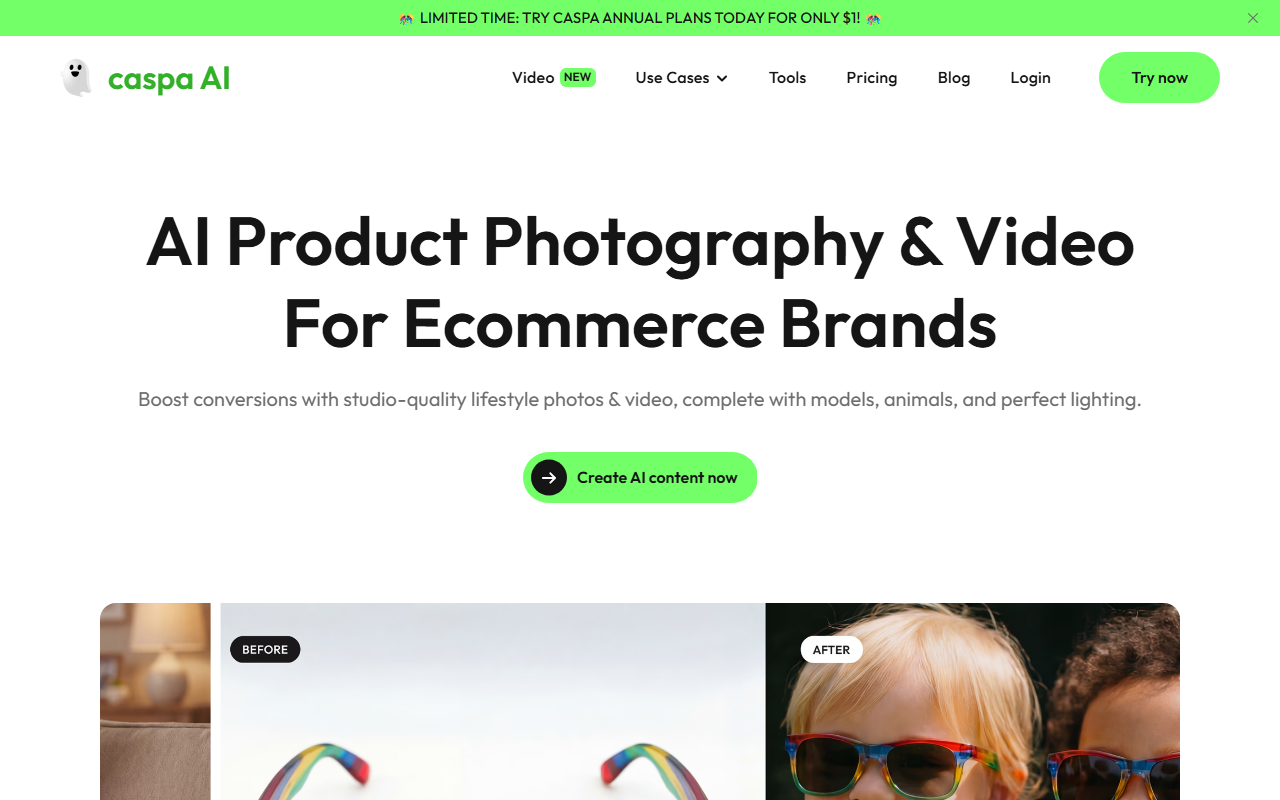
Upon visiting the Caspa AI website, I was greeted by a bold promo banner offering annual plans for just $1—a clear hook for ecommerce entrepreneurs. The landing page immediately highlights its core value proposition: product photography that increases sales. The interface is clean, with a top navigation bar listing use cases like AI Fashion Photography, Beauty Product Photography, and Lifestyle Product Photography. Clicking "Try now" takes you to a registration page where you can sign up with Google or email. The free tier, as noted on the pricing page, allows up to 10 image generations per month with limited features—sufficient for a quick test drive.
After logging in, the dashboard presents a simple workspace: a left sidebar with tools (Generate, Edit, Background Remove) and a central canvas. I uploaded a product photo—a generic coffee mug—and selected a pre-built template from the "Curated Templates" library. The generation took about 15 seconds, and the result was a realistic lifestyle shot of the mug on a wooden table with soft window light. The output was 1024x1024 pixels, watermarked on the free plan, but the quality impressed me: the product edges were crisp, reflections natural, and no obvious AI artifacts. This hands-on experience confirmed Caspa AI’s claim of consistent, studio-grade output.
Core Features and Workflow
Caspa AI excels at generating product images with contextual elements. It supports adding AI human models from diverse ethnicities, AI animal models, and custom backgrounds. You can also bundle multiple products into a single photo—useful for creating bundles or family shots. The text, pattern, and logo consistency feature ensures that branding elements remain intact across generations. For Amazon sellers, the platform offers tailored A+ content and infographic creation, which can save hours of manual design work.
The workflow is straightforward: choose a use case, upload a product image, select a template or write a custom prompt, tweak settings (e.g., model type, background style, number of outputs), and generate. The editing tools include background removal, magic erase, and image upscaling. One notable limitation: the free tier restricts image resolution to 1024px and doesn’t include video generation. Video creation (e.g., short product loops with models) is available on paid plans and requires more generation credits. The underlying technology likely uses a fine-tuned diffusion model (similar to Stable Diffusion or DALL-E) trained on ecommerce product photography, but Caspa AI doesn’t disclose the specific model. There is a note that it uses “cutting-edge AI technology,” and the platform does not currently offer an API for bulk integration.
Pricing and Market Position
Pricing is not publicly listed on the website beyond the $1 annual plan promotion. However, from the sign-up flow and limited-time banner, I infer that regular pricing is tiered based on the number of image generations, resolution, and video support. Typical competitors like Zyro AI Image Generator and Pebblely charge between $10 and $30 per month for similar features. Caspa AI seems to target serious ecommerce businesses willing to invest for high-quality outputs. Given the claim of reducing production costs by 10x, the ROI could be significant for stores generating thousands of SKU images.
Compared to Pebblely, which focuses solely on static product photos, Caspa AI adds video and A+ content generation—a differentiator for Amazon sellers. Zyro’s tool is more basic and integrated into a website builder, while Caspa AI is a standalone platform with more advanced customization. The platform is trusted by “businesses across multiple countries,” and a case study cites a 40% boost in conversions after using Caspa AI for product pages. This positions it as a strong choice for mid-to-large ecommerce brands that need high volume and variety.
Verdict and Recommendations
Strengths: Caspa AI delivers realistic, studio-quality product photos and videos quickly. The ability to include diverse models and animals is a major advantage for lifestyle branding. The A+ content generator is a time-saver for Amazon sellers. The credit-based system allows flexible scaling, and the $1 annual trial lowers the barrier to entry.
Limitations: The lack of transparent pricing (beyond the promo) makes it hard to evaluate ongoing costs. The free tier is very limited (10 images, watermarked). Video generation consumes credits quickly—consider if your needs are photo-only. No API means automation is not possible for enterprise workflows.
Who should try it: Ecommerce founders, Amazon sellers, and marketing teams producing product imagery at scale. If you need consistent, high-conversion photos without hiring a photographer, Caspa AI is a solid investment. Who should look elsewhere: Freelancers or small stores on a tight budget may find the free tier insufficient; consider Pebblely or Canva’s AI tools for simpler needs. Overall, Caspa AI earns its place as a niche tool optimized for product photography—just ensure your volume justifies the annual plan.
Visit Caspa AI at https://caspa.ai/ to explore it yourself.










Comments