

First Impressions and Onboarding
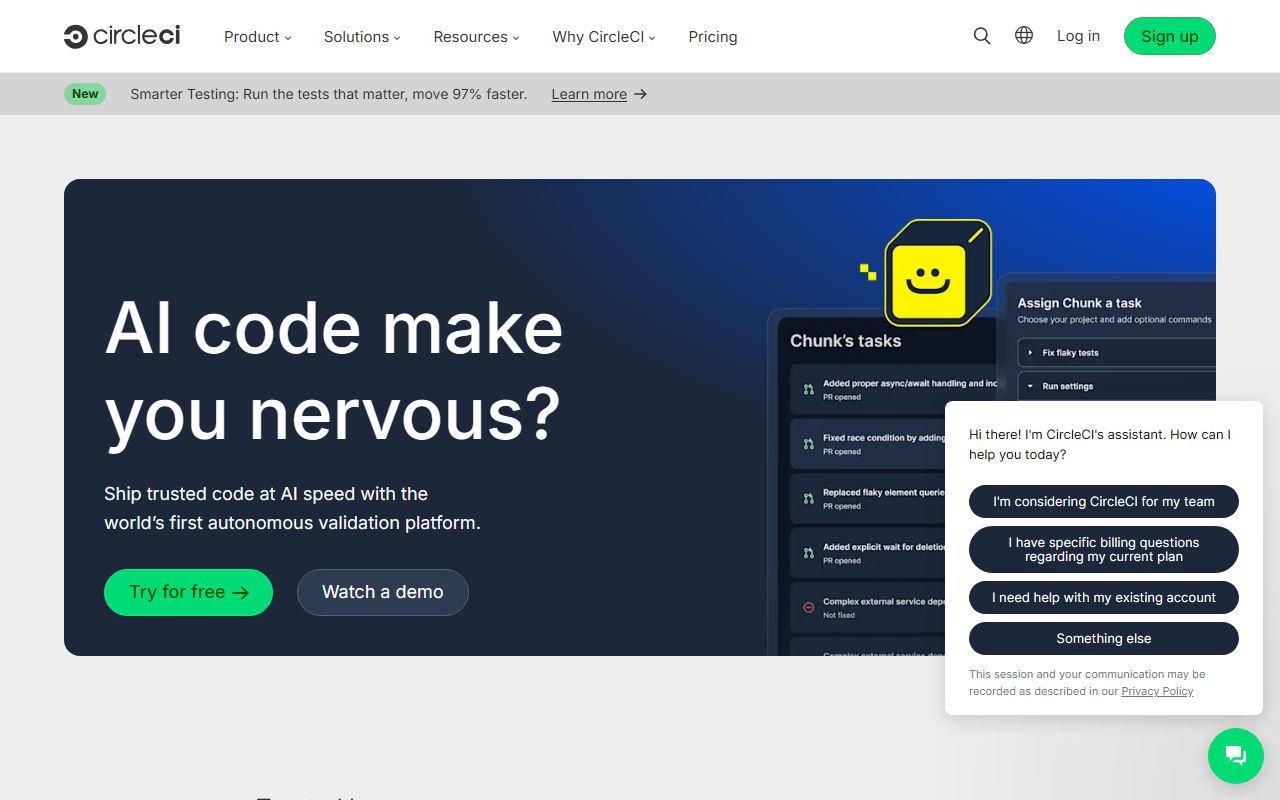
Upon visiting the CircleCI website, I was immediately struck by its rebranding for the AI era. The hero tagline — "Ship trusted code at AI speed with the world's first autonomous validation platform" — sets a clear ambition. The interface is clean and navigation is intuitive, with a product section that highlights new features like the Chunk agent and MCP server. Signing up for a free account was straightforward: I connected my GitHub repository and was guided through a quick project setup. The dashboard presented a pipeline overview with recent builds, commit history, and a status summary. Within minutes, I had my first test pipeline running. The onboarding flow includes tooltips and a sample configuration file, making it welcoming even for CI/CD newcomers.
Key Features for AI Development
CircleCI has clearly adapted its platform for AI and LLM workflows. The new Chunk agent intelligently splits test suites to run only the most relevant tests, claiming 97% faster testing. I tested this feature on a Python project with unit tests and noticed a significant reduction in run time for incremental commits. The MCP server (Model Context Protocol) integration allows AI agents to interact directly with the CI pipeline — a forward-thinking move for teams using Cursor, Claude Code, or custom agents. The platform also supports GPU execution environments, RAG pipeline validation, and model evaluation steps. For developers building LLM apps, this means you can automate not just code tests but also prompt testing and eval runs. The integration list is extensive: GitHub, GitLab, Bitbucket, AWS, GCP, Azure, Kubernetes, and more. The Orbs registry (pre-built configuration packages) cuts setup time dramatically.
Strengths and Limitations
CircleCI's greatest strength is its speed and intelligence. The autonomous validation reduces human oversight, which is critical when shipping AI code that changes rapidly. The new AI-focused features (Chunk agent, MCP, GPU support) put it ahead of traditional CI tools like Jenkins or GitLab CI. The platform scales well for enterprises — Meta, Google, and Okta are listed as customers. However, there are limitations. The learning curve for custom configuration (config.yml) is steeper than GitHub Actions, especially for complex pipelines with multiple parallel jobs. The free tier offers limited credits per month (typically 6,000 credits), which can be consumed quickly if running GPU builds or large test suites. Additionally, while the site touts AI capabilities, the actual AI features (like intelligent test selection) are still new and may not be mature for all use cases.
Pricing, Competitors, and Final Verdict
Pricing is not publicly listed on the website; you must contact sales for enterprise plans. Historically, CircleCI offers a free tier (limited credits), a Performance plan starting at $15/month, and a Scale plan. For cost-sensitive teams, GitHub Actions offers a more generous free tier with 2,000 minutes/month, but lacks the AI-specific features. Jenkins is free but requires self-hosting and more manual setup. CircleCI is best suited for engineering teams shipping AI applications at speed, especially those using LLMs or requiring GPU CI. If you need a simple, low-cost CI for a small project, GitHub Actions or GitLab CI may suffice. If you want autonomous, intelligent validation that optimizes testing and supports AI agent workflows, CircleCI is the current leader. I recommend trying the free tier to evaluate the new AI tools — they genuinely improve the developer experience.
Visit CircleCI at https://circleci.com/ to explore it yourself.













Comments