

First Impressions and Onboarding
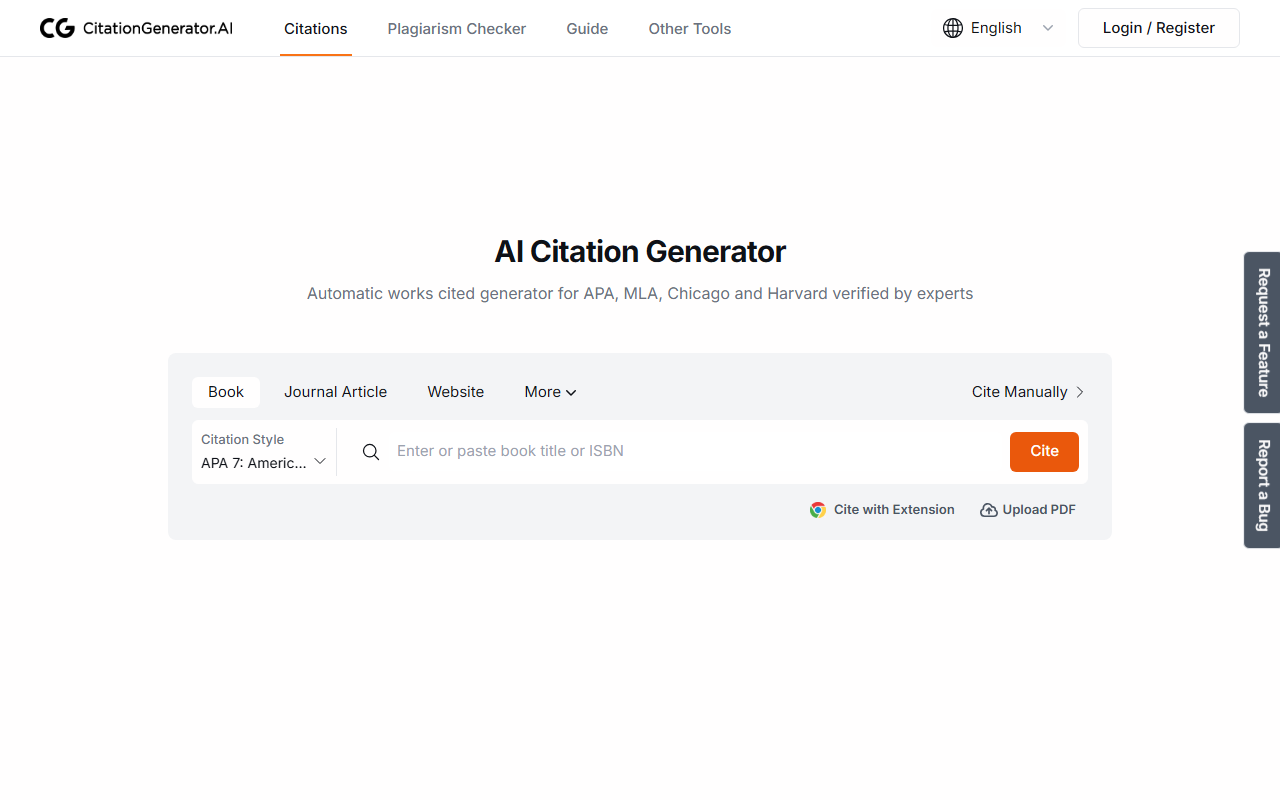
Upon visiting CitationGenerator.ai, I was greeted by a clean, minimalist interface that immediately put me at ease. The homepage presents a clear choice between source types: Book, Journal Article, Website, and even an option to upload a PDF for automatic extraction. There's no account creation required to start citing — you can simply type a URL, ISBN, or DOI into the main input box and click the 'Cite' button. Within seconds, the tool returned a properly formatted MLA citation for a test website I entered. The process felt snappy, with no lag or intrusive pop-ups. A small sidebar menu offers access to folders, backup settings, and font customization, though most users will likely rely on the autocite feature for speed.
Core Features and Performance
The tool's flagship feature is Autocite: paste a URL, ISBN, or DOI, and CitationGenerator.ai instantly pulls metadata like author, title, publication date, and publisher. I tested this with a DOI for a recent journal article, and the generated APA citation was spot-on, even correctly italicizing the journal title. The platform supports over a thousand citation styles, including APA, MLA, Chicago, Harvard, Vancouver, IEEE, AMA, and Turabian — all accessible via a dropdown menu. Beyond autocite, you can manually enter source details or upload a PDF for automatic metadata extraction (though this feature didn't perfectly parse a messy PDF I tried). The interface includes multi-level folders to organize citations, and automatic backups are enabled by default. Export options include BibTeX, Word, and Google Docs, making it easy to integrate into larger writing workflows. One small but welcome touch: you can change the font of your citation list to Times New Roman, Arial, or Calibri for a polished final look.
Pricing and Positioning
CitationGenerator.ai is completely free — no hidden tiers, no subscription nudges, and no ads. This is a standout strength compared to competitors like EasyBib (which pushes paid plans for advanced features) or Zotero (free but requires installation and learning curve). The tool's founder explicitly states the intent is to replace outdated, ad-heavy citation makers. However, the free model means there are limits: the platform currently supports only English and Spanish interface languages (though it can cite references in many languages), and the PDF extraction accuracy is not as robust as dedicated reference managers. There is no collaborative sharing feature, and the 'request a feature' link suggests the tool is still evolving. For a student who needs a quick, reliable citation without any cost, this is a solid choice. For researchers managing large libraries or needing team collaboration, Zotero or Mendeley might be better suited.
Final Verdict
CitationGenerator.ai excels at its core mission: generating accurate citations quickly and for free. The lack of ads and the clean design make it far more pleasant to use than many alternatives. My main concern is that while the tool handles single citations well, its organizational features — basic folders and no tagging — feel rudimentary for heavy users. Additionally, the upcoming features teased (chat with documents, an integrated writing assistant) are not yet available, so the current offering is purely a citation generator, not a full research suite. If you are a student or academic who needs a no-fuss, no-cost way to format references, give it a try. For anyone who requires advanced library management or collaborative tools, look elsewhere. Visit CitationGenerator.ai at https://citationgenerator.ai/ to explore it yourself.













Comments