

First Impressions and Onboarding
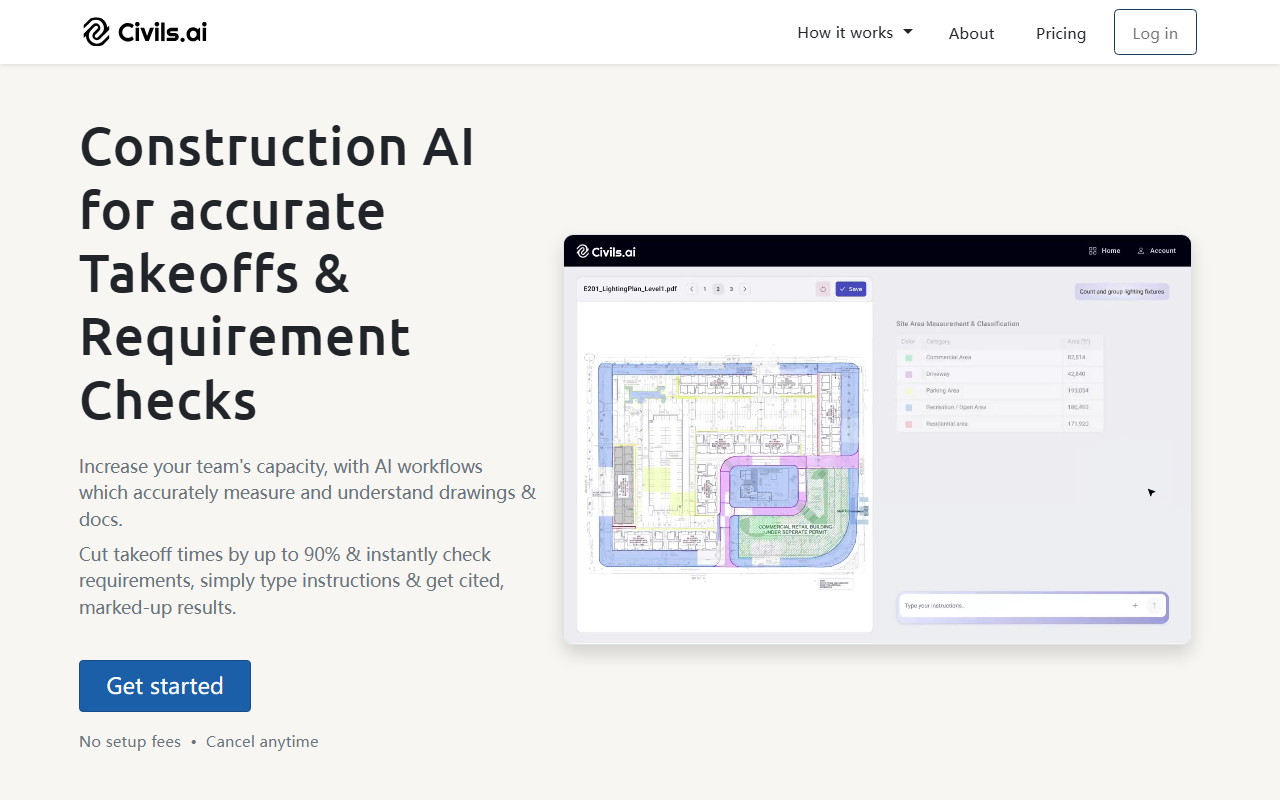
Upon visiting the site, the landing page immediately targets construction professionals with a clear value proposition: “Accurate AI-powered quantity takeoffs from PDF drawings.” The interface is minimal, with a prominent call-to-action to get started. I signed up for the free tier (no credit card required) and was prompted to upload a sample drawing. The process is straightforward: drag-and-drop a PDF, select an AI Agent, and type a plain-English scope like “measure all paving and landscaping areas.” The AI extracts CAD data from scanned or multi-sheet drawings, and results are reviewed by a human QA team before delivery. During my test, the tool processed a simple floor plan in under two minutes, marking up areas on the annotated PDF. The dashboard shows a history of prompts and outputs, making it easy to revisit past takeoffs.
Core Features and Workflows
Civils.ai focuses on two primary use cases: quantity takeoffs and document checks. For takeoffs, it covers groundworks, landscaping, utilities, concrete, and more. You type the scope in English, and the AI measures areas, lengths, volumes, and counts. Outputs can be downloaded as Excel or annotated PDF. The second feature runs AI searches across drawings, specs, and codes—simply type a check (e.g., “verify slab reinforcement against structural notes”) and the AI cites its sources. The site claims 97% results accuracy and 5–15 minutes saved per prompt. I tested a code compliance search on a sample structural drawing; the AI returned cited answers with section references, a significant improvement over flipping through PDF menus. The platform also supports unlimited AI searches on standard accounts, though advanced agent workflows may have separate limits. Integrations with Excel and PDF are native, but I saw no API documentation or third-party platform hooks on the site.
Pricing, Competitors, and Verdict
Pricing is not publicly listed on the website, though the text mentions “no setup fees” and “cancel anytime.” A slider on the homepage lets you estimate ROI based on monthly takeoffs, but exact dollar amounts are hidden until you engage sales. This opacity may frustrate smaller contractors. For context, general-purpose AI tools like ChatGPT can handle basic document queries, but they cannot reliably measure drawings or handle complex tabular data from geotechnical reports. Specialised competitors include Autodesk Takeoff and PlanSwift, but Civils.ai’s edge is its AI layer that runs compliance checks alongside measurements. The platform is best suited for mid-to-large construction contractors and consultants bidding on complex projects, especially those dealing with groundworks and subsurface conditions. Smaller firms or those needing only simple quantity takeoffs might find the cost barrier unclear. Strengths include high accuracy due to QA review, annotated outputs, and significant time savings verified by users (e.g., savings equivalent to 2.8 months of full-time work per year at JTC). Limitations include a narrow focus on civil engineering workflows—it won’t help with MEP or structural steel takeoffs yet. Also, the reliance on human QA means results may not be instant for large batches. Overall, I recommend Civils.ai for any construction team looking to automate repetitive measurement and cross-referencing tasks, provided the pricing fits your volume. Visit Civils.ai at https://civils.ai/ to explore it yourself.










Comments