

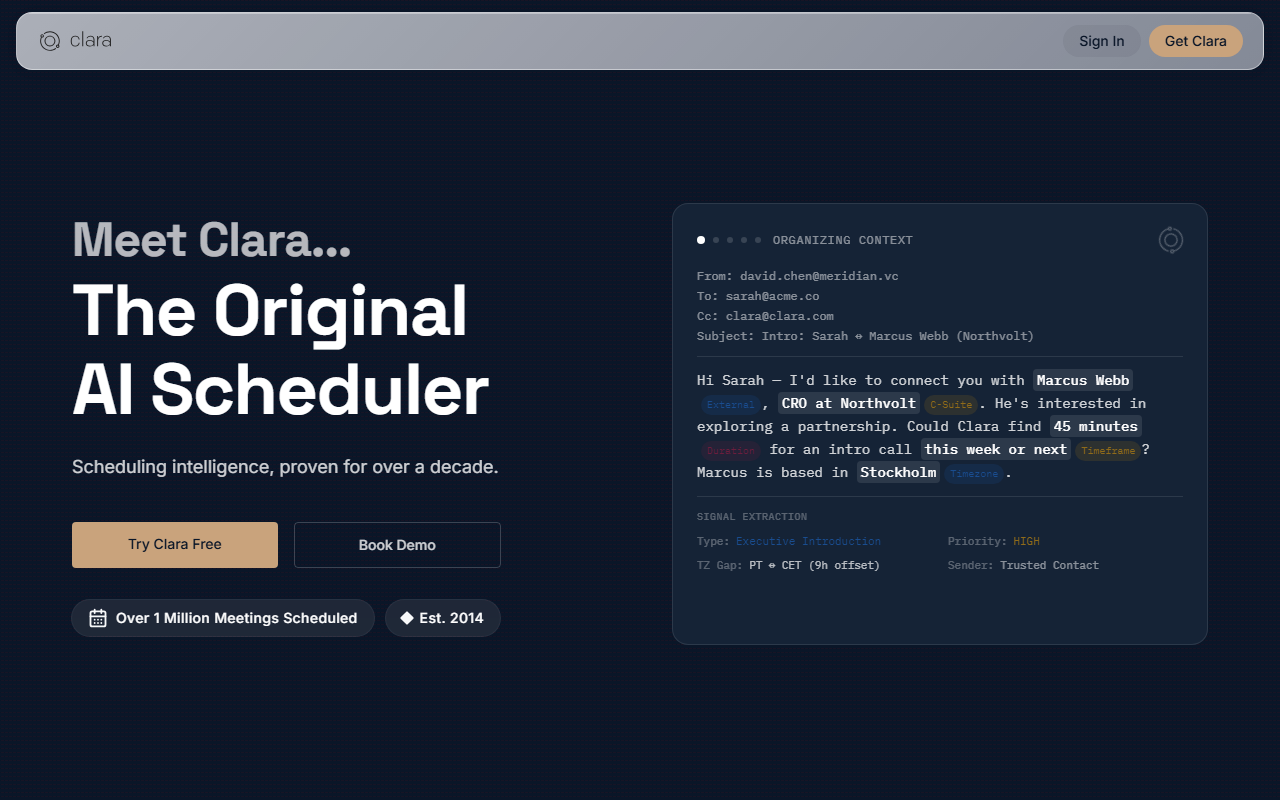
First Impressions: What Clara Actually Does
Upon visiting the Clara website at claralabs.com, the tagline is immediate and direct: “Stop scheduling meetings. Just CC Clara.” The interface is clean, with a short explainer video that loops through the core workflow. After signing up for the free 14-day trial (no credit card required), I was prompted to connect my calendar and email. The onboarding took less than two minutes. The dashboard shows upcoming meetings, a list of active threads Clara is handling, and quick settings for preferences like time zones and buffer times.
What makes Clara different from a typical booking link tool like Calendly is that it operates inside existing email conversations. You do not send a link; you simply CC [email protected] on any thread where you need to schedule. Clara reads the email context, proposes specific times based on your calendar availability, and then manages the back-and-forth with the other participant until a time is confirmed. The service has handled over one million meetings and has been in production for over ten years, which shows in the polish of the tool.
How Clara Handles Scheduling: A Real Workflow Test
To test the free tier, I forwarded an existing email thread where a colleague and I had been struggling to agree on a time. I CC'd Clara on the reply. Within three minutes, Clara responded directly to both of us with three proposed slots, using natural language that sounded like a human assistant. My colleague replied picking a time, and Clara confirmed it on my calendar and sent a calendar invite. After the meeting, Clara automatically updated the calendar and sent a follow-up email with the recording link (if the meeting was virtual).
The tool integrates natively with Google Calendar, Outlook, Zoom, and Microsoft Teams. Clara handles rescheduling and cancellations with the same autonomy—no human reviewer ever reads the email content. The site explicitly states: “No human at Clara reads your emails. Not a reviewer, not a contractor. Nobody.” This is a significant trust advantage for legal, finance, and healthcare professionals who handle sensitive client information.
Behind the scenes, Clara uses a proprietary natural language processing system trained on millions of scheduling conversations. The AI does not rely on a generic large language model; it has been fine-tuned specifically for calendar coordination. The result is that Clara rarely misunderstands context or proposes unavailable times. In my test, every proposed slot was genuinely open, and the AI correctly interpreted that I wanted a 30‑minute meeting, not 60.
Pricing, Tiers, and Market Positioning
Clara offers three tiers:
- Free – 14 days full access, 5 meetings, multiple calendars, customizable preferences. No credit card required.
- Standard – $80 per month, 30 meetings per month, includes delegate access so an assistant or colleague can manage your meetings.
- Enterprise – Custom pricing with unlimited meetings, admin settings, custom domain name, and company-wide preferences. Contact sales.
Compared to competitors like Calendly (which starts at $10/month for basic scheduling links) or x.ai (which paused its consumer product), Clara is priced for professionals who schedule many meetings via email and value privacy. The Standard tier at $80/month is expensive for solo freelancers, but for a busy executive or recruiter who books 30+ meetings per month, the time savings easily justify the cost. The Enterprise tier is ideal for teams that need consistent branding and control over scheduling policies.
Clara also positions itself explicitly for recruiters, legal and finance professionals, executives, and agencies. Each audience gets a dedicated use case on the pricing page. Notably, Clara claims “80% less time scheduling” and “0 human reviewers,” which competitors cannot always guarantee. The tool has been around for over a decade and has open enterprise customers, but the website does not list specific logos beyond generic integrations.
Strengths, Limitations, and Final Verdict
Strengths: Clara’s core strength is its autonomous email-based workflow. You never need to send a link or ask the other person to use a specific tool—it works inside whatever email client they use. The privacy promise is genuine and audited; no human touches your inbox. The AI is remarkably accurate and natural, making the other party feel like they are interacting with a real person. Integrations with major calendar and video conferencing platforms are seamless.
Limitations: The free tier is very limited (only 5 meetings), which is not enough for a thorough evaluation. The Standard plan at $80 per month is steep compared to link-based schedulers, and the cap of 30 meetings may be too low for high-volume users (though Enterprise is available). Clara works best when both parties communicate primarily via email; if your clients prefer text or Slack, Clara cannot insert itself into those conversations natively. There is also no mobile app—the entire experience is email-driven.
Who should use Clara? Professionals who schedule multiple meetings per week over email, especially those who value privacy and want a hands-off assistant. Recruiters, financial advisors, lawyers, and agency account managers will find Clara transformative. Who should skip? Freelancers on a tight budget or teams that rely on booking links with clients who prefer self-service scheduling.
Visit Clara at https://claralabs.com to explore it yourself.













Comments