

First Impressions and Onboarding
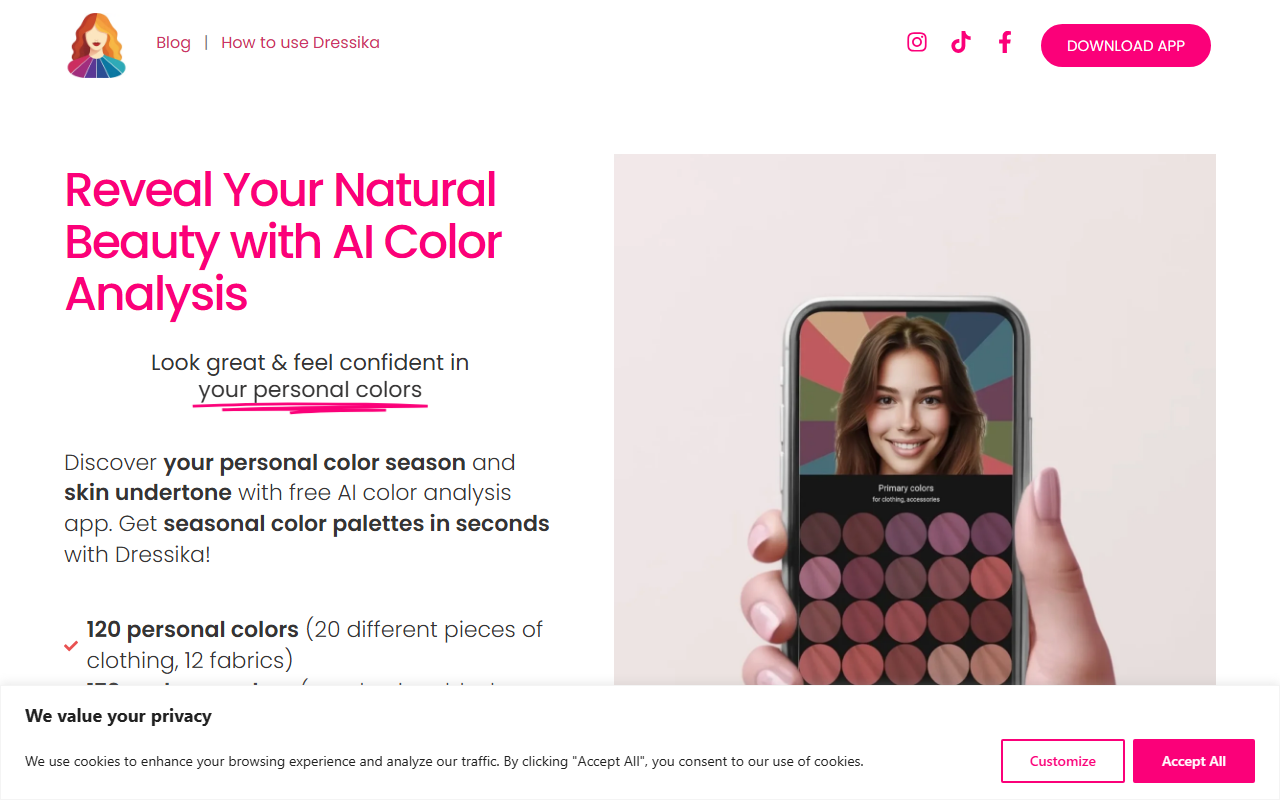
Upon visiting coloranalysis.app, I was greeted with a clean, mobile-first design that immediately pushes you toward uploading a selfie. The landing page prominently features a large "Find My Colors" button and a succinct tagline: "Reveal Your Natural Beauty with AI Color Analysis." The website appears to be a web wrapper for the Dressika mobile app—there’s a prominent download link for iOS and Android, but you can also run the color analysis directly in the browser. I chose the browser option and was prompted to upload a photo. The instructions recommend a well-lit selfie facing a window without direct sunlight or heavy makeup. I uploaded a recent portrait. Within about 10 seconds, the AI returned my results: a "Deep Autumn" season, a personal color code, and a palette of 120 clothing colors, 170 makeup shades, and 180 hair colors. The interface is intuitive and the feedback loop feels almost instant. The dashboard shows your analysis summary with expandable sections for clothing, makeup, and hair. I especially appreciated the digital draping feature that overlays fabric swatches directly onto my uploaded photo—an elegant way to visualize how specific hues look against my skin. The app also includes a virtual closet where you can save outfits and check if new purchases match your season. For a free tool, the onboarding is remarkably smooth and the depth of results is impressive.
How the AI Color Analysis Works
Dressika’s AI is trained on thousands of professional draping results—a claim backed up by frequent user reviews citing accuracy. The analysis uses the 12-season color system (a more nuanced version of the classic four seasons), detecting skin undertone (warm/cool/neutral), contrast level, and dominant chroma. The AI also considers hair and eye color to generate a unique "personal color code." From that, it curates three distinct palettes: clothing colors with 12 fabric variations each (silk, wool, cotton, etc.), makeup colors for eyes, lips, and cheeks, and recommended hair colors by season. During testing, I tried the makeup color analysis: I selected a lipstick shade from the generated palette, and the app applied a realistic overlay to my photo, allowing me to see how the color looked on my lips. The hair color preview was similarly clever—it changed my hair shade to a recommended auburn while preserving highlights and shadows. The technology feels robust, though it’s not perfect: the results can vary slightly if you upload multiple photos, which the FAQ acknowledges as normal for people who fall between two seasons. The app suggests uploading several photos to find the most consistent match or consulting a human color consultant via their in-app partnership network. The website also offers a blog and FAQ that explain the science in accessible language. What sets this tool apart from competitors like Colorwise or MyColors is the breadth of actionable content—120 clothing colors with fabric textures make it practical for shopping decisions.
Pricing and Market Position
Dressika’s pricing is not publicly listed on the website. The app offers free color analysis with no upfront payment; I accessed the full palette without a credit card. However, there are likely in-app purchases for additional features like unlimited virtual wardrobe saves or consultation calls. The website mentions partnerships with beauty brands and clothing retailers, suggesting a B2B revenue model as well. For context, alternatives like Colorwise charge a one-time fee of around $14.99 for a detailed report, while MyColors operates on a subscription model ($9.99/month). Dressika’s free approach lowers the barrier to entry significantly. The tool is backed by Standy Software, a developer with a portfolio of AI fashion apps. User base indicators are strong: the app has over 1 million downloads on Google Play with a 4.7-star rating. The website prominently displays three five-star reviews, including one from a professional color consultant who called it "the most accurate color analysis app." In terms of market position, Dressika targets individual consumers who want quick, accurate color guidance without hiring a stylist. It also offers value for online shoppers who want to avoid returns due to color mismatches. The tool lacks the depth of a professional one-on-one consultation, but for a free AI-driven solution, it punches well above its weight.
Verdict: Who Should Use Dressika?
Dressika is a standout in the AI color analysis space because it combines ease of use with a surprisingly comprehensive output. Its strengths are speed, accuracy (based on my test and reviews), and the sheer volume of actionable color recommendations—120 clothing shades, 170 makeup options, and 180 hair colors. The digital draping feature, where you can see colors applied to fabric textures on your own photo, is a genuine differentiator. However, there are limitations: the AI can sometimes give inconsistent results if lighting varies or if you naturally have features that straddle two seasons. The browser version is functional but feels like a teaser for the mobile app, which offers a smoother experience. Additionally, the lack of transparent pricing for premium features is slightly frustrating. This tool is best suited for fashion-conscious individuals who want to shop smarter and experiment with makeup or hair color without risk. It’s also ideal for anyone curious about seasonal color analysis who is not ready to pay a stylist. If you need a highly personalized, consultant-grade report with live draping, you might still want to book a professional. But for a free starting point that delivers professional-grade results in seconds, Dressika is hard to beat. I recommend uploading your best selfie in natural light and exploring the palettes—you may be surprised how much confidence the right colors bring.
Visit Coloranalysis at https://coloranalysis.app/ to explore it yourself.










Comments