

What ColorArt.AI Does and How It Works
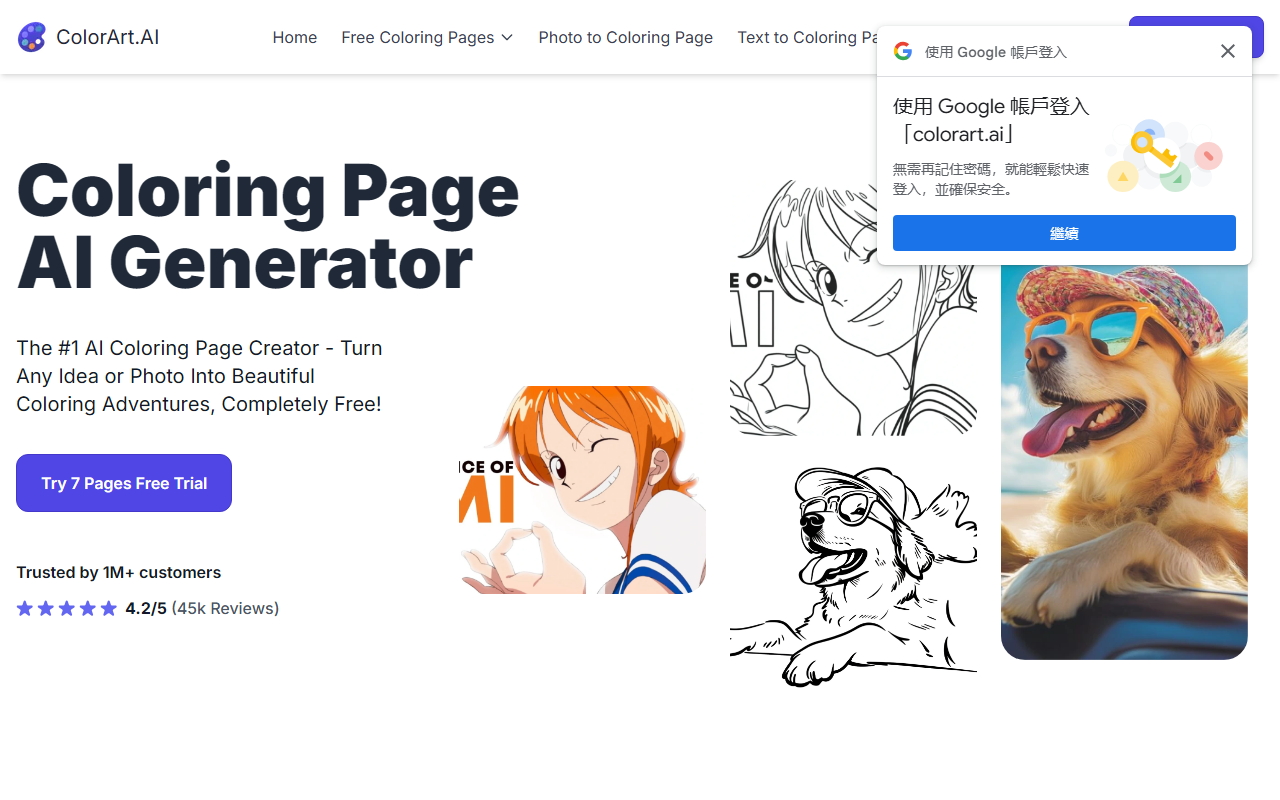
Upon visiting ColorArt.AI, I was greeted by a clean, colorful landing page that immediately positions itself as “The #1 AI Coloring Page Creator.” The site offers two main features: Text to Coloring Page and Photo to Coloring Page. I decided to test the free trial, which promises 7 pages. The interface is straightforward: a simple input box for text prompts and an upload section for photos. When I typed “a dragon reading a book in a library,” the AI generated a detailed black-and-white outline in about 30 seconds. The output captured the essence—a seated dragon with a book—but the detail level was slightly rough around the edges. For a free tool, it was impressive. I also uploaded a family photo of my dog, and the AI successfully converted it into a simple line drawing, though some fine details like fur texture were lost. The tool also includes a Photo Quality Enhancer to upscale low-resolution images before conversion, which I found useful.
Behind the scenes, the AI appears to use a custom-trained model optimized for line art generation. The site claims it detects precise outlines from photos. While not as sophisticated as general image-to-line-art converters, it focuses on producing clean, printable results suitable for crayons or colored pencils. The company, founded by Steve Alexander and David Lee, describes itself as “passionate parents & tech experts,” which aligns with the family-friendly positioning.
Pricing, Strengths, and Limitations
ColorArt.AI offers four paid tiers after the 7-page free trial. The Starter plan at $6.99/month gives up to 150 pages and text-to-coloring only. Hobby at $13.99/month adds photo-to-coloring and up to 350 pages. Artist at $27.99/month and Business at $69.99/month scale to 1000 and 5000 pages respectively, with priority access to new models. Notably, the free trial does not require a credit card, which is a plus. However, compared to alternatives like Midjourney-style coloring page generators or open-source tools like Stable Diffusion with lineart LoRAs, ColorArt.AI is more expensive for high-volume use. For occasional family use, the Starter plan may suffice, but power users may find the cost per page higher than alternatives.
A major strength is the simplicity—no complicated prompts or parameters. The background removal feature works well for photo uploads. Another strength is the library of free pre-made coloring pages available on the site, adding immediate value. On the limitation side, the generated images sometimes lack the crispness needed for fine motor skills development in young children. Also, the generation speed claims of 10 seconds to 5 minutes are accurate; during peak times, I waited nearly 2 minutes for a text-based generation. Additionally, the site does not offer batch generation or API access, which limits automation for businesses.
Final Verdict and Recommendations
ColorArt.AI is best suited for parents looking for quick, no-fuss coloring activities, teachers preparing classroom materials, and hobbyists who want to turn personal photos into custom pages. It is less suitable for professional illustrators or commercial-scale operations needing high-resolution, precisely controllable outputs. The trust factor is reinforced by over 1 million customers and 45k reviews with a 4.2/5 rating, though I could not independently verify these numbers. The privacy policy and terms are easily accessible, which is good for family use.
In summary, ColorArt.AI delivers on its promise of turning any idea into a coloring page quickly. While the output quality doesn’t rival professional line art, the convenience and free trial make it worth testing. For anyone who has ever wanted to create a custom coloring page from a photo or a child’s story, this tool provides a delightful experience.
Visit ColorArt.AI at https://colorart.ai/ to explore it yourself.













Comments