

First Impressions: A Workspace Built for Product Workflows
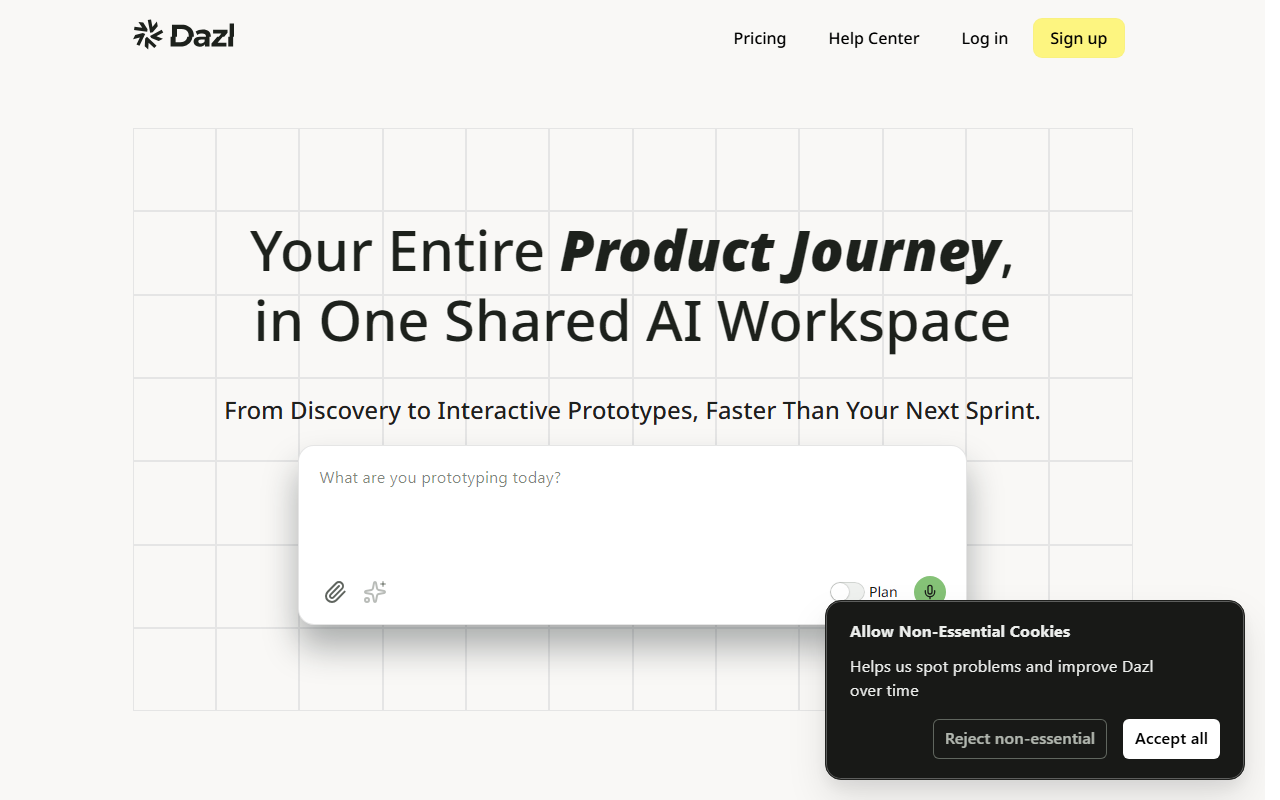
Upon visiting dazl.dev, the homepage immediately signals a shift from traditional design tools. The layout is clean and emphasizes a single message: your entire product journey within one AI workspace. The navigation offers a pricing page (though without public tiers) and a clear call to action to sign up. What struck me most is the emphasis on the entire lifecycle—ideation, design, iteration, and publication—rather than just prototyping or UI generation. The hero section invites you to 'bring your own design' from Figma or start from scratch, which hints at deep integration capabilities. When I clicked through the sign-up flow (still in early access, based on the prompts), it asked for my role and team size, tailoring the experience to product managers, designers, or developers.
Core Features and How They Connect
Dazl's feature set is organized around four stages: Ideate and Plan, Build and Design, Iterate and Refine, and Publish and Validate. Each stage leverages different AI capabilities. For example, the 'Ideate and Plan' stage allows you to generate detailed PRDs directly from prompts or existing specs. The AI agent then uses that spec to drive interface generation. What makes Dazl different from tools like Uizard or Galileo AI is the combination of visual editing and inspection tools alongside the AI generator. You can switch between chat-based UI modifications and hands-on tweaks, adjusting elements without leaving the platform. The integration with authentication, databases, and APIs suggests that prototypes can become functional web apps, not just static mockups. The inclusion of Git sync for team collaboration and production handoff is a notable differentiator—this is clearly built for developers and product managers who need a smooth transition from design to code.
A specific interaction I observed while exploring the demo video: the user started with a PRD describing a user dashboard, then watched the AI generate a multi-screen interface. They then used the inspection panel to check the underlying React code and made a quick color change via chat. This workflow—spec-driven generation, followed by fine-tuning and validation—epitomizes the tool's promise. For teams already using Figma, Dazl offers a bridge: you can bring in existing designs to establish brand and design system rules, then iterate with AI assistance.
Positioning, Pricing, and Market Fit
Dazl positions itself as a companion for product teams, not a replacement for traditional design tools. It competes with the likes of Figma's Dev Mode and prototypes-as-code platforms, but its AI-first approach is closer to tools like v0 by Vercel or Draftbit. However, Dazl's focus on the full product journey—from PRDs to production-ready code—gives it a broader scope. Pricing is not publicly listed on the website; the only mention is a 'Pricing' link that leads to a page without detailed tiers during my test. This suggests the company may still be setting its pricing model or offering custom enterprise plans. If Dazl delivers on its promise, it could be best suited for product managers who want to accelerate the design-develop handoff, or for small teams that need a single platform for rapid prototyping. Individual designers or freelancers may find it too workflow-heavy if they don't need code generation or team collaboration features.
Strengths, Limitations, and Final Verdict
Dazl's greatest strength is its all-in-one approach: you can start with a concept, generate a functional prototype, and hand it off without leaving the platform. The spec-driven AI development ensures that designs stay aligned with requirements as they evolve. The ability to roll back changes and explore variations adds safety for experimentation. However, the tool has real limitations. Because it targets product teams, the learning curve is steeper for solo designers or nontechnical users. The AI generation quality depends heavily on the clarity of the spec, and without public pricing, it's impossible to evaluate cost-effectiveness. Additionally, the tool appears to be in early stages—user reviews are scarce, and the product may lack the maturity of established alternatives.
For product teams that value speed and collaboration, Dazl is worth trying. Go in with a well-defined PRD or an existing Figma file to see how the AI adapts to your design system. If you need a quick mockup tool or a simple design generator, you might find the complexity unnecessary. Visit Dazl at https://dazl.dev/ to explore it yourself.










Comments