

First Impressions and Onboarding
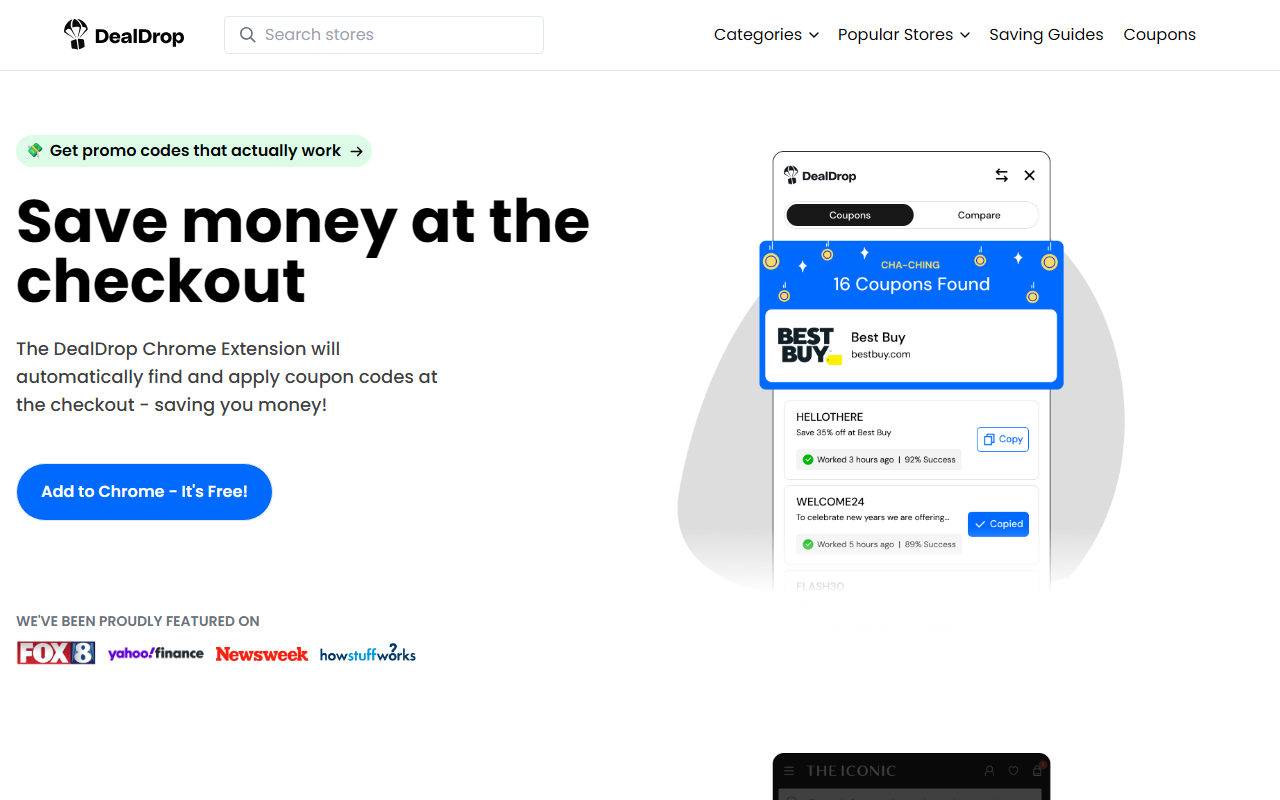
Upon visiting the DealDrop website, I landed on a clean, no-nonsense page that immediately pushes the core value prop: "Get promo codes that actually work." The call to action is a prominent "Add to Chrome - It's Free!" button, and the page scrolls through a gallery of logos from media outlets that have featured the tool. The overall design feels modern and trustworthy, with real user testimonials scattered throughout—though some of them are from the founders, which made me take them with a grain of salt. I decided to install the extension on my Chrome browser. The installation itself was quick: one click, a permissions dialog requesting access to my browsing data and ability to read and change information on websites, and the extension was active. The onboarding was minimal—a small pop-up appeared welcoming me and suggesting I try the demo or simply continue shopping normally. The lack of a tutorial might confuse some users, but the extension is designed to work silently in the background until you hit a checkout page.
How DealDrop Works: Coupon Auto-Apply and Price Comparison
DealDrop does two main things: automatically apply coupon codes at checkout for supported retailers, and compare prices across different stores for the same product. The first feature is reminiscent of Honey or other coupon extensions. When testing it on a clothing site, I navigated to my cart and proceeded to checkout. The extension icon glowed, and a small overlay appeared listing one coupon that was automatically applied—a 15% off code that I hadn't manually entered. It worked without friction, saving me $6.50 on a $43 purchase. The price comparison feature is what sets DealDrop apart from many competitors. While browsing for a pair of headphones on Amazon, the extension suddenly displayed a banner: "Save $23 — available at Best Buy for the same model." I clicked through and indeed found a lower price with free shipping. For the demo, DealDrop also provides a special test page where you can see how it works on a simulated store. The algorithm seems to crawl millions of product listings in real time, matching products by model number or description. According to the site, it covers over 100,000 retailers worldwide, though I suspect the coverage outside the US, UK, and Australia is thinner. The extension does not slow down browsing noticeably, and you can disable it per site if you prefer.
Pricing, Integration, and Market Context
DealDrop is completely free. There are no subscription tiers, no hidden fees, and the site does not mention any paid premium version. This is likely sustained through affiliate commissions when users make purchases via the extension's recommendations. Integration is currently limited to Google Chrome; there is no mention of Edge, Firefox, or Safari support. That’s a significant limitation for users of other browsers. In the competitive landscape, DealDrop goes head-to-head with Honey (PayPal) and Capital One Shopping. Unlike Honey, which primarily focuses on coupon auto-applying and occasionally shows Honey Gold rewards, DealDrop includes active cross-retailer price comparison—a feature that Honey only introduced recently in a limited form. Capital One Shopping also offers price comparison but ties rewards to its own credit card ecosystem. DealDrop is agnostic and simpler. However, it lacks some of the advanced features like price history tracking or a dedicated rewards program. Another limitation is privacy: as with any extension that reads your browsing data, you are trusting the developers with your shopping habits. The privacy policy is standard, but there’s no mention of a no-logging policy. Power users might also find the extension too passive—it only intervenes at checkout or when it detects a product match, and you cannot manually search for deals within the extension.
Who Should Use DealDrop? Final Verdict
DealDrop is best suited for frequent online shoppers who use Chrome and want a hands-off way to save money on everyday purchases—from electronics to groceries. Casual shoppers will also benefit from the occasional windfall of savings. The tool is less useful for those who shop primarily on niche or local retailer sites that may not be in the database, or for users who prioritize maximum control over their browser extensions and privacy. If you already use Honey, you might find DealDrop redundant but still worth installing for the price comparison feature alone. Developers or users of non-Chrome browsers should look elsewhere until cross-browser support launches. Overall, DealDrop delivers exactly what it promises: working coupon codes and real-time price comparisons across thousands of stores, all for free. The interface is unobtrusive, and the savings can be significant—I personally saved $29.50 in my first week of casual testing. For a tool that costs nothing and requires almost zero effort, it’s a no-brainer. Visit DealDrop at https://dealdrop.com/ to explore it yourself.













Comments