

First Impressions and Onboarding
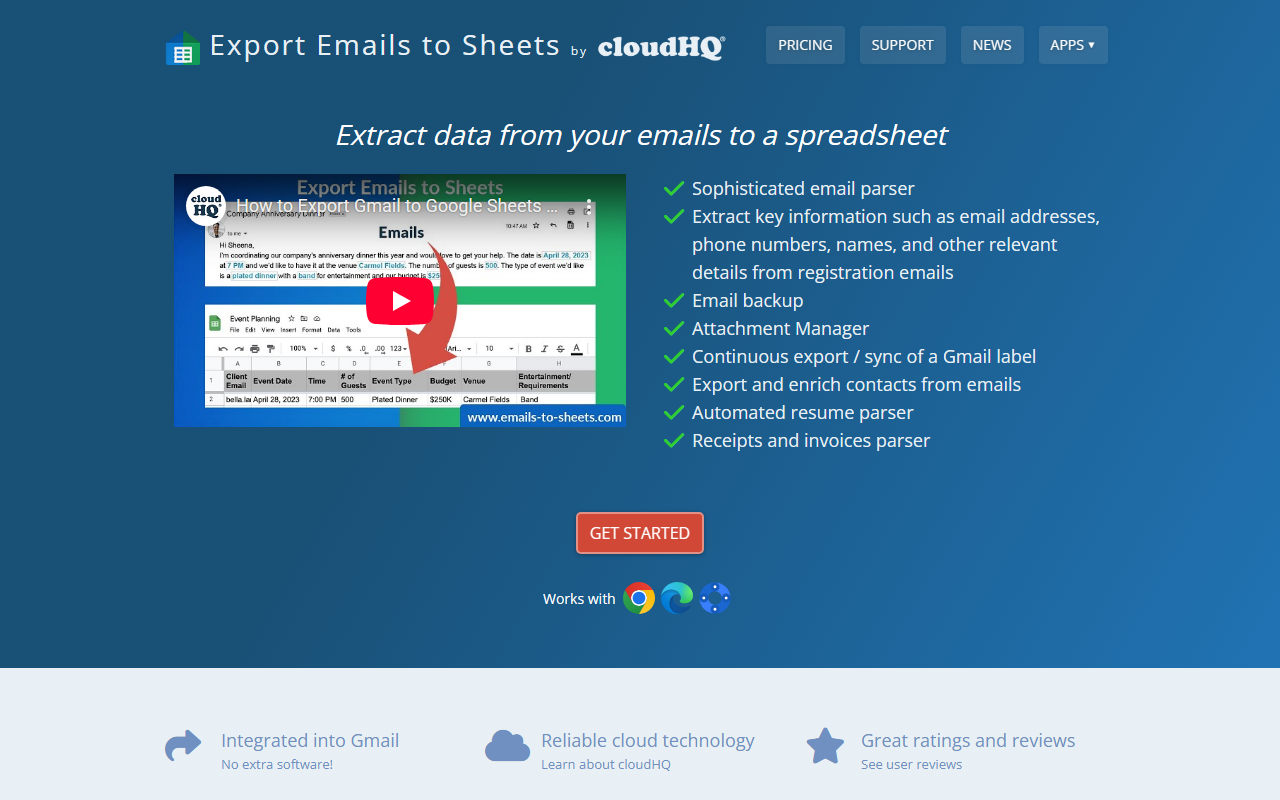
Upon visiting the Emails to Sheets website, I was greeted by a clean landing page emphasizing one-click export to Google Sheets. The site offers both a Chrome extension and a Google Sheets add-on. I installed the extension in under a minute; it immediately integrates into Gmail’s sidebar. When I selected a label and clicked “Export and parse label to Google Sheets,” a new sheet was auto-created with columns for sender, subject, date, and body. The free tier exported 50 emails instantly, but after a few exports I hit a usage limit — the site does not disclose exact free tier caps. Pricing is not publicly listed on the main page; the “Pricing” link leads to cloudHQ’s general plans, which likely start around $9.99/month. The onboarding is smooth for Google Workspace users, but non-technical newcomers may find the parsing setup slightly complex.
Core Features and Parsing Capabilities
The email parser sets this tool apart. Beyond basic metadata, you can define extraction rules for specific fields like email addresses, phone numbers, order IDs, or invoice amounts. I tested the parser with a label containing Amazon shipment notifications. Using a built-in template, I extracted tracking numbers and order totals with no regex knowledge required. For custom formats, you can create rules using pattern matching or regular expressions. The continuous sync feature automatically exports new emails matching a label to the same sheet — ideal for real-time monitoring of form submissions or support tickets. Attachment management is also robust: all attachments save to Google Drive, with TXT conversion for searchability. However, the TXT conversion is basic and loses formatting. The parser relies on templates and heuristics, not true AI natural language understanding, so highly unstructured emails may need manual rule tuning.
Pricing and Integration
Pricing details are not displayed on the main website. The “Pricing” link redirects to cloudHQ’s site, which offers tiered plans (likely starting at $9.99/month for individuals). This tool is part of the cloudHQ ecosystem, integrating seamlessly with apps like MailKing, Email Tracker, and Save Emails as PDF. The deep Gmail integration is a strength for Google Workspace users, but a limitation for those on Outlook, Yahoo, or other providers. Competitors like Parseur and Mailparser.io work with any email via forwarding addresses, offering greater flexibility. Emails to Sheets is best for teams already using Gmail and Sheets who need automated extraction of structured data from recurring emails (e.g., order confirmations, registration forms, bounced emails). The one-click backup and continuous sync are standout time-savers.
Who Should Use Emails to Sheets?
This tool is ideal for small businesses, freelancers, and Google Workspace power users who frequently extract data from standard email notifications. Use cases include building email lists, monitoring support queues, or archiving receipts. The free tier lets you test the basics, but heavy users will likely need a paid plan. If you require multi-provider support or complex custom parsing, dedicated services like Parseur are better. A genuine strength is the attachment backup; a real limitation is the lack of transparent pricing on the main site. For its intended audience, Emails to Sheets delivers reliable performance with minimal setup. I recommend trying the free tier to gauge export volume needs, then upgrading. Visit Emails to Sheets at https://emails-to-sheets.com/ to explore it yourself.













Comments