

First Impressions and Onboarding
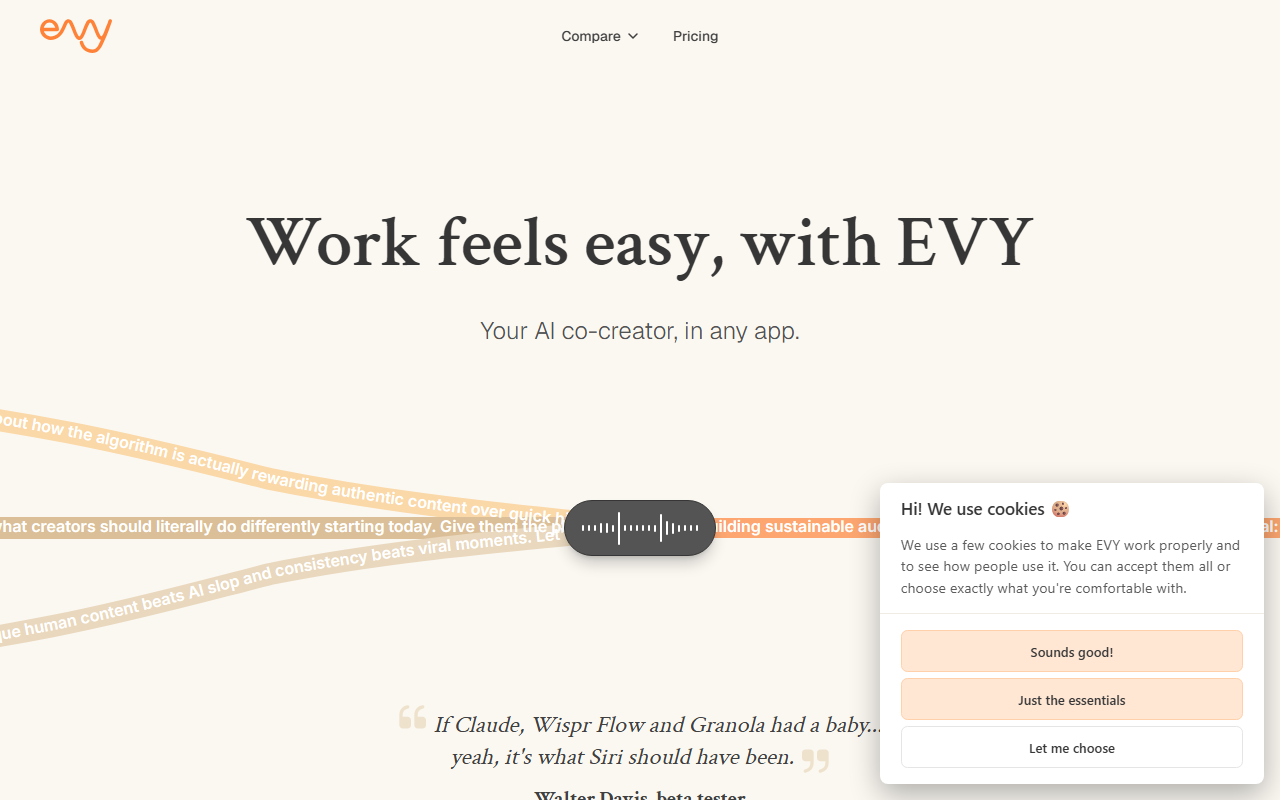
Upon visiting evy.so, the landing page immediately pitches EVY as a co-creator that lives inside any application you already use. The homepage features a conversational demo where a user iterates on a content angle about algorithm changes, shifting from generic observations to actionable advice. This dialogue is the first thing you see, and it effectively communicates EVY’s core promise: you can talk through ideas and refine them without leaving your writing environment. The free tier is prominently offered with a “Try EVY for free” button. I clicked through and was prompted to install a desktop app (macOS/Windows) that adds an EVY overlay. The onboarding walks you through a few voice prompts, and within minutes you can start dictating or typing requests into any text field—Google Docs, Notion, email, or Twitter.
Core Features and Workflow
EVY positions itself as an always-available writing assistant that listens and learns. The standout feature is its ability to work “in any app.” Instead of a standalone editor, EVY runs as a background service. With a keyboard shortcut, you summon a small input window where you can type or speak. I tested the voice input: it transcribes accurately and then generates text based on your spoken instructions. For example, I said “Rewrite this paragraph to be more persuasive” while highlighting text in a Google Doc, and EVY offered a revised version inline. The “co-creator” angle is reinforced by the conversational memory: EVY retains context from previous sessions, so you can refer back to earlier ideas without re-explaining. It also claims to record meetings both online and offline, though I only tested the writing side.
Beyond simple drafting, EVY includes a shared brand context and voice feature. The site suggests that teams can define a style guide once, and then any member can generate on-brand copy. This is a clear differentiator from generic chatbots. Additionally, EVY runs on top of multiple LLMs (the site mentions “top LLMs” without naming specific models), so it benefits from model improvements automatically. The interface shows no visible model selector, which keeps it simple but may frustrate users who want to choose between GPT-4 or Claude.
Pricing and Positioning
Pricing is not publicly listed on the website. A “Plans” and “Pricing” link exists in the top navigation, but clicking it leads to a page without tier details or dollar amounts. This is a notable omission for a tool asking for a subscription commitment after the free trial. Competitors like Jasper and ChatGPT have transparent pricing; Wispr Flow, another voice-first assistant, lists tiers starting at $20/month. EVY’s opacity may deter budget-conscious users. Based on user testimonials, it appears to be a premium tool aimed at serious creators and teams. The beta tester quote on the homepage calls it “what Siri should have been,” hinting at a polished but possibly expensive product.
Final Verdict
EVY is genuinely innovative for writers who want to integrate AI directly into their existing workflow without copying and pasting. The conversational refinement loop—where you can talk through ideas with the AI and iterate—is smoother than using ChatGPT’s chat interface and then manually inserting text. Its brand voice memory and cross-app usage are strong advantages. However, the lack of public pricing and reliance on a desktop app (no web-only version) are limitations. Best suited for content creators, marketers, and solopreneurs who produce a high volume of writing and value speed and consistency. If you prefer full control over which model you use, or if you need a free tier with generous limits, tools like Jasper or the ChatGPT desktop app may serve you better. I recommend trying the free tier if you write daily—you might find it transforms your routine. Visit EVY at evy.so to explore it yourself.










Comments