

First Impressions and Interface
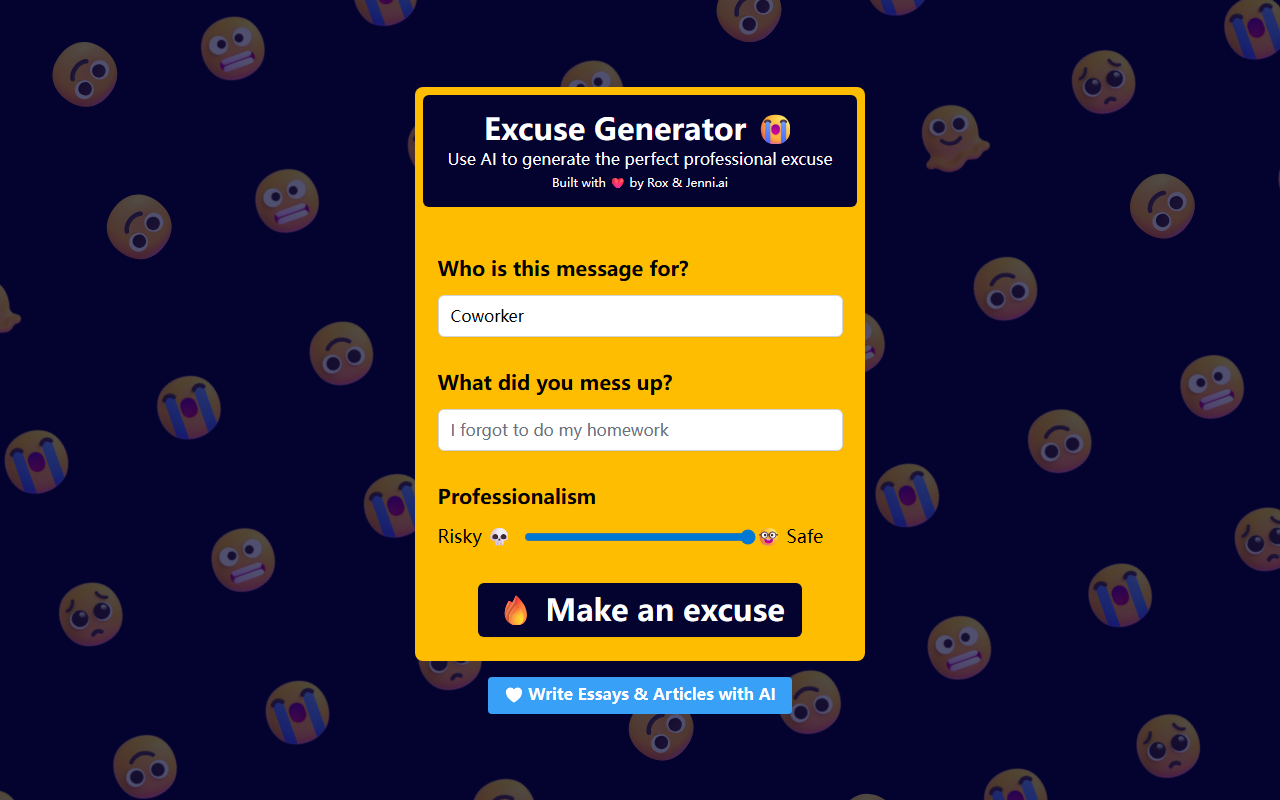
Upon visiting Excuses.ai, I was greeted by a clean, single-purpose page that wastes no time on fluff. The header reads “Excuse Generator” with an emoji, followed by a note about being built by the team behind Jenni.ai. The interface presents three straightforward inputs: “Who is this message for?”, “What did you mess up?”, and a “Professionalism” slider ranging from “Risky 💀” to “Safe 🤓” with a midpoint. A large “Make an excuse” button sits below, and the bottom of the page links to “Write Essays & Articles with AI” — a redirect to Jenni.ai. The entire design feels like a focused, minimal tool for a very specific problem: crafting a believable, AI-generated excuse for professional or academic slip-ups.
How It Works and What I Tested
I decided to simulate a real-world scenario: missing a deadline for a client report. I set the “Who is this message for?” to “My boss,” typed “missed the deadline for the quarterly report” into the mess-up field, and slid the professionalism bar two-thirds toward “Safe” to avoid anything too dramatic. Clicking “Make an excuse” generated a paragraph in about two seconds. The output offered a polite, apologetic tone with a plausible reason — in my case, unexpected technical delays with the data processing tool. The excuse was coherent, grammatically sound, and fit the context. I tested a second time with “Risky” selected for a forgotten meeting, and the response included more dramatic language like “personal emergency” and a less specific explanation. The tool uses an underlying AI model (likely GPT-based, given the quality) but does not disclose specifics. No pricing is listed anywhere on the website; the tool appears completely free to use with no limits during my tests. There is no API, no account creation required, and no integrations — it is a standalone generator designed for one-off use.
Strengths, Limitations, and Market Position
Excuses.ai’s biggest strength is its simplicity and speed. For anyone who has panicked over how to explain a mistake professionally, this tool provides a ready-made script in seconds. The professionalism slider is a clever addition that lets users control risk, avoiding overly corporate or too-casual language. The tool is also completely free, which is rare for AI writing tools that often require subscriptions after a trial. However, the limitations are significant: it only handles excuses — you cannot generate longer content, save history, or customize tone beyond the slider. The lack of API means developers cannot integrate it into workflows. Compared to broader AI assistants like ChatGPT or GrammarlyGO, Excuses.ai is incredibly narrow. Its closest competitor might be niche AI generators like EmailMagic.ai, but those focus on full email composition rather than single excuses. Importantly, the same team runs Jenni.ai, a well-regarded academic writing tool, which adds some credibility. Yet the tool is clearly a playful side project rather than a robust product.
Recommendation and Final Verdict
Excuses.ai is best suited for individuals who need a quick, one-time professional excuse without overthinking the wording. It works perfectly for students, remote workers, or contractors who have missed a deadline or forgotten a meeting and need a polished story fast. It is not for power users, teams, or anyone needing custom workflows or consistent brand voice. Given the free price, there is no harm in trying it, but do not expect it to replace a full writing assistant. If you need more comprehensive AI writing support, look at Jenni.ai for academic work or other tools for general business communication. In summary, Excuses.ai excels at its quirky niche but lacks depth for broader professional use. Visit Excuses.ai at https://excuses.ai/ to explore it yourself.











Comments