

First Impressions and Onboarding
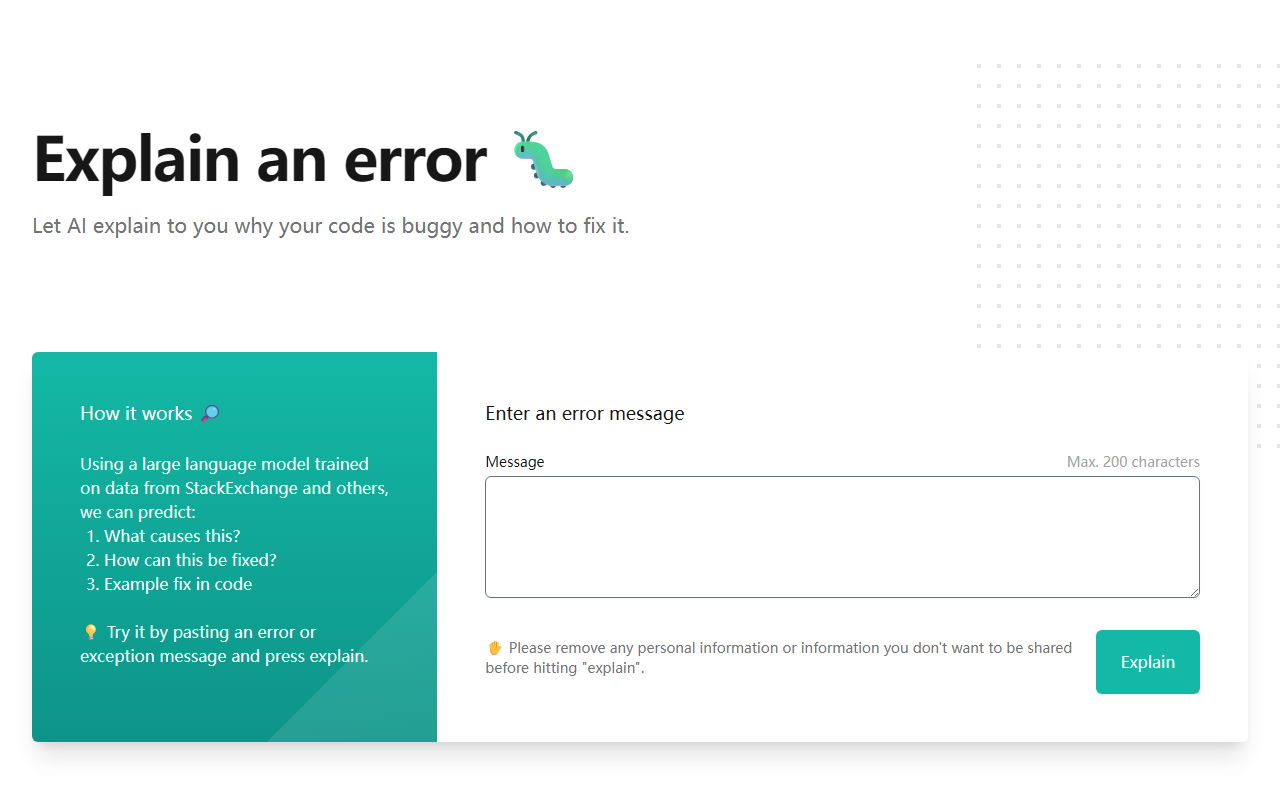
Upon visiting the Whybug website at explain.whybug.com, I was struck by its minimalism. The landing page presents a single text input field labeled "Enter an error message" alongside a prominent "Explain" button. The interface is clean and distraction-free, which aligns perfectly with its singular purpose. Below the input, there are two example error messages—one from Docker and one from Doctrine ORM—that users can click to test the service immediately. I clicked the Docker example, and within seconds, the page returned a clear breakdown of the error's cause and a step-by-step fix. The entire onboarding process takes less than a minute, and no account creation is required.
How Whybug Works Under the Hood
The tool relies on a large language model (LLM) trained on data from StackExchange and other public resources. When you paste an error message, the model analyzes the text, predicts the root cause, and suggests both an explanation and a code-level fix. The output is structured into three sections: "What causes this?", "How can this be fixed?", and "Example fix in code". I tested a custom error from a failed Python import, and the explanation was accurate enough to point me to a missing dependency. However, the input is capped at 200 characters, which significantly limits its utility for verbose stack traces. The tool currently offers no API or integrations, making it purely a web-based helper.
Pricing and Market Positioning
Whybug appears to be entirely free. There is no pricing page, no tier structure, and no mention of premium features. This is both a strength and a limitation: developers can use it without commitment, but the lack of a business model raises questions about long-term viability. In the landscape of AI programming tools, Whybug competes with general-purpose assistants like ChatGPT and specialized debuggers like Rookout or Sentry's error grouping. Unlike ChatGPT, Whybug is laser-focused on error explanations and does not hallucinate unrelated code. However, it lacks the ability to handle multi-line errors or provide interactive debugging sessions. The tool is best suited for junior developers or anyone who needs a quick second opinion on a short error message. Senior engineers dealing with complex, multi-step issues should look elsewhere.
Strengths, Limitations, and Verdict
Whybug's greatest strength is its simplicity. It delivers instant, actionable insights without any setup. The focus on a single task—explaining errors—means the output is rarely bloated. However, the 200-character limit is a real bottleneck. I tried to paste a full Java stack trace and had to manually trim it down, which defeats the purpose of a quick fix. Additionally, the tool advises users to remove personal information before submitting, hinting at potential privacy concerns. The model's training data from StackExchange may also introduce bias toward common, well-documented errors while missing niche scenarios. Overall, Whybug is a useful utility for day-to-day debugging of concise error messages. For developers who frequently encounter short errors from familiar ecosystems (Docker, Laravel, Python), it can save time. I recommend trying it next time you see a cryptic exception—just keep a text editor handy to shorten the message first. Visit Whybug at https://explain.whybug.com/ to explore it yourself.













Comments