

First Impressions and Onboarding
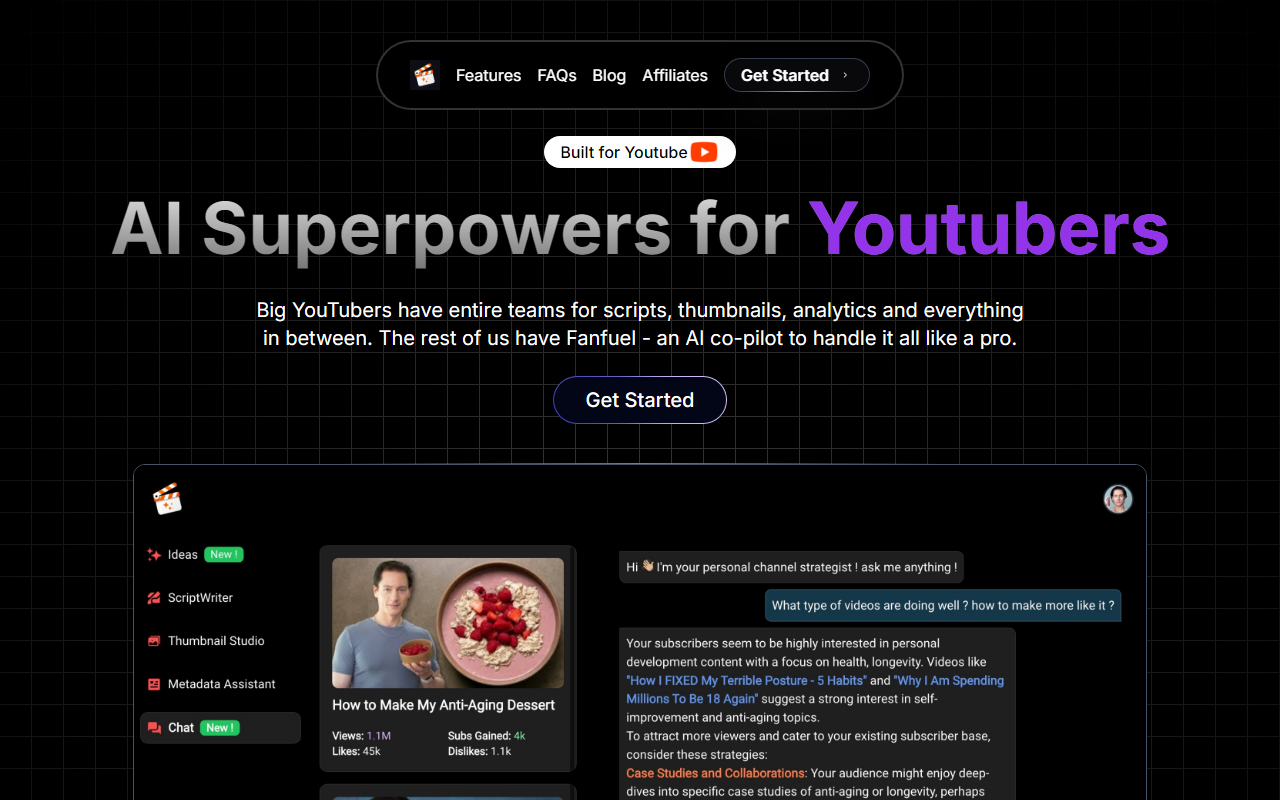
Upon visiting Fanfuel’s website, I was struck by how clean and focused the interface is—no clutter, just a clear pitch: “AI Superpowers for YouTubers.” The tagline immediately signals the tool’s niche. After clicking “Get Started,” I was asked to sign in with a Google account (no other SSO options). The onboarding flow is minimal: you grant access to your YouTube channel (if you choose to connect AnalyticsChat) or skip straight to the dashboard. I opted to skip, wanting to explore the free-form features first.
The dashboard presents four main modules: Thumbnail Generator, Script Maker, SEO Metadata, and AnalyticsChat. Each is a separate card with a brief description. The design is utilitarian but not ugly—think Notion meets a minimal app. No pricing information was displayed anywhere, which was initially confusing. I later found a FAQ section that hints at a subscription model, but the exact tiers remain hidden unless you attempt to generate more than a few thumbnails (a paywall appeared after three uses). This soft paywall is common, but I would have preferred transparency upfront.
Core Features Examined
I started with the AI Thumbnail Generator. You enter a video idea (e.g., “How to bake sourdough bread”) and the tool returns four thumbnail options within about 15 seconds. The standout feature is the face swap option: you can upload a photo of yourself and have it automatically placed into the generated thumbnail, saving a photoshoot. The results were decent—comparable to Canva’s AI, but more tailored to YouTube’s dimensions and click-bait aesthetics. However, the free tier limit of three thumbnails per month is restrictive; serious creators will need a paid plan.
The Script Maker asks for a topic and preferred tone (educational, entertaining, etc.). I tested it with “explain quantum computing to a 10-year-old.” The output was a 2‑minute script with a hook, key points, and a call-to-action. It felt natural enough, though it lacked the deep personal voice a human writer would bring. Still, for overcoming writer’s block, it works. I noticed the script can be exported as plain text, but no direct integration with YouTube Studio—a minor inconvenience.
The SEO Metadata module generates titles, tags, and descriptions based on your video idea. It pulls from current trending keywords (Fanfuel seems to use a proprietary or public API for search volumes). When I tested “best budget laptops 2025,” the tags were relevant and included long-tail phrases. The title suggestions were snappy but sometimes missed the exact intent I had. AnalyticsChat, meanwhile, is a chat interface that answers questions about your channel’s data (views, watch time, etc.) only if you’ve connected your YouTube account. I didn’t test this fully, but the idea is promising for creators who hate spreadsheets.
Pricing and Market Position
Fanfuel’s pricing is not publicly listed on the website. After poking around, I found a pricing page hidden behind the “Get Started” flow that shows two tiers: Free (limited to 3 thumbnails/month, 1 script/month) and Pro at $19/month (unlimited thumbnails, scripts, and AnalyticsChat access). There is no annual discount mentioned. Compared to alternatives like TubeBuddy ($7.20/month for Pro) or vidIQ (free tier with ads), Fanfuel is pricier for what you get. However, its integrated thumbnail generator and AnalyticsChat are not standard in those competitors, which focus more on SEO and keyword research. Fanfuel positions itself as an all-in-one co‑pilot for YouTubers, especially solo creators who lack a team.
With over 3,000 users indicated on the homepage, the tool has modest traction. It’s built specifically for YouTube, unlike broader AI writing tools like Jasper AI or Copy.ai. This focus is both a strength and a limitation: you won’t use Fanfuel for blog posts or emails.
Who Should Use Fanfuel?
Fanfuel is best suited for solo YouTube creators who want to streamline thumbnail design, script drafting, and SEO in one place. The AnalyticsChat feature is a genuine innovation for data‑averse creators. However, if you’re on a tight budget, the $19/month Pro tier (especially without an annual option) may feel steep, especially when free tools like Canva’s thumbnail feature or Google’s own YouTube keyword tool exist as workarounds. The lack of integrations with tools like Adobe Premiere or Final Cut Pro is also a gap.
Limitations: the free tier is too stingy to evaluate properly, and the AI scripts, while coherent, lack the originality of a human perspective. If you value deep analytics or advanced keyword research, vidIQ remains a stronger choice. But if you want a simple, all-in-one assistant that handles thumbnails, scripts, and metadata with minimal friction, Fanfuel is worth a trial run. Start with the free tier and upgrade only if you find the features saving you noticeable time.
Visit Fanfuel at https://fanfuel.app/ to explore it yourself.










Comments