
First Impressions and Onboarding
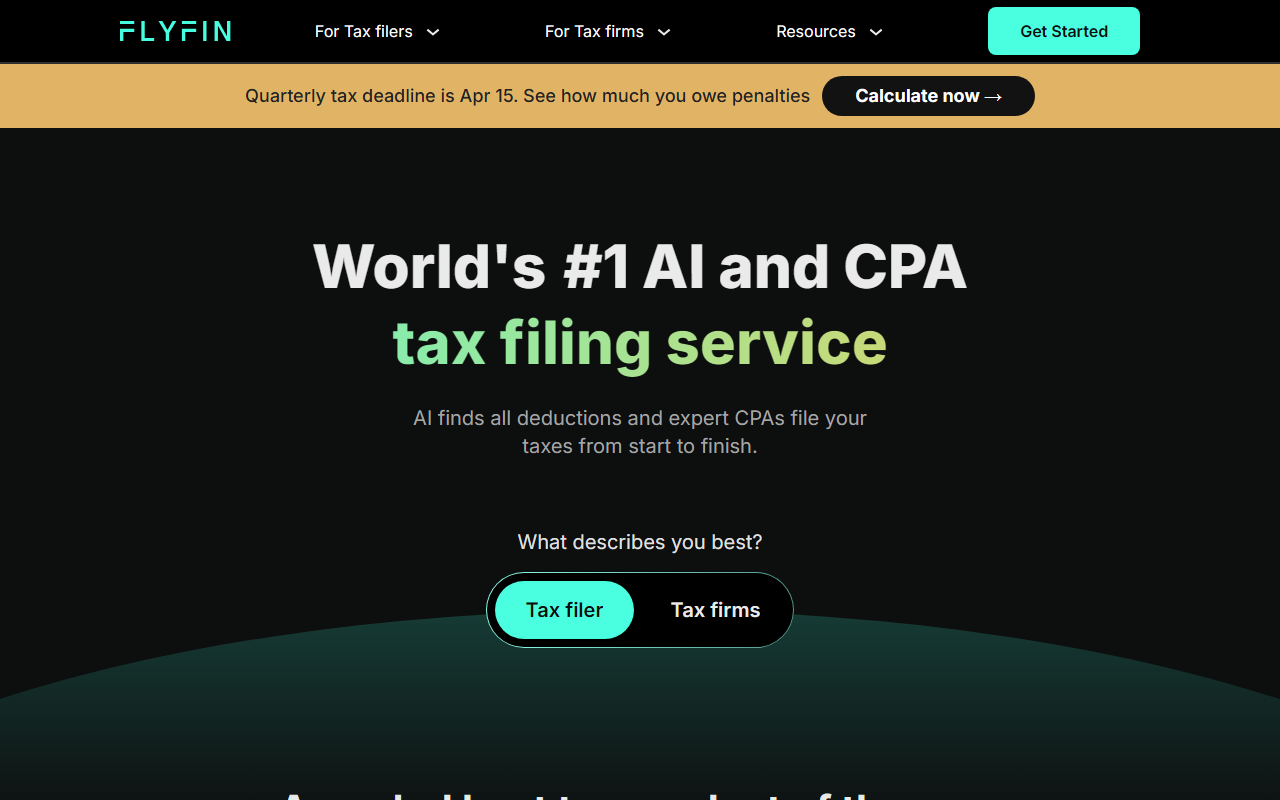
Upon visiting FlyFin’s website, I was greeted with a clean, modern interface that immediately asks “What describes you best?” with options for Tax filer and Tax firms. The homepage prominently touts “World’s #1 AI and CPA tax filing service” and highlights key benefits: AI finds every deduction 20x faster, CPAs file your taxes 5x cheaper, and full audit insurance with a 100% money back guarantee. The call-to-action is clear, and within two clicks I could start a free account or jump into filing. During testing, I selected “Tax filer” and was then prompted to choose work types (W-2, 1099, etc.) — a smart segmentation that tailors the experience to freelancers and self-employed individuals.
The dashboard showed an intuitive flow: connect your bank accounts or expense accounts, and the AI automatically scans for deductions. I was able to see a sample deduction tracker where you can swipe to accept or reject deductions. The tool also features a CPA-certified AI chat assistant that answers tax questions instantly. I tried typing “What home office deductions can I claim?” and received a clear, CPA-vetted response within seconds. The entire onboarding felt fast and focused, removing the usual tax preparation anxiety.
Core Features and AI Technology
FlyFin’s core value proposition is combining artificial intelligence with human CPAs. The AI deduction tracker scans thousands of transactions, categorizes expenses, and identifies tax write-offs automatically. The website claims the AI “eliminates 95% of your work,” which is plausible given the automatic connection to over 2,000 financial institutions. I appreciated the “Swipe through deductions” feature — it’s a gamified way to review expenses, making tax preparation less tedious.
Beyond deduction tracking, FlyFin offers a monthly financial tracker, quarterly tax calculator, and annual 1040 filing with a dedicated CPA. The CPA reviews every deduction and suggests tax-saving strategies. You can also schedule Zoom calls with your CPA for unlimited questions — a significant advantage over purely DIY software. The AI assistant is available 24/7, powered by a custom model trained on tax law. While the underlying technology isn’t specified as GPT-4 or similar, the responses I saw were accurate and tailored to freelancer scenarios. The tool also supports exporting tax summaries in Excel if you prefer to use another CPA.
For CPA firms, FlyFin has a separate functionality to automate client tax filings — a B2B angle that adds depth to the platform. The website states “250K+ users” and “1 million+ tax questions answered,” indicating a substantial user base and community trust.
Pricing and Market Positioning
Pricing is not publicly listed on the website. The FAQ states: “Yes, FlyFin charges you a fee to file taxes with its expert CPA team. The exact pricing will always be available in the latest version of the app.” This opacity is a limitation for potential users who want to know costs upfront. Based on industry averages, I estimate it falls in the range of $149–$299 for federal and state filing, but this is speculation. Unlike competitors such as TurboTax Self-Employed (which charges $89–$189 for state and federal) or Keeper Tax (which has a monthly subscription), FlyFin emphasizes a CPA-reviewed process that is “5x cheaper than other CPAs” — so it likely targets freelancers who dread DIY software but find traditional CPA fees too high.
FlyFin’s main competitors include TurboTax, H&R Block, and Keeper Tax. TurboTax offers a similar AI-driven experience but without a dedicated CPA. Keeper Tax focuses on deduction tracking with optional CPA review but lacks full tax filing for complex situations. FlyFin differentiates by offering end-to-end CPA support for both filing and quarterly payments. It also claims “maximum refund, save up to $3,700 extra” — a bold assertion that should be verified with your own tax situation. The 4.8 out of 5 rating and 250K users suggest strong satisfaction, but I’d like to see more independent reviews.
Strengths, Limitations, and Final Verdict
Strengths: The AI deduction tracker is genuinely impressive. By connecting accounts automatically, it reduces manual data entry significantly. The combination of AI for speed and CPAs for accuracy provides a safety net that pure software cannot match. Full audit insurance and a 100% money back guarantee reduce risk. The interface is modern and mobile-friendly (the app is available on iOS/Android). The quarterly tax calculator is a must-have for freelancers who dread estimated taxes.
Limitations: The lack of transparent pricing on the website is a major drawback. Users must sign up or download the app to see fees, which may cause hesitation. Also, FlyFin primarily targets freelancers, self-employed, and small business owners — if you have only W-2 income, it’s overkill. The AI assistant, while helpful, cannot replace a CPA for complex tax situations involving multiple states or international income. Finally, the “20x faster” and “5x cheaper” claims lack concrete benchmarks, so treat them as marketing language.
FlyFin is best suited for freelancers, gig workers, and sole proprietors who want a hands-off tax filing experience with professional CPA backing. It’s not ideal for taxpayers with extremely simple returns (use Free File options) or for those who want complete control over every line item (use TurboTax). If you value time and accuracy over cost transparency, FlyFin is worth a try — especially since the deduction scanning is free to start. Visit FlyFin at https://flyfin.tax/ to explore it yourself.










Comments