

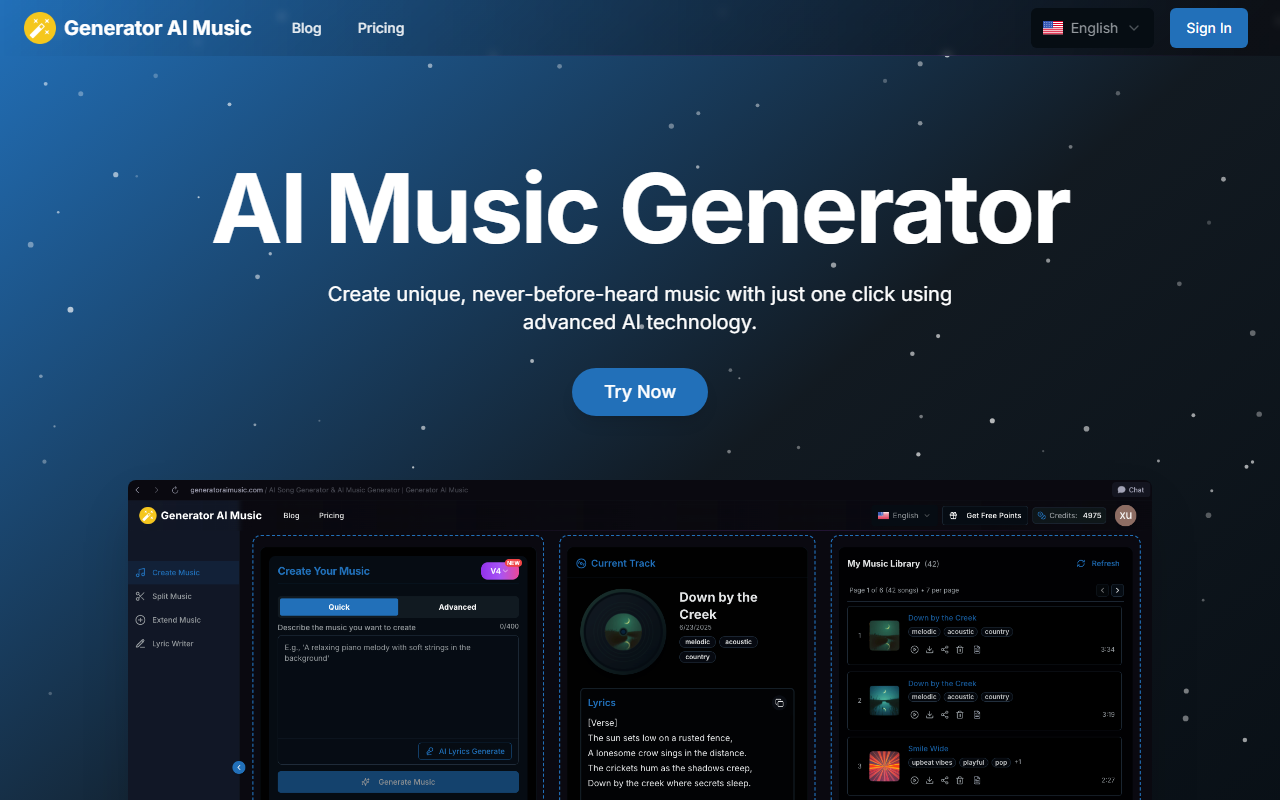
First Impressions and Interface
Upon visiting Generator AI Music, the dark-themed dashboard greets you with a gallery of user-generated tracks. Each card shows a title, genre tags, and a play button. The layout is clean and focused on discovery. I signed up and immediately accessed the free tier, which gives 10 credits daily—enough for two songs. The onboarding is minimal: a three-step guide explains Simple Mode and Custom Mode. I tried Simple Mode first: clicked on the large "Try Now" button, entered a prompt like "melodic trap with piano," and waited about 90 seconds. The result was a 3:30 track with decent structure, though the vocals sounded slightly robotic. The interface offers clear mode switching, and the progress bar kept me informed during generation. No crashes or errors—promising for a first test.
Key Features and Capabilities
Generator AI Music packs a surprising number of tools beyond basic generation. The Text to Music AI Generator converts any text prompt into a full piece, and the Lyrics to Music feature lets you paste your own lyrics—it then composes matching music and vocals. I tested the lyrics feature with a short verse about summer drives; the generated song captured the upbeat mood but lost some lyrical nuance. Other features include a Vocal Remover (which worked adequately on a pop track I uploaded), a Split Music tool for separating instruments, a Remix Music option, and a Melody Generator. Notably, Music Editing and Music Cloning are listed as "coming in August," indicating active development. The underlying model isn't specified, but output quality rivals services like Suno and Udio, though it sometimes produces muddier low-end mixes. The free tier offers WAV and MIDI downloads, a real plus for producers wanting to edit stems.
Pricing and Target Audience
Generator AI Music uses a credit system. The Free plan gives 10 credits daily (2 songs) with MP3, WAV, and MIDI downloads, plus access to vocal/instrument separation. Paid tiers are based on annual credits: Basic ($14/month, 4000 credits annually ≈ 800 songs), Standard ($24/month, 24000 credits annually ≈ 5000 songs), and Pro ($79/month, unlimited credits). Annual subscribers save up to $60. All paid plans include commercial use and a music commercial license. Compared to Suno's $10/month for 500 songs or Udio's $10/month for 1200 credits, Generator AI Music is pricier at the entry level but includes more advanced tools like stems separation. The free tier is generous for casual experimentation. This tool is best suited for content creators who need royalty-free music quickly, podcasters requiring custom jingles, or musicians looking for melody inspiration. Professionals seeking polished, mix-ready tracks may still prefer human producers or more established AI libraries.
Verdict and Recommendations
Generator AI Music delivers a solid, all-in-one AI music platform with features that extend far beyond simple generation. Its strengths include a user-friendly interface, multiple creative modes, and a robust free tier that includes WAV/MIDI downloads. The vocal remover and stem splitter work competently, making it a versatile tool for music production experiments. However, the audio quality, while impressive for AI, still struggles with natural-sounding vocals and complex arrangements—a limitation shared by most competitors. The pricing, especially the annual credit model, feels slightly steep for hobbyists; you can get more value per dollar from Suno or Udio for pure generation. Also, some promised features are not yet available. I recommend Generator AI Music for social media creators and podcasters who need fast, customizable background music with commercial rights, and for musicians exploring AI-assisted composition. But if you're after high-fidelity, radio-ready tracks, wait for the upcoming editing tools to mature or stick with professional DAW workflows. Visit Generator AI Music at https://generatoraimusic.com/ to explore it yourself.













Comments